Carrying a physical driver’s license isn’t convenient, but now, your DMV driver’s license is available in digital form in most U.S. states, and residents can add it to their smartphones.
However, getting a digital license isn’t as simple as taking a picture of the physical one. Participating states have their own mobile ID system, and we’re gonna cover that in this guide.
Where can I download the DMV driver’s license?
The first thing you need to do to get the digital DMV driver’s license is check whether your state supports it.
The safest option is to check the official DMV website and download the digital license through the official DMV or state-approved app. We’re covering that in the next section.
Also, you must know that a digital license is not just a photo or PDF of your physical card. This is a verified digital credential that must be issued through an authorized system.
When it comes to availability, it varies by state, but you will see all options below.
For example, residents of California can use the CA DMV Wallet, while New York offers New York Mobile ID.
Other participating states, including Arkansas, Iowa, Louisiana, Kentucky, Virginia, and West Virginia, also have their own mobile ID programs.
Meanwhile, some states allow residents to add an eligible ID to Apple Wallet, Google Wallet, or Samsung Wallet, depending on the state’s program and the device being used.
List of official DMV apps by state
Check this list of all the participating states on the digital DMV driver’s license:

1.3/5

2.7/5

4.8/5

3.6/5

2/5

3.4/5

1.9/5

4.5/5

4.7/5

2.2/5
Other states
If your State doesn’t have a specific driver’s license app, you can use the apps below to register and use yours digitally:
- Apple Wallet

- Samsung Wallet

3.8/5
- Google Wallet

Step-by-step: how to add your digital license to your phone
Insiderbits used the California DMV Wallet app to use as an example below, and help you on how to add the digital license to your phone.
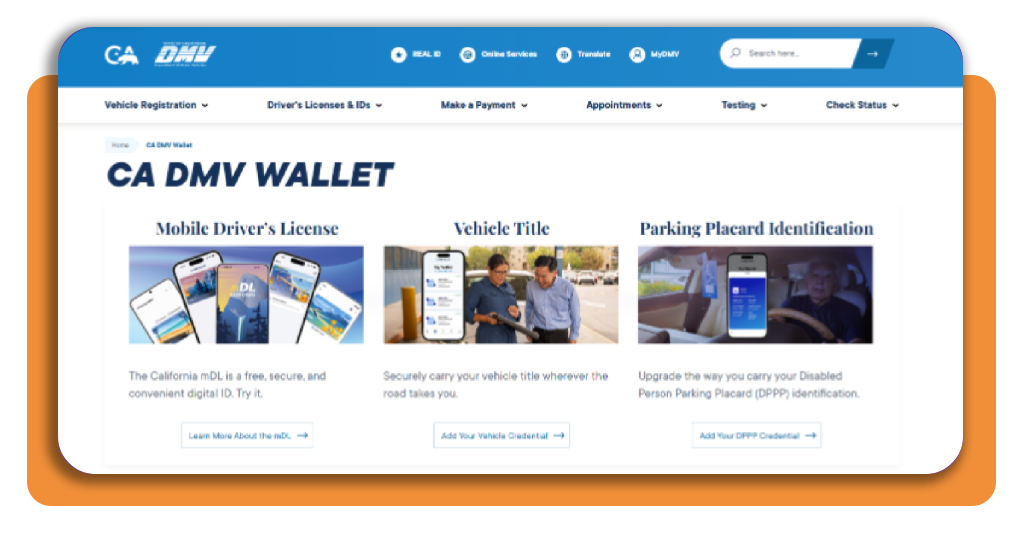
Step 1: download the CA DMV Wallet app
Start by downloading the official CA DMV Wallet (iOS/Android) from the Apple App Store or Google Play, or access the official website.
Step 2: sign in to your DMV account
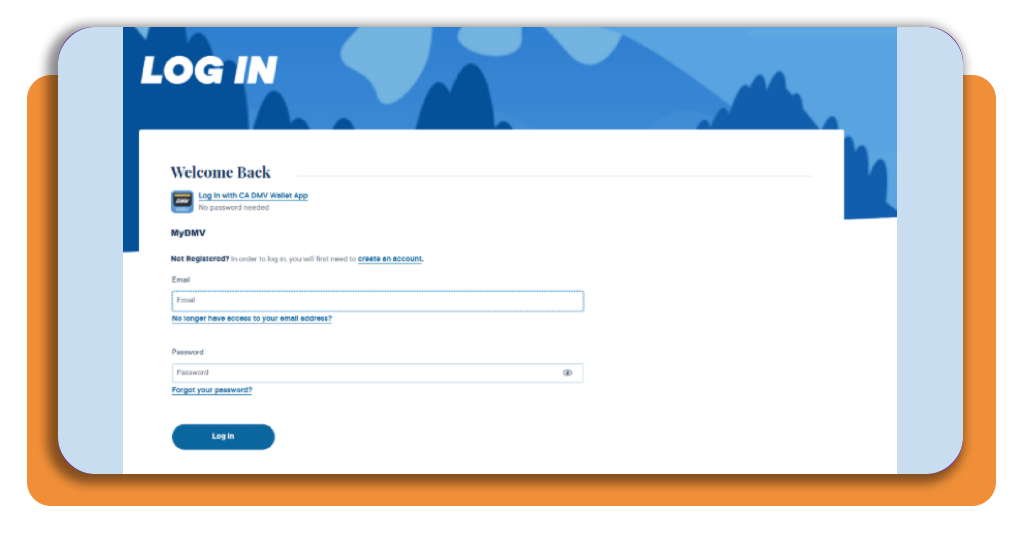
After opening the app, sign in using your existing MyDMV Account.
If you don’t have one, you can create an account during the process. The app will ask for information connected to your California driver’s license or ID.
Step 3: scan your physical driver’s license
At the home page, click on Mobile Driver’s License. This way, you will learn everything you need to know about the mdL.
Step 4: add to your digital wallet
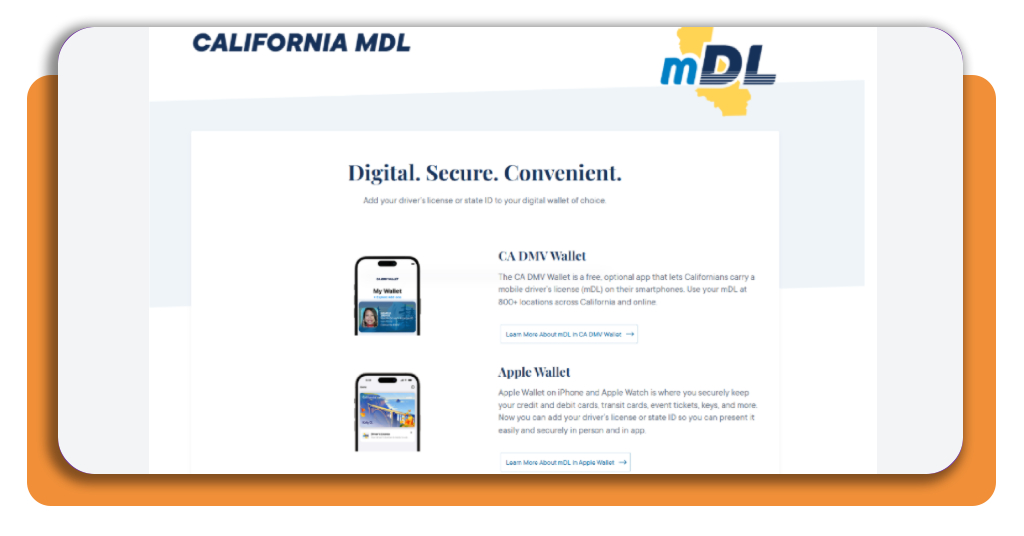
On this page, there are many options for digital wallets. You can choose Apple Wallet, Google Wallet, and Samsung Wallet, besides the traditional CA DMV Wallet.
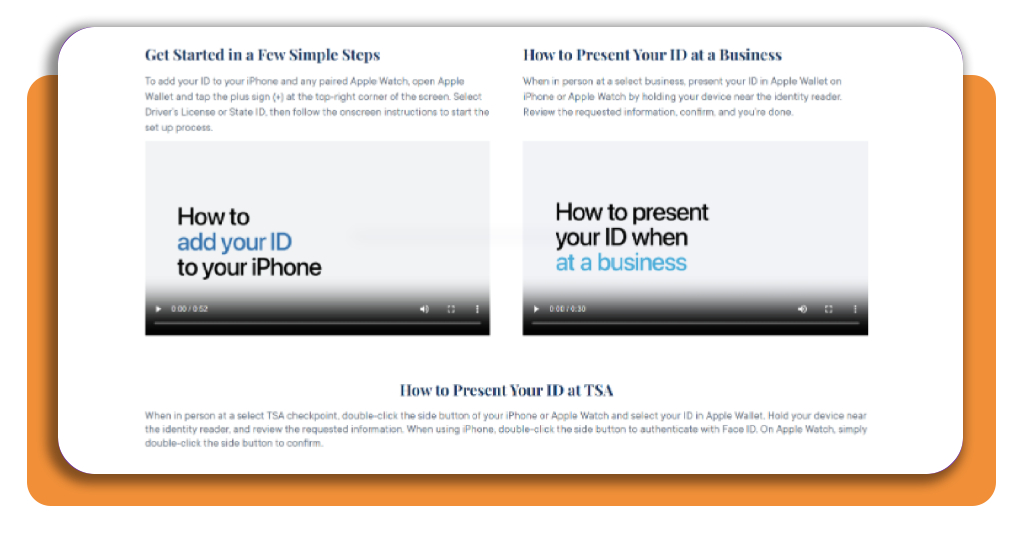
Step 5: get started
Now watch the short videos that will teach you in a simple way how to add the DMV driver’s license to your preferred wallet.
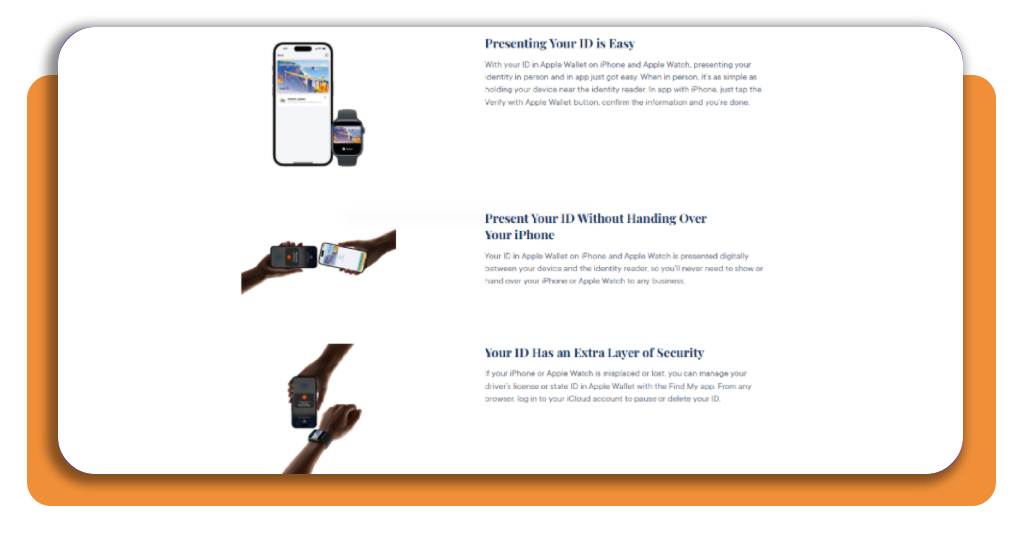
For residents of states without a dedicated DMV app
If your state doesn’t offer its own mobile driver’s license app, you may be able to add your digital ID directly to a supported wallet on your phone.
Apple Wallet, for example, supports driver’s licenses and state IDs from participating states, while Samsung Wallet also offers mobile IDs in supported locations.
Still, availability will depend on your state eligibility, so check whether your DMV participates before trying to add your license.
For iPhone users, open Apple Wallet (iOS), tap the + button, select Driver’s License or State ID, choose your state, and follow the verification instructions.
On compatible Samsung devices, open Samsung Wallet (Android), select Digital IDs, choose Driver’s License/State ID, and follow the instructions to scan your physical license and complete the identity verification.
For other Android users, Google Wallet (Android) offers a similar option when the driver’s license or state ID is supported in their state.
To do it, open Google Wallet, tap Add to Wallet, select ID card, and follow the on-screen instructions to scan your physical license and complete the identity verification process.
Law enforcement and TSA rules for mobile driver’s licenses
Well, of course, a mobile digital driver’s license can be convenient, but it doesn’t yet replace your physical license in every situation.
In California, for example, the DMV states that drivers should continue carrying their physical driver’s license because many law enforcement agencies don’t accept the mDL.
In fact, California law requires drivers to show their physical DL/ID when requested by law enforcement.
Meanwhile, TSA acceptance is broader, but it is still limited to participating airport checkpoints.
Still using California as an example, its mDL can be used at select TSA locations, where the traveler presents the digital credential through the supported wallet or CA DMV Wallet.
After that, it is necessary to authenticate the transaction on the phone.
Also, TSA acceptance can vary by airport, so travelers should check the current list of participating locations before relying on a mobile ID for a flight.
The important distinction is that a mobile ID is currently a companion to your physical DMV driver’s license.
That said, if you’re stopped while driving, visiting a government office, or traveling through an airport that does not support digital IDs, you may still need the physical card.
Issuance timelines and digital document availability
Getting a mobile driver’s license is generally much faster than waiting for a physical card.
That happens because the digital credential is created through the enrollment process rather than mailed to you.
For California’s mDL, the process involves downloading the CA DMV Wallet and signing in with a MyDMV account.
Once you’re signed in, you need to provide your license information, scan the physical card, and complete the required verification.
The exact waiting time varies depending on the verification process.
For example, California’s DMV says that adding a driver’s license to Apple Wallet takes a short period, although additional review may take longer if the DMV needs more information.
Then, once the request is approved, the digital license becomes available in the wallet.
It’s also important to understand that digital availability doesn’t mean universal acceptance.
California’s mDL is currently part of a pilot program, with participation limited to a portion of the state’s licensed drivers.
The credential can be used at selected airports and other participating locations, but the DMV still recommends carrying the physical driver’s license.
If your enrollment is approved, the mDL remains available through the CA DMV Wallet, and the DMV requires users to refresh the credential every 30 days.
This helps keep the digital document synchronized with the DMV’s records and ensures that the information displayed on your phone remains current.
Common mistakes to avoid when applying
The first recommendation we have is to avoid scanning a digital image instead of the physical license.
When capturing the card, place the physical ID on a flat, dark surface and use good lighting without glare.
Also, keep your fingers away from the card and make sure the barcode on the back is clearly visible.
The identity verification step can also cause problems.
To avoid any problems, make sure you are the only person visible in the camera frame, remove hats or masks, and use consistent lighting on your face.
Check the on-screen instructions carefully to improve the chances of approval.
Finally, don’t assume that having the digital ID means you can stop carrying your physical license.
As we mentioned, the California DMV recommends keeping the physical card with you because the digital DMV driver’s license is not fully accepted yet.
Keep your license within reach, wherever you go
As we saw, a digital DMV driver’s license can make life more convenient by giving you another way to access and present your identification directly from your phone.
With official programs in many states, the setup process gets relatively simple, from downloading the official app to verifying your identity and activating the digital credential.
However, mobile IDs are still expanding across the US, and acceptance depends on the state, device, and location where you want to use them.
As more states, businesses, airports, and government agencies adopt mobile ID, having a driver’s license on your phone may become an increasingly viable alternative for identification.
Related: Get Your Driver’s License for $0 with Treehouse Support
Enjoyed this article? Save Insiderbits to your favorites and discover the most useful tech tips.