
Digital advertising stopped being optional a long time ago. For entrepreneurs and freelancers competing in crowded online spaces, visibility is currency. Meta Ads sits right at the center of this economy, powering paid campaigns across Facebook, Instagram, Messenger, and Audience Network with data-driven precision.
What makes Meta Ads relevant goes beyond reach, it’s adaptability. Whether you are launching a personal brand, promoting an online store, or testing a service-based offer, the platform allows granular control over audience, budget, and objectives. Check how to get started with Meta Ads, to structure your first campaign, and which features actually help you spend smarter rather than simply spend more.
- Business Calendar Pro: Organize Your Professional Life
- Business Card Maker: Craft Your Business Card
- Business Tools: Must-Have Apps for Entrepreneurs
Get started with meta ads in 5 simple steps
Before touching budgets or creatives, it is essential to understand the basic structure of Meta Ads.
The system is organized into three layers: campaign, ad set, and ad. Each layer serves a distinct purpose, and skipping this logic is one of the most common beginner mistakes.
Step 1: create a business manager account
Meta Ads is managed through Meta Business Manager. A personal Facebook profile is required, but ads are not linked to your personal timeline. This separation allows brands and freelancers to manage assets professionally.
At this stage, you will need to:
- Add your Facebook Page or create one if it does not exist;
- Connect your Instagram account for cross-platform delivery;
- Set up billing information with a valid payment method.
Step 2: choose the right campaign objective
Meta Ads campaigns are goal-oriented. According to Meta’s official Ads Guide, objectives are grouped into three categories: awareness, consideration, and conversion.
For beginners, the most commonly used objectives include:
- Traffic, when the goal is to drive clicks to a website or landing page;
- Engagement, useful for social proof and early-stage brands;
- Conversions, designed for sales, sign-ups, or leads tracked via Meta Pixel.
Choosing an objective aligned with your actual business goal improves auction performance and cost efficiency.
Step 3: define your audience strategically
Audience targeting is where Meta Ads gains its competitive edge. The platform allows segmentation based on demographics, interests, behaviors, and custom data. Effective audience options include:
- Core audiences built from interests, location, age, and gender;
- Custom audiences using website visitors or Instagram engagement;
- Lookalike audiences modeled from existing customers.
Data from Meta’s ad auction system shows that relevance ranking directly impacts delivery cost, meaning better targeting often results in lower CPM.
Step 4: set a realistic budget and schedule
Meta Ads works on an auction-based system. You can choose daily or lifetime budgets depending on campaign duration.
For freelancers and small businesses, starting with modest daily budgets allows performance testing without financial pressure.
Best practices include:
- Starting with daily budgets between $5 and $15;
- Running ads for at least seven days to allow algorithm learning;
- Avoiding frequent budget changes that reset optimization.
Step 5: Create compelling ad creatives
Creatives are not about design trends alone. Ads with clear value propositions and concise copy outperform visually complex layouts. Strong creatives usually include:
- A clear headline focused on benefits;
- Short primary text that addresses a real problem;
- A strong call to action, such as “Learn more” or “Sign up”.
Step-by-step: create your first campaign
Once inside Meta Ads Manager, the campaign creation flow is straightforward but detail-sensitive.
After selecting your objective, you move into the ad set level, where audience, placements, and budget are configured.
Placements deserve special attention. Meta offers automatic placements across Facebook, Instagram, Reels, and Audience Network.
For beginners, automatic placements often outperform manual selection because the algorithm distributes ads where performance is strongest.
At the ad level, upload visuals or videos, insert copy, and preview placements. Before publishing, review tracking settings and confirm that Meta Pixel is properly installed if conversions are your goal.
Meta’s official onboarding guide offers detailed walkthroughs for first-time advertisers.
Features that optimize budget and reach
Meta Ads includes built-in tools designed to maximize efficiency rather than inflate spending. Understanding these features separates strategic advertisers from impulsive ones. Key optimization features include:
- Campaign budget optimization, which reallocates budget toward higher-performing ad sets;
- A/B testing tools that compare creatives, audiences, or placements;
- Detailed reporting dashboards with metrics such as CTR, CPA, and ROAS;
- Automated rules that pause underperforming ads or increase budgets based on performance thresholds.
These tools help advertisers make data-backed decisions instead of relying on intuition alone.
Where to access meta ads manager
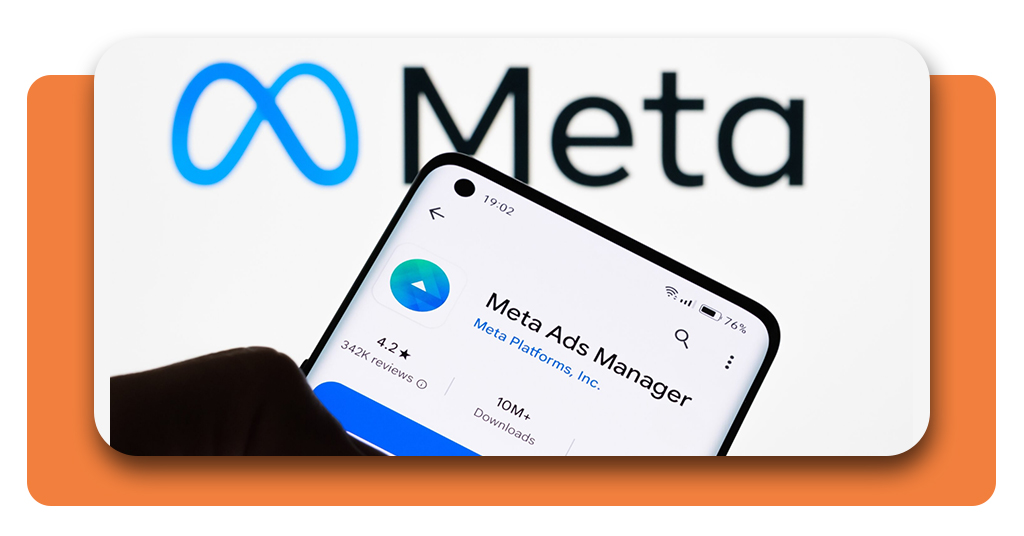
Meta Ads Manager is available via desktop and mobile, ensuring campaign control on the go. The web version is accessible through here and provides the most comprehensive reporting experience.
For mobile users, Meta Ads Manager is available on both Android and iOS, allowing advertisers to monitor performance, adjust budgets, and receive alerts in real time.
This flexibility is particularly useful for freelancers managing multiple clients or entrepreneurs running lean operations.

4.7/5
Why meta ads still matter in 2025
Despite growing competition from platforms like TikTok Ads and Google Ads, Meta Ads remains a cornerstone of digital advertising.
With over three billion monthly active users across its ecosystem, Meta offers scale combined with advanced targeting.
For those already running search campaigns, combining Meta Ads with platforms like Google Ads creates a full-funnel strategy that captures both intent and discovery-driven audiences.
Quick results are not the goal of Meta Ads. It involves methodical experimentation, data interpretation, and steady improvement.
Companies that view it as a channel for long-term growth typically outperform those looking for short-term gains.
Practical takeaway for entrepreneurs and freelancers
Launching your first Meta Ads campaign does not require a massive budget or advanced technical knowledge. It requires clarity, patience, and willingness to test.
The platform rewards advertisers who align objectives with user intent and adapt based on performance signals. Launch your first Meta Ads campaign and grow your business fast.
Set up your Meta Ads account and start reaching real customers. Boost your visibility with smart Meta Ads strategies.