
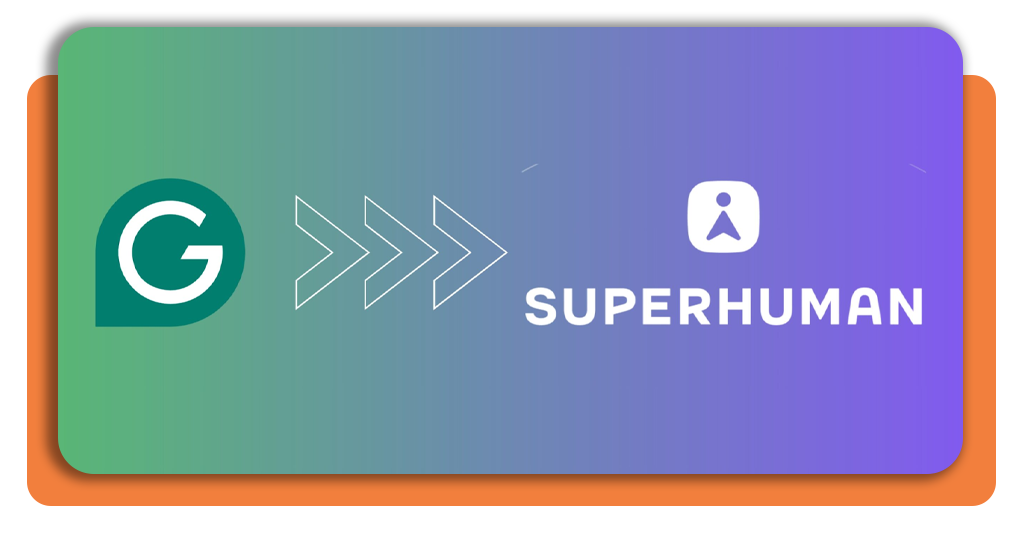
Remember when Grammarly used to gently tap you on the shoulder about misplaced commas and confusing sentences? Well, it’s done being polite, the app just leveled up. In 2025, Grammarly officially rebranded as Superhuman, stepping out of English class and into the real world as your all-in-one AI productivity partner. This new version doesn’t just fix your writing. It also practically runs your digital life, by drafting emails, summarizing meetings, suggesting follow-ups, and making sure you don’t forget to reply to that message you forgot the other day.
The company describes its mission as simple: AI should amplify human ability, not replace it. In other words, Superhuman isn’t here to take your job, it’s here to stop your inbox from taking your sanity. Read the article below to discover Superhuman AI and experience Grammarly’s next evolution.
- 3 Free AI Courses for Beginners With Certificates
- 5 AI Tools You Should Know Before Everyone Else Does
- 6 Cool AI Tools for iPhone While You Wait for Apple-OpenAI
Superhuman AI: How It Works Across Apps
If you are wondering how Superhuman AI works, we can say it is like the ultimate office multitasker, connecting four key tools that now live under one roof and talk to each other fluently.
The first tool, known as Grammarly, is the writing brain, which still polishes your words until they shine.
Meanwhile, Coda organizes your projects and documents into smart spaces. Superhuman Mail turns your inbox from a battlefield into a calm stream of neatly handled conversations.
And Superhuman Go, the new AI assistant, ties everything together, reading context across your tools, drafting messages before you even think to, and politely reminding you to attend that meeting you scheduled two weeks ago.
It’s the kind of coordination that makes you wonder if this AI secretly drinks espresso because it seems to know what you need before you do.
Step-by-Step: Meet the New AI Writing Agents
Trying out Superhuman AI feels surprisingly easy. Don’t worry! There’s no need for a futuristic headset and a tech degree. Follow this guide to get started:
- Begin by downloading the app on Google Play or App Store and signing in with your old Grammarly account. If you don’t have one yet, just enter your email, create a password, and it’s done.
- If you already have an account, Superhuman will automatically pull in your preferences, so it already “knows” your writing habits.
- Add Gmail, Slack, Google Workspace, or Jira so the AI can help across your entire workflow instead of lurking in just one tab.
- Now, meet your new AI team. Grammarly for writing, Coda for structure, Mail for communication, and Go for the magic that links it all together.
- Let the AI suggest actions and summarize tasks before you even ask. It’s like having a psychic secretary.
- Adjust tone and style. Whether you want “CEO energy” or “friendly coworker vibes,” it adapts instantly.
- The more you use it, the more it syncs with your habits, saving you hours of repetitive clicks and mental load.
It’s the same Grammarly you know, but on five cups of coffee and a mission to make you look endlessly organized.

4.4/5
Features That Redefine Productivity and Communication
As you can see, Superhuman can be, from now on, your personal coordinator, writer, and brainstorming buddy.
Its context awareness is borderline spooky (in a good way): when you draft an email, it can recall related documents, summarize past conversations, and suggest follow-ups instantly.
The AI can also create meeting recaps that actually make sense, no more guessing what “circle back later” was supposed to mean.
And because the platform connects to over 100 apps, your scattered digital life finally feels like one smooth system instead of a tech carnival ride.
Concerned about privacy? Superhuman includes transparency tools that let you see what data it processes. So, while it might feel like it’s reading your mind, you can at least confirm it’s doing so politely.
Ultimately, it’s designed to give you back your focus. You do the thinking; it handles the busywork, and together, you might finally end a workday on time.
Where to Download or Access Superhuman
You can explore Superhuman through its official website or download the mobile app available for iOS and Android on Google Play and the App Store.
Your Grammarly login still works, and your old writing data carries over seamlessly. Think of it as moving into a smarter, fancier apartment without having to pack boxes.
Basic tools remain free, but the premium tier unlocks Superhuman’s more advanced AI features.
Whether you’re running a startup, juggling emails like a pro, or just tired of staring at blank screens, this upgrade feels like upgrading your brain’s RAM.
Discover Superhuman AI and experience Grammarly’s next evolution, it doesn’t just fix your words, it fixes your workflow.
4.4/5
Superhuman AI: Grammarly’s Big Reinvention in 2025 – Conclusion
The leap from Grammarly to Superhuman feels like watching your quiet grammar teacher become a tech-savvy life coach. Overall, it’s the kind of upgrade that makes you wonder how you ever worked without it.
By merging writing, communication, and productivity tools, Superhuman turns fragmented tasks into one unified experience, by amplifying your creativity.
So if you’re ready for AI that feels less like a robot and more like the coworker who always has things under control, Superhuman might just be your new best friend.
Related: Free AI tools to improve your writing skills
Enjoyed this article? Save the Insiderbits blog to your favorites for the latest tools, creative tech tips, and photo editing breakthroughs.




