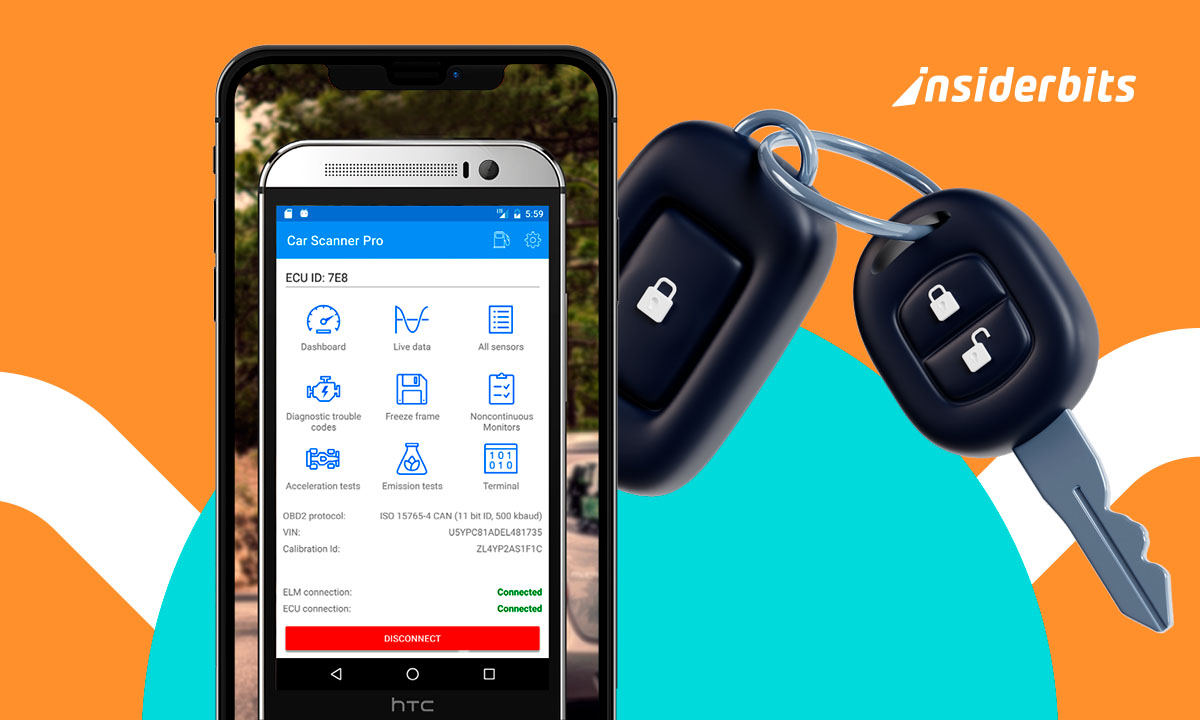
Understand how a car scanner works on your cell phone
Dashboard lights flash without warning and leave you guessing. Strange sounds or stalling can ruin your day. A phone-based scanner gives answers fast, before a small issue gets worse.
Using your phone to read your car’s system means fewer surprises. It checks what’s wrong, shows live data, and keeps you informed before heading to a mechanic or roadside.
Insiderbits breaks it down clearly. Learn which tool actually works, how to connect it, and what every code means before spending time or money on unnecessary repairs.
Examples of automotive diagnostics the scanner provides
A car scanner reveals hidden problems your dashboard never explains, giving practical information about engine health, sensors, and performance data that help you react early:
- Read engine fault codes identifying misfires, sensor failures, and fuel system errors, helping you decide repairs, prioritize urgency, and avoid workshop trips;
- Monitor temperature, RPM, voltage, and airflow data during driving, spotting overheating signs, battery problems, or performance drops before breakdowns happen;
- Check emissions readiness status to prepare inspections, identify failed monitors, fix issues early, and avoid retests, fines, or unexpected registration delays costs;
- Clear dashboard warning lights after repairs to confirm solutions worked, track recurring problems, and maintain accurate alerts during future driving situations periods;
- View VIN details, throttle position, engine load, and fuel trim values, helping you understand vehicle behavior and detect unusual operating patterns early.
PRO ADVICE: DON’T LET A DEAD ADAPTER RUIN YOUR DAY
Your car’s warning light won’t wait for the perfect moment. Bluetooth adapters break, vanish, or fail at the worst times. That’s why smart drivers keep a backup ready and paired. It’s your lifeline during long drives, late-night stalls, or roadside emergencies. Scan instantly, help a friend on the spot, or avoid towing just because your one device didn’t connect. Be ready every time.
What You’ll Need
Think your dashboard light tells the whole story? It barely scratches the surface. With these tools and habits, your phone unlocks everything your car’s been trying to say.

A compatible smartphone
You’ll need Bluetooth or Wi-Fi and enough storage to run the scanner app smoothly.

An OBD2 adapter
Plugs into your car’s port and links to your phone in seconds easily.

Basic car knowledge
Knowing what parts do helps you understand and act on the scan results faster.

Internet access for lookup
You’ll want to search codes, fixes, and parts while reading your results.

Time to read and learn
Don’t rush. Understanding a scan takes a few focused minutes each time.
WARNING: LIVE DATA CAN BE MISLEADING WITHOUT CONTEXT
Real-time stats like RPM or temperature look impressive but don’t always tell the full story. Numbers spike or dip based on driving, weather, or sensor quirks. Misinterpreting these values could send you chasing problems that don’t exist. Use live data to spot patterns, not panic. Always cross-check with fault codes and behavior before deciding something’s wrong when it might not be.
Conclusion
Your dashboard flashes, but the real story lives deeper in your car’s system. Paired with a scanner and a clear routine, you catch trouble early and skip the costly guesswork. While others rely on luck and late repairs, Insiderbits gives you the edge to move smarter, spot issues faster, and stay in motion long after the warning lights stop blinking.
FAQ
Does the car need to be running to use an OBD scanner?
Most scans work with the ignition on but engine off. For live data, the engine should be running. Always park safely before starting and follow your app’s connection instructions carefully.
Can I scan my car with my phone?
Yes, with a compatible adapter and the free app in our article, your phone can read fault codes, track performance, and check emissions. It’s a simple setup that turns your device into a diagnostic companion.
How do you use a scanner for beginners?
Plug the adapter into your car’s port, connect your phone via Bluetooth or Wi-Fi, and open the app. Follow on-screen steps to run a scan, read codes, and get explanations.
Can a car diagnostic detect all problems?
Scanners read data from your car’s sensors, but not every issue shows up digitally. Mechanical wear, fluid leaks, or strange noises may still need physical inspection by someone with hands-on experience.