You know those moments when you have just filmed the perfect clip on your iPhone, only to realize it still needs a touch of editing magic? Good news! Adobe just made that easier than ever. The new free version of Adobe Premiere Rush lets anyone transform simple footage into stunning videos right from their phone.
It’s not a watered-down gimmick either. Premiere Rush brings professional-grade editing tools to iOS, powered by the same technology behind Adobe Premiere Pro, minus the intimidating learning curve and the expensive subscription. This release marks Adobe’s biggest step toward mobile creators, giving social media users, vloggers, and casual filmmakers a powerful way to produce eye-catching videos without opening a laptop.
- 6 strumenti di intelligenza artificiale per iPhone in attesa di Apple-OpenAI
- App da Android a iPhone: Rendi qualsiasi Android come un iPhone
- A Beginner’s Guide to Parental Controls on iPhone
Adobe Premiere for Free on iPhone: How to Get It
The way to get Adobe Premiere for free is basically the same as any other app. Apple users can now download Premiere Rush completely free from the App Store.
Once installed, it syncs automatically with your Adobe Cloud account, or you can use it without one if you just want to jump right in and start cutting.
The interface feels instantly familiar, even if you’ve never edited a video before. The timeline is clean, the icons are intuitive, and the app gently guides you through your first edit. It’s the kind of learning curve you actually enjoy.
With Adobe Premiere, users can access professional transitions, color correction, audio cleanup, and export settings with just a few taps.
Adobe also includes smart templates for social media and YouTube formats, so your vertical, square, and cinematic ratios are handled automatically.
And since this is Adobe we’re talking about, everything runs beautifully smoothly. Even on older iPhones, Rush delivers that polished editing experience that used to be reserved for desktops.
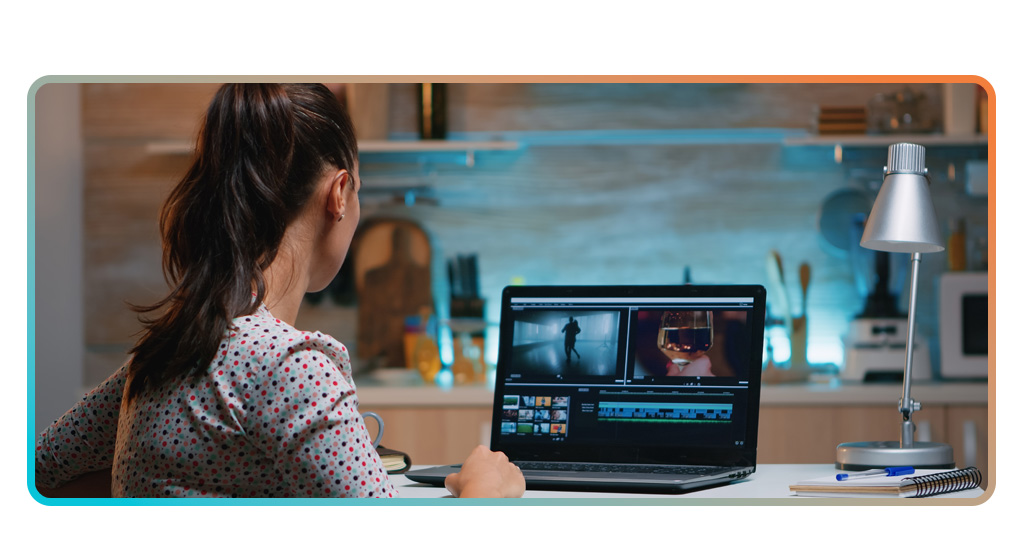
Step-by-Step: Edit and Share Clips on Mobile
- First, you need to download Premiere Rush from the App Store and launch the app;
- Now it’s time to import your videos from your Camera Roll or shoot directly within the app for quick projects;
- With the selected video, drag and drop your clips onto the timeline. You can trim, rearrange, or crop by simply sliding your finger;
- Add effects, transitions, soundtracks, or anything else that pleases you. The app includes royalty-free music and motion templates that make your videos look like they took hours to edit;
- Adjust color and lighting with one-tap presets or manual sliders. You’ll feel like a pro when your video suddenly goes from amateur to a movie trailer;
- Export and share instantly. Whether it’s Instagram, TikTok, or YouTube, Premiere Rush optimizes your video for each platform automatically.
Editing on the go becomes addictive once you see how smoothly everything runs. It’s the kind of app that makes you wonder how you ever lived without it.

4.6/5
Features That Bring Pro Editing to Your Phone
What makes Premiere Rush special isn’t just its tools, it’s how seamlessly it brings professional workflows to mobile without overwhelming users.
Consequently, every user can edit multi-track videos, add voiceovers, transitions, apply auto-ducking to balance background music, and even color-grade like a pro.
All of this, from a device that fits in your pocket, feels almost unfair to old-school editors chained to their computers.
Adobe’s AI-powered Sensei technology also makes subtle enhancements automatic. It adjusts sound levels, stabilizes shaky footage, and recommends the best export format for your chosen platform.
Cloud syncing is another highlight. You can start editing on your iPhone, pause midway, and continue later on your iPad or desktop Premiere Pro. Every project stays synced, so your creativity never hits a dead end.
Adobe Premiere also gives creators the freedom to customize, perfect for vloggers who like personal touches or marketers producing branded content directly on mobile.
Why Premiere Rush Beats Other Free Editors
Well, the App Store is full of free editors that spam you with ads or watermark your masterpiece right before export.
However, Adobe Premiere Rush skips all that nonsense. It’s ad-free and gives you real editing freedom without the sneaky paywalls.
It also feels more stable than most competitors, thanks to Adobe’s professional-grade backend. The rendering process is quick, color accuracy is fantastic, and the app rarely crashes, even when handling 4K footage.
For social media creators, the built-in aspect ratio templates are a dream. You can edit once and export multiple versions for different platforms, saving time, and your sanity.
Add to that Adobe’s commitment to updates. New effects, transitions, and AI tools are rolling out regularly. It’s safe to say this isn’t just a casual toy, it’s a serious editing platform for a generation that does everything on mobile.
Adobe Premiere Rush may have “Rush” in the name, but it doesn’t cut corners. It’s a free app that respects your creativity instead of locking it behind premium tiers.
4.6/5
How to Use Your iPhone to Edit Videos With Free Adobe Premiere – Conclusion
Adobe Premiere Rush proves that pro video editing no longer belongs exclusively to desktops. With intuitive tools and a nice performance for free, it turns any iPhone into a full studio.
Whether you’re editing a travel vlog, a product reel, Adobe Premiere will help you make it shine without effort or expense.
Download Premiere Rush free on iPhone today. Edit and share pro videos instantly because great stories shouldn’t wait for a computer to tell them.
Correlato: Adobe Firefly AI app is now free on mobile: try it
Enjoyed this article? Save the Insiderbits blog to your favorites for the latest tools, creative tech tips, and photo editing breakthroughs.