
Staying active when you’re senior should not focus on intensity. When it comes to training around that age, it is way more about consistency, even more when daily routines start to change and movement gradually decreases without being noticed. It is common for people to try to maintain mobility and independence. Still, they feel limited by complex workout for seniors apps that are not designed with accessibility in mind.
That is where the app SeniorFit (iOS/Android) can be a good option to simplify the whole process by offering guided exercises, clear visuals, and easy navigation that make it possible for anyone to stay active without unnecessary difficulty. Below, Insiderbits will explain that seniors don’t need to adapt to complicated systems anymore because SeniorFit adapts to the user, making movement part of a more comfortable and sustainable routine.
- Un'applicazione gratuita per l'allenamento a casa per tutti
- Abdominal Workout App: Build Abs in 30 Days
- Le 3 migliori app per l'allenamento ad alta intensità
What’s the best workout for seniors app?
Choosing a good workout for seniors app involves more than selecting a list of exercises, since usability plays a major role in the routine and if it will actually be followed.
In this regard, some fitness apps are built for high performance, and that can make them difficult to use for those who need something simpler to navigate.
The SeniorFit app (iOS/Android) stands out because it focuses on accessibility from the beginning.
The interface has straightforward instructions and a layout that reduces confusion, so users can interact with the app without frustration.
Another important aspect is how the app offers guided routines that are made to support mobility, balance, and strength, some of the key areas for maintaining independence.
Then, this app gets more sustainable day by day, turning it into a companion and not like something that is used only occasionally.

4.7/5
Senior fitness apps can make daily movement more accessible with guided exercises and easy-to-read interfaces designed for comfort and safety.
Features available in the SeniorFit app
The features inside SeniorFit (iOS/Android) are thought to reduce barriers and make daily activity easier to maintain for users who value simplicity and clarity.
As we mentioned above, since it is aimed at seniors, one of the most important aspects is the interface design.
Through prioritizing readability with larger fonts and high-contrast elements, it makes navigation more comfortable.
The workout for seniors app also provides guided exercise routines, offering step-by-step instructions that help users follow movements safely.
Lastly, another useful feature involves activity tracking that lets users monitor progress, creating a sense of continuity and reinforcing the habit of staying active.
All of that is responsible for creating an environment where exercise feels approachable.

Step-by-step: how to download and use the app on your cell phone
A workout for seniors app is very recommended for older people because the setup is simple and the routine can begin without unnecessary steps or confusion.
Check below how to download and use SeniorFit:
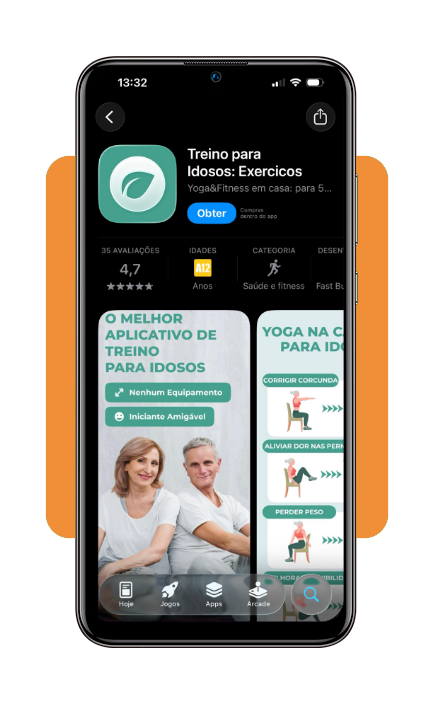
Step 1: install the app from your device’s store
To begin with, download SeniorFit from the App Store o il Google Play Store and open it after installation.
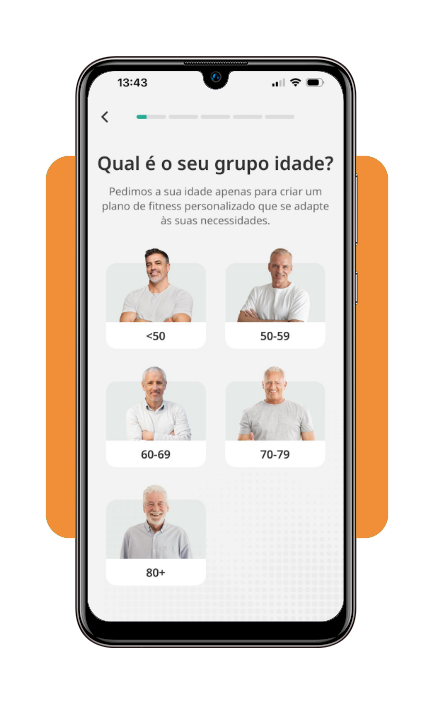
Step 2: set up your basic profile
After installing the app, enter simple information, like age or activity level, so the app can adjust recommendations.
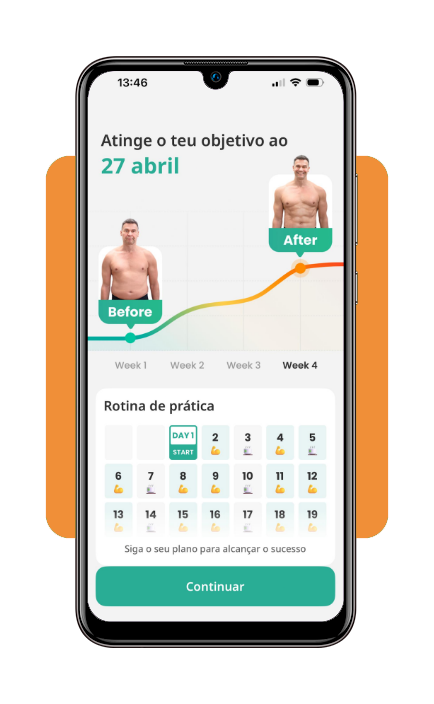
Step 3: choose a beginner-friendly routine
Then select a starting program that matches your comfort level and begin with short sessions.
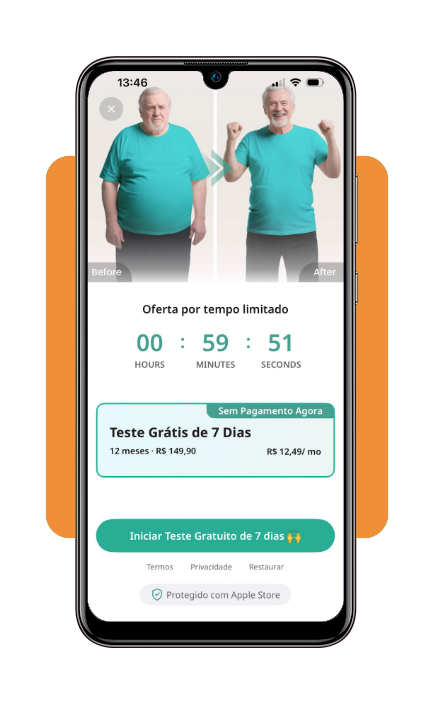
Step 4: follow the guided exercises
Use the on-screen instructions to complete each movement at your own pace.
Tips for safe usage and device compatibility
In order to use the workout for seniors app safely, it involves paying attention to both physical limits and how the device is used during exercise.
Remember that comfort and stability play an important role in maintaining a consistent routine. With that in mind, try starting with shorter sessions to help the body adapt gradually.
That recommendation is special for users returning to physical activity after a period of inactivity.
It is also important to position the device in a stable and visible place that allows every user to follow instructions without needing to hold the phone during exercises.
If you combine these safe practices with accessible technology, it creates a more reliable and comfortable experience.
How to keep active during old age
As you probably know, maintaining activity during later stages of life depends more on building routines that feel sustainable and adaptable to daily conditions.
Because of that, a workout for seniors app can support this process, though long-term results usually come from consistency instead of intensity.
When you incorporate movement into everyday life through SeniorFit (iOS/Android), for example, it reduces the need for structured workouts to carry all the responsibility.
And then, simple actions such as walking, stretching, or performing light exercises regularly will contribute to maintaining mobility and balance.
At the same time, variety can make the routine more engaging. Alternating between different types of movement helps prevent monotony and keeps the body active in different ways.
In the end, staying active becomes less about following a strict plan and more about maintaining a rhythm that supports independence and overall well-being.
4.7/5
From simple movements to more consistent independence
A workout for seniors app supports more than completing a few exercises each day, and gradually builds a routine where movement becomes a natural part of daily life.
As this routine develops, the benefits extend beyond physical activity itself, with increased confidence in movement all starting to appear, making life feel less limited.
At the same time, the simplicity of the SeniorFit (iOS/Android) app plays an important role in maintaining this consistency.
With continued use, what begins as a simple effort to stay active can turn into a more stable and reliable foundation for independence.
Correlato: Tecnologia per gli anziani: Applicazioni innovative per gli anziani nel 2025
Enjoyed this article? Save Insiderbits to your favorites and discover the most useful tech tips.