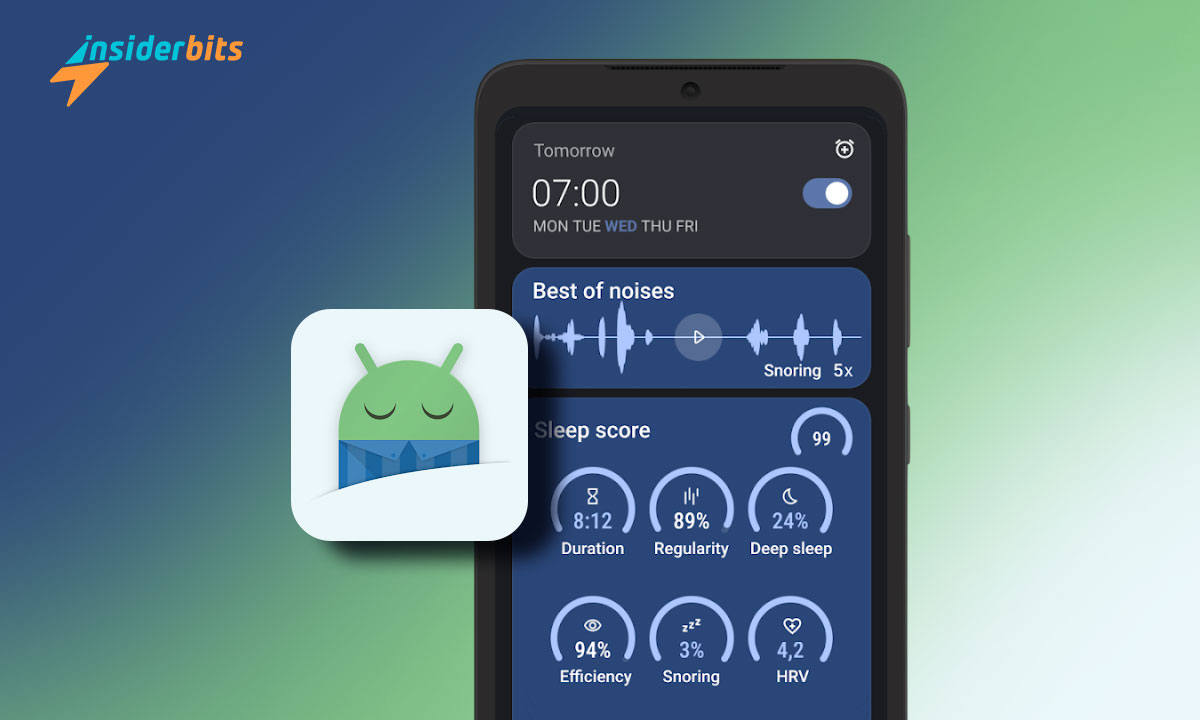
Are you tired of waking up feeling unrested? Sleep Tracker is your solution.
With busy lives and constant digital distractions, achieving a restful night’s sleep has become more challenging than ever.
Enter Sleep as Android, an innovative sleep-tracking app designed to help you understand and improve your sleep patterns right from your smartphone.
Here are some key insights that will convince you this Sleep Tracker can be the right choice for you.
What is the Most Accurate Sleep Tracker?
Accuracy in sleep tracking is a significant factor for users who rely on data to enhance their sleep quality. Sleep as Android combines smartphone sensors and wearable technology to monitor movement, heart rate, and sound, providing a multi-dimensional look at sleep patterns.
This layered approach captures more nuanced data, making Sleep as Android a reliable tool among non-medical sleep trackers.
While it may not replace clinical-grade devices, the app’s integration with devices like Wear OS and Samsung Health ensures it remains highly accurate in assessing sleep phases and overall quality.
4.6/5
How Can I Track My Sleep Without a Watch?
If you don’t own a wearable, the Sleep as Android provides an alternative method for sleep tracking. The app uses your phone’s sensors to monitor movement, sound, and other variables, giving you a comprehensive sleep analysis without requiring a smartwatch or fitness tracker.
Placing your phone on the mattress or a nearby surface allows this sleep tracker to detect these changes and record sleep data accurately.
Sleep as Android is a convenient option for those who don’t want to invest in wearable technology but still want a detailed look into their sleep habits.
Its compatibility with various devices and accessible setup makes it ideal for individuals seeking a straightforward sleep-tracking solution.
Are Sleep Trackers Worth It?
Many people wonder if sleep trackers are worth the investment. For those who struggle with consistent, quality sleep, trackers can reveal patterns and disturbances that are otherwise difficult to identify.
Sleep as Android, with its snore detection, smart alarm, and sleep phase tracking, offers a powerful way to understand sleep habits better.
Users can work on sleep-related issues, enhancing both rest quality and overall health. The app even provides weekly and monthly reports to help users track improvements over time.
Ultimately, sleep trackers like Sleep as Android: Smart alarm, can be a valuable tool for anyone seeking to enhance their sleep health, as long as they’re committed to interpreting and acting on the insights provided.
What is the Best App to Track Your Sleep?
Many sleep apps are available today, but Sleep as Android stands out for its range of functionalities, ease of use, and customizability.
Users can personalize features, including sleep reminders, lullabies, and smart alarms, making it a strong candidate as one of the best sleep-tracking apps available.
Unlike some alternatives, this app also offers an in-depth analysis that goes beyond tracking hours of sleep to evaluate sleep quality and disruptions.
For users who want a comprehensive sleep aid that covers everything from tracking to waking up gently, Sleep as Android offers a solid, all-encompassing solution.
Is Sleep as Android Free?
Sleep as Android offers both free and premium options. The free version includes many basic features, while the premium version unlocks advanced tools such as detailed sleep tracking, lullabies, and sound detection for snoring and sleep talking.
The premium version is a one-time purchase, making it an affordable choice for users seeking a deeper understanding of their sleep over the long term.
How to Download Sleep as Android?
To download this sleep tracker, follow these steps on the Play Store:
- Aprite il Google Play Store sul vostro dispositivo Android.
- Nella barra di ricerca, digitare Sleep as Android e premere Invio.
- Select the sleep tracker from the search results.
- Toccare il pulsante Installa per scaricare e installare l'applicazione sul dispositivo.
4.6/5
Sleep Smarter, Live Better: Transform Your Nights with Sleep Tracker – Conclusion
Prioritizing quality sleep can make all the difference in how we feel and function. Sleep as Android is a powerful companion for anyone looking to gain better insight into their nightly rest.
With features that go beyond typical alarms and basic sleep tracking, it helps users understand not just when they sleep, but how they sleep, guiding them toward healthier sleep habits.
If you’re someone who struggles with consistent sleep, wants to improve overall wellness, or simply enjoys tracking health data, Sleep as Android can make a noticeable difference.
Correlato: Habit Tracker - Diario delle abitudini: Rimani in cima ai tuoi obiettivi
Vi piace questo articolo? Aggiungete il blog Insiderbits ai vostri preferiti e venite a trovarci ogni volta che volete apprendere nuove ed entusiasmanti informazioni sulla tecnologia e molto altro ancora.