
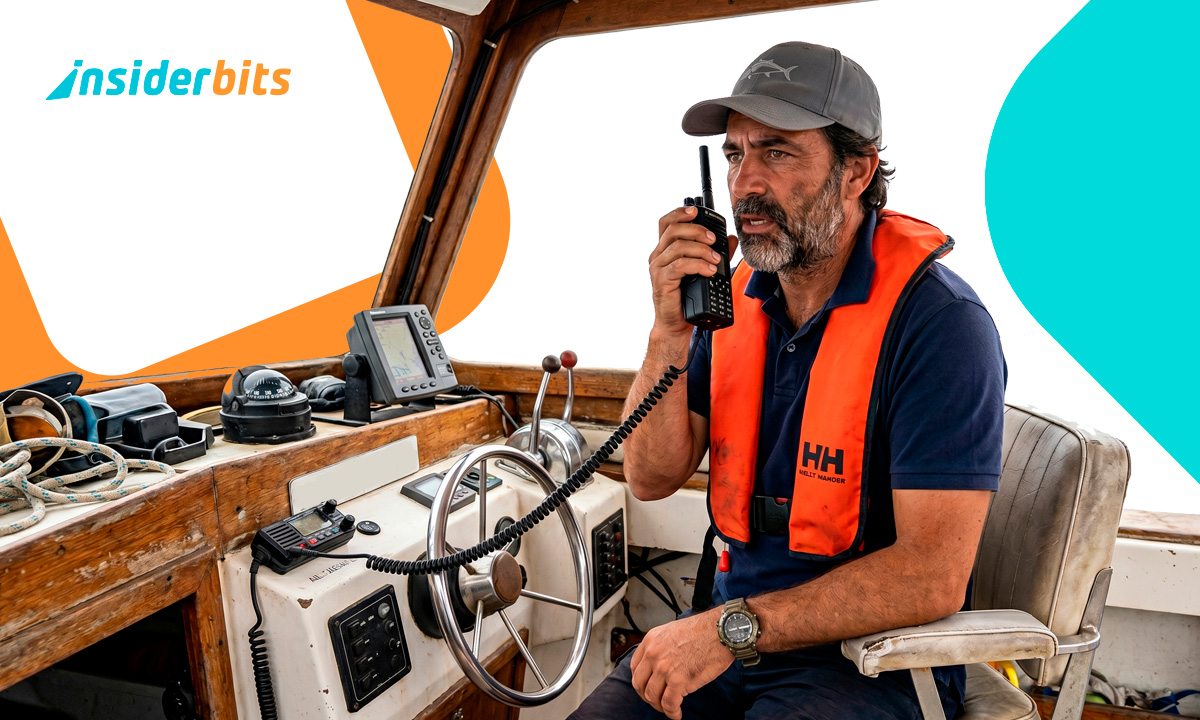
A storm rolls in faster than any forecast predicted, and the nearest marina is 40 minutes out. In moments like that, having a marine radio app on your phone is the difference between scrambling and knowing exactly what’s coming. Live audio from real channels, coast guard feeds, and NOAA stations is available to anyone, and a surprising number of people have no idea it’s accessible for free.
Police Scanner Radio & Fire connects you to live scanner feeds from around the world, with a dedicated marine directory built for people who spend time on the water. This Insiderbits guide breaks down every feature worth knowing, how to download it, and tips to get real value out of it. Keep reading and you’ll always know what to check before every single trip out.
Correlato: Exploring Marine Biology: The Best Marine Biology Apps for 2025
Marine radio app: listen real-time broadcasts
Live scanner feeds cover everything from port activity to coastal weather, and having that audio on demand changes how you prepare for every trip out.
Keeping up with what’s happening at sea used to mean carrying bulky equipment. This marine radio app pulls thousands of live feeds into a single, free mobile experience.
Police Scanner Radio & Fire (Android | iOS) covers a full directory of marine scanner channels sourced from real radios worldwide. It’s built around live audio, not summaries or old recordings.

4.6/5
Funzionalità disponibili nell'app
- Location-based scanning: browse marine feeds close to your area and pull up active channels around nearby ports, waterways, and coastal stations in seconds;
- Genre directory: filter the full scanner library by category and go straight to marine feeds without scrolling through unrelated public safety or aviation content;
- Favorites list: save the channels you return to regularly and access them with a single tap, keeping your go-to marine feeds organized and within reach;
- Home screen shortcuts: add widgets directly to your phone’s home screen so your preferred marine scanner feeds load the moment you need them, no extra steps.
Tune into marine feeds near your location
The marine radio app gives you a live look at scanner activity happening closest to where you are, making it practical for checking local port traffic before departure.
Pulling up feeds by location takes seconds. Pick your area, browse what’s active, and start listening to real audio from marine radios operating in that zone.
Local feeds update as new scanners get added to the directory. A channel covering your home port added last week could already be live and waiting.
Never miss a critical maritime alert
Setting up notifications is simple, quick, and keeps you informed without needing the app open. A spike in listeners on any feed signals something worth tuning into.
When activity picks up on a specific channel, this marine radio app sends you an alert immediately. That listener threshold is adjustable, so you control what triggers a notification.
You can also set alerts tied to feeds covering your regular waters. The moment a scanner nearby goes active with high traffic, your phone lets you know.
Step-by-step: how to get forecasts using Police Scanner Radio & Fire
Having access to live marine forecasts on your phone is a lot simpler than it looks. There’s no need for special hardware or subscriptions, just a free app and a couple of minutes to set up.
This marine radio app puts real broadcast audio in your hands. You’ll hear the same feeds that come through actual marine radios, pulled straight from active stations worldwide.
Once it’s set up, Police Scanner Radio & Fire (Android | iOS) runs on its own. Pick your channels, set your preferences, and the app does the rest while you focus on your trip.
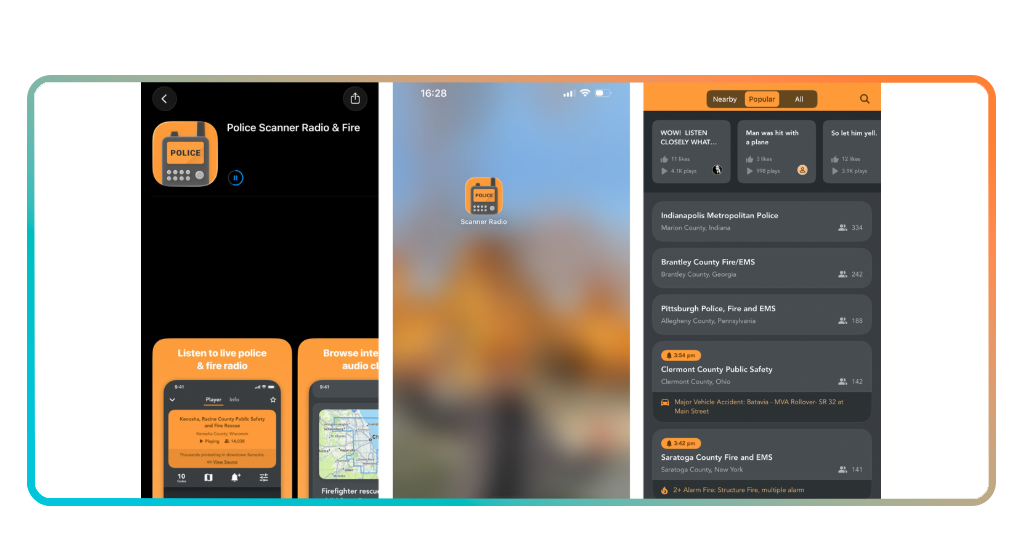
Step 1: download the Scanner Radio app for free
Aprire la sezione App Store o Google Play Store on your phone and search for “Police Scanner Radio & Fire”. It’s free to download and takes about a minute to install on any Android or iOS device.
No account creation is required to get started. Open the app and you’ll land on the main feed directory, ready to browse thousands of live scanner channels from around the world.
The free version gives you full access to marine channels, location browsing, and notifications. You won’t hit a paywall just for listening, which makes getting started completely painless.
Step 2: browse and pick your marine channels
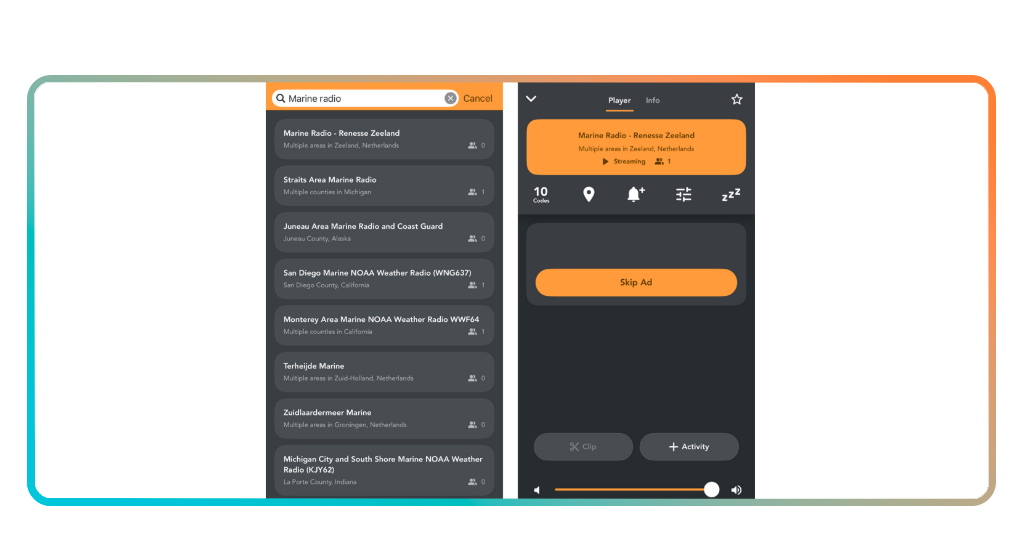
The marine radio app organizes its directory by genre, so tap the marine category and you’ll see active feeds sorted by location and listener count right away.
From there, scroll through the list and tap any channel to start listening live. You’ll hear real audio from ports, coast guard stations, and waterways operating in that area.
Found a feed you want to keep? Hit the Favorites button and it’ll save to your list. Next time you open the app, your picked channels are one tap away.
Step 3: set alerts and hit the water
Go into the notifications settings and turn on alerts for your saved marine channels. You can set a listener threshold so the app only pings you when real activity picks up.
If you want coverage beyond your favorites, the marine radio app also lets you enable location-based alerts. Any scanner near you that hits your set threshold will trigger a notification.
With everything configured, you’re set. Take your phone out on the water and let the app run in the background, alerting you the moment something worth hearing comes through.
Correlato: Fishing apps to find the best spots and improve your skills
Tips for marine weather and activities
Building a few simple habits around how you use live scanner audio makes a real difference before and during your time on the water.
The feeds available cover a wide range of marine activity, from port traffic to active weather alerts. Tapping into the right ones at the right time makes a real difference.
The audio on this marine radio app updates in real time, so you’re never working off outdated information when planning a route or keeping an eye on changing conditions.
Check live feeds before every trip
Pull up your saved channels the morning of your trip and listen for a few minutes. What’s moving through local waterways will tell you more than a standard forecast ever could.
Pay attention to which feeds are active around your departure point. A channel covering a busy stretch of water will tell you more about real conditions than any forecast app will.
If a channel you follow regularly is unusually quiet, take note. Low activity on a busy feed sometimes signals restricted access, poor visibility, or vessels holding back for a reason.
Tune into NOAA stations during rough weather
NOAA stations run around the clock and cover coastal wind speeds, wave heights, and storm tracking. Saving a couple of those feeds means you’ve always got reliable audio within reach.
Pulling up a marine radio app during a storm gives you access to live audio that weather apps simply can’t replicate. You’re hearing what’s being broadcast to vessels in real time.
During hurricane season, dedicated storm net feeds carry real-time reports from operators on the ground. That kind of detail fills in what satellite maps and weather alerts tend to leave out.
Keep your favorite channels one tap away
Save channels covering every zone you visit regularly, not just your home port. The more relevant feeds you have saved, the less time you spend searching when you need information.
Adding a home screen widget puts your marine radio app feeds front and center every time you pick up your phone. No extra taps, no hunting through menus when time is short.
If your routes change with the season, update your favorites list to match. Keeping it current means the feeds you open are always the ones relevant to where you’re headed.
Benefits of having Police Scanner Radio & Fire on your phone
Live marine audio shifts how you make calls on the water. Real information backs up your instincts instead of leaving you to piece things together from secondhand sources.
The app covers scanner feeds across every major category, and the marine directory alone has enough active channels to keep you informed no matter where you’re headed.
What separates this marine radio app from a standard weather tool is that you hear unfiltered, live broadcasts straight from the source, not a processed summary delivered after the fact.
Know what’s happening before you cast off
Checking active marine feeds before you leave gives you a picture of what’s already moving through the water. Vessel traffic, restricted zones, and weather-related holdups show up live.
Port activity feeds are particularly useful if you’re departing from or arriving at a busy marina. You’ll pick up on patterns and activity that don’t show up on any navigation chart.
Spending five minutes listening before you head out puts you in a different position. You leave with current information rather than assumptions about what the water looks like that day.
Listen to ports and waterways worldwide
The directory covers active marine feeds from ports, waterways, and coastal stations across the globe. If you’re planning a trip somewhere new, you can tune in to that area well in advance.
Browsing feeds from international waters gives you a sense of how busy a destination is, what kind of vessel traffic moves through it, and this marine radio app makes all of that accessible.
Listening to feeds from unfamiliar regions also helps you pick up on local communication. That kind of exposure is useful when you’re navigating waters you haven’t covered before.
Free real radio no equipment needed
A physical marine radio setup costs money, takes up space, and needs maintenance. The app delivers the same live audio experience without any of that, straight from your phone.
You won’t need cables, antennas, or a dedicated device to access broadcast audio. Pulling up a marine radio app on your phone gets you the same feeds a physical scanner would pick up.
The Pro version removes ads and adds recording, but the free tier covers everything you need for live marine listening. There’s no subscription, no trial period, and no hidden costs involved.
Correlato: RadarOmega: il vostro esperto di previsioni del tempo
4.6/5
Hear the water before you hit it
Police Scanner Radio & Fire gives you a direct line to what’s happening on the water, and that kind of access changes how you plan and move through every trip.
This marine radio app review was put together by Insiderbits to help you get real value out of a tool that most people scroll past without a second look.
Keep browsing Insiderbits for more articles covering live audio feeds, scanner tools, and apps worth having on your phone before your next adventure.




