

Using a home planner app feels good right at the moment when a simple decision starts to feel uncertain, for example when moving furniture, redecorating, or trying to understand how a new piece will actually fit into an existing space. What looks like a straightforward change can be a frustration when measurements are off or the final result does not match the expectation built in your head.
That is where digital planning tools start to shift the process. Instead of relying on imagination alone, the Home Planner AI (iOS/Android) allows users to scan rooms, generate layouts, and test different arrangements before moving anything physically. This makes the entire experience more controlled, so users can explore options and visualize outcomes in a way that feels much closer to a real result.
- Smart Meal Planning: Revolutionizing Home Cooking with AI Apps
- Redesign your entire home in 60 seconds: free AI room planner
- 3D Home Painting: Visualize Your New Wall Colors Before You Paint
What’s the best home planner app?
Choosing a home planner app is all about finding one that translates your space into something you can actually work with.
There are many apps that offer layout features, but the difference usually appears in how easily you can move from idea to visualization without needing technical knowledge.
Insiderbits will highlight in this post the Home Planner AI app (iOS/Android) that stands out because it simplifies this transition.
The app doesn’t require manual measurements for every detail; it uses camera-based scanning to capture room dimensions and generate a digital version of the space.
That alone removes one of the biggest barriers for beginners, since measuring walls and furniture spacing manually can be time-consuming and error-prone.
Another relevant aspect is how the app handles furniture placement. Being able to test different layouts helps to compare options without committing to a single arrangement.
Gradually, the app starts to help you plan with intention. That happens even more after users begin to understand how small adjustments in layout can affect how a space functions.

Funzionalità disponibili nell'app
The features inside the Home Planner app AI (iOS/Android) are designed to make room planning more intuitive, even for users with no prior experience in design or architecture.
One of the most useful functions is the ability to scan a room and generate a digital layout, creating a starting point that reflects the actual dimensions of the space.
This feature reduces guesswork and helps users avoid common mistakes related to inaccurate measurements.
Also, the 3D visualization feature allows users to see how furniture and objects will look inside the room before making any physical changes.
This makes it easier to evaluate spacing, proportions, and overall balance without moving heavy items or purchasing new ones prematurely.
The app also includes tools for adjusting layouts, repositioning furniture, and testing different configurations that help users compare multiple ideas quickly.
Another important aspect involves usability. The interface is designed to keep actions simple, allowing users to focus on planning rather than learning how to operate the tool.

4.6/5
Step-by-step: how to design your room using the app
Designing a space with a home planner app is better if the process is treated like a sequence of small adjustments.
Follow these steps and start designing your room right now:
Passaggio 1: scarica l'app
First of all, download and open the Home Planner AI app (iOS/Android).
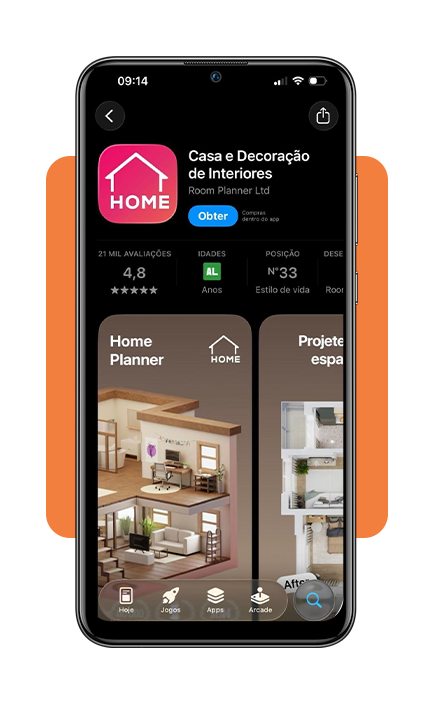
Step 2: scan and check the generated image
Now scan your room and check the generated space and start placing furniture elements, adjusting position and spacing to match your initial idea.
Step 3: use the 3D feature
Then, switch to the 3D view to evaluate how the room feels visually and identify areas that need improvement.
Tips for home decoration
Using a home planner app (iOS/Android) can make decoration decisions more deliberate when it becomes easier to visualize how each element fits into the overall space.
Starting with functionality tends to produce better results, since understanding how the room will be used helps guide furniture placement before focusing on aesthetics.
Also, keeping proportions in mind matters, as oversized pieces can dominate smaller rooms, while very small items may leave larger spaces feeling empty.
Over time, combining planning tools with personal preferences creates a more intentional approach to decoration, where decisions feel more grounded and less impulsive.
4.6/5
When layout decisions start making sense
Using a home planner app changes more than the way a room is arranged. What might have started as an attempt to see if working near a window becomes a planning process.
Being able to test layouts digitally makes those choices feel more grounded, especially when different arrangements can be compared before any furniture is moved or purchased.
The value of the app goes beyond convenience. It becomes a reference for making smarter home decisions and creating spaces that feel more intentional in both appearance and use.
When that happens, the app stops being just a design tool and starts working more like a visual guide for better everyday living.
Correlato: Floor Plan Scanners: Turn Your Room Into a Blueprint
Ti è piaciuto questo articolo? Salvalo Insiderbits to your favorites and discover the most useful tech tips.





