
Working from home has turned your back into a constant source of discomfort, and sitting all day only makes things worse. A posture corrector for remote workers called Upright pairs with a small wearable device to send you real-time feedback through gentle vibrations, helping you build awareness and strengthen your core without forcing you to think about it constantly.
In this Insiderbits guide, you’ll learn how the app tracks your posture, what features help you stay on goal, how to set everything up properly, and what adjustments make your workspace less painful. Your back pain won’t fix itself while you ignore another ache during your next video call, so keep reading and see how this app may change your workday.
Correlato: Work From Anywhere: Free Apps Every Remote Worker Needs
Looking for a reliable posture corrector for remote workers?
Upright (Android | iOS) combines a small wearable device with an app that tracks how you sit and alerts you when your posture slips during work hours.
You need both the Upright GO device and the app for this posture corrector for remote workers to function, since the wearable sends all posture data to your phone.
The app turns that information into goals, progress reports, and training sessions that help you build strength and awareness over weeks of consistent use.

4.6/5
Funzionalità disponibili nell'app
- Step-by-step tutorial: the app walks you through how to attach the device, calibrate your ideal posture, and set your first goal so you’re not figuring things out alone;
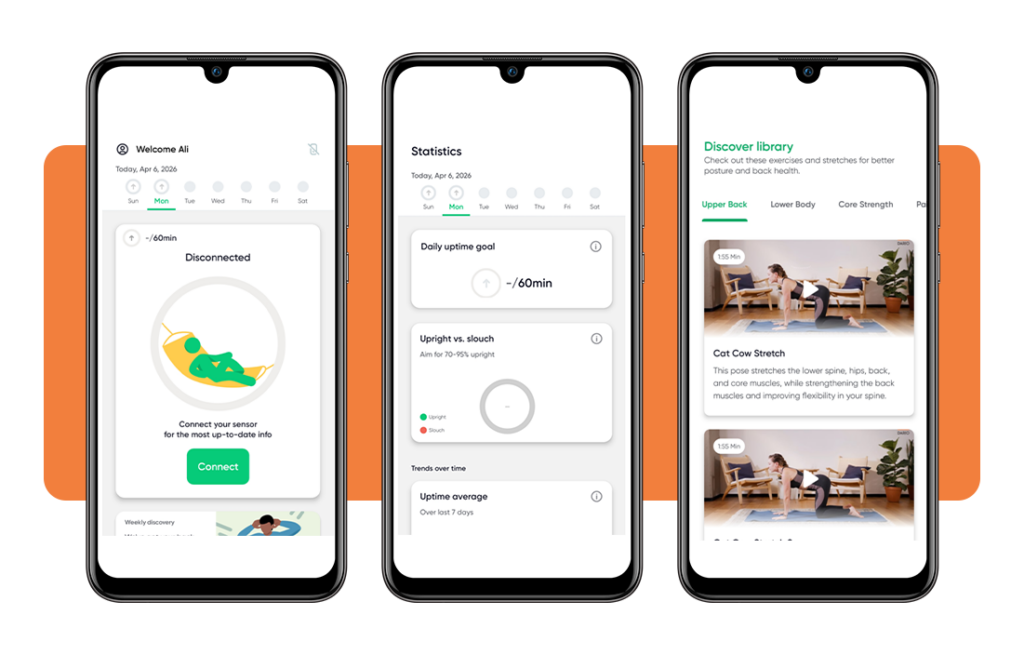
- Real-time avatar: your screen shows a digital version of your body that moves when you do, giving you a visual reference for how straight or curved your spine is;
- Personalized goals: the app adjusts based on how well you’re doing, so you’re not stuck with the same expectations regardless of whether you’re improving or struggling;
- Monitoraggio dei progressi: a dedicated stats screen shows how long you’ve trained, how often you slouched, and how much you’ve improved since you started using the device.
Real-time feedback that actually works
The device vibrates the moment you slouch, so you’re not waiting until the end of the day to find out you spent eight hours hunched over your keyboard.
This posture corrector for remote workers doesn’t lecture you or make you read reports before knowing what went wrong during your last work session at home.
The vibration is gentle but clear, and it stops as soon as you sit up straight again, so you’re always getting feedback that matches your movements.
Build better habits without thinking twice
The app sets goals that match your current ability, so you’re not expected to hold perfect posture for hours on the very first day of training.
Over time, your body learns to recognize when it’s slipping into a slouch without needing the device. This posture corrector for remote workers helps you develop awareness naturally.
The combination of vibration reminders and visual tracking means you’re training two parts of your brain at once, which makes the new habits stick much faster.
Step-by-step: how to improve your alignment using Upright
You won’t spend half your morning trying to figure out how Upright (Android | iOS) works or where each button takes you during the initial setup.
Everything about this posture corrector for remote workers is designed to get you from download to first session without needing tech support or troubleshooting.
Three simple actions put the device on your back and the app in tracking mode, so you’re fixing your posture instead of reading instructions.
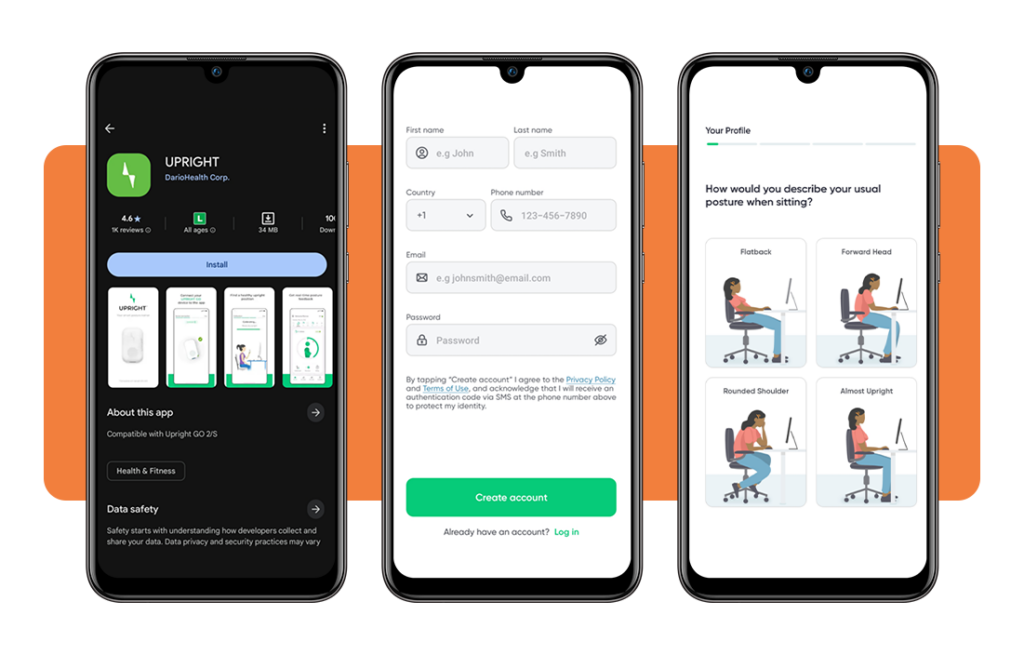
Step 1: download the app on your phone
Dirigiti verso App Store o Google Play Store and search for Upright, then download it for free onto your Android or iOS device.
Open the app and create an account using your email address or phone number, then validate it through the confirmation code they send you.
Answer a few questions about your age and current posture habits so the app knows where to set your initial goals and training recommendations.
Step 2: attach the device properly
This posture corrector for remote workers includes a small wearable that sticks to your upper back, right between your shoulder blades on your bare skin.
Clean the area with a dry cloth before placing the device so it sticks firmly and doesn’t slide around when you move during work.
The app will show you exactly where to position it, and you’ll feel a gentle vibration once it’s connected and ready to start tracking.
Step 3: calibrate your perfect posture
Sit or stand in the position that feels straight and comfortable, then hold it while the app records that alignment as your baseline reference.
This step teaches the device what your ideal posture looks like for this posture corrector for remote workers, so it knows when to vibrate later.
Once calibration finishes, the app will start monitoring your position and alert you every time you drift away from that straight alignment you just set.
Correlato: Posture apps: combat remote work back pain
App compatibility and safety tips for your home office
The app runs on most phones released in the last few years, so you won’t need to buy new hardware just to track your posture.
Setting up your workspace correctly helps this posture corrector for remote workers do its job without fighting against a poorly arranged desk or uncomfortable chair.
A few small changes to how you train and where you sit make the experience safer and keep you from overdoing it on your first day.
Devices that work with Upright GO
The Upright app and GO device work with both Android and iOS phones, so you’re covered whether you have a Samsung, iPhone, or any other major smartphone brand.
Your phone needs Bluetooth turned on to connect with the wearable device and receive live updates about your posture throughout each training session.
Check the app store listing for the minimum operating system version required, but most phones from the past three years will handle it without issues.
Position your workspace for success
This posture corrector for remote workers won’t fix problems caused by a monitor placed too low or a chair that forces you into a slouch.
Adjust your screen so the top sits at eye level, and make sure your feet rest flat on the floor with your knees bent at 90 degrees.
Your keyboard and mouse should sit close enough that you’re not reaching forward or hunching your shoulders just to type or click during work hours.
Start with shorter training sessions
Jumping into two-hour sessions on your first day will exhaust your back muscles and make you sore, which defeats the purpose of building healthy habits.
Begin with 15 or 20 minutes of tracking, then gradually add time as your body adjusts. This posture corrector for remote workers lets you customize session length easily.
Your muscles need time to adapt to holding a new position, so starting slow prevents burnout and keeps you from quitting after one painful afternoon.
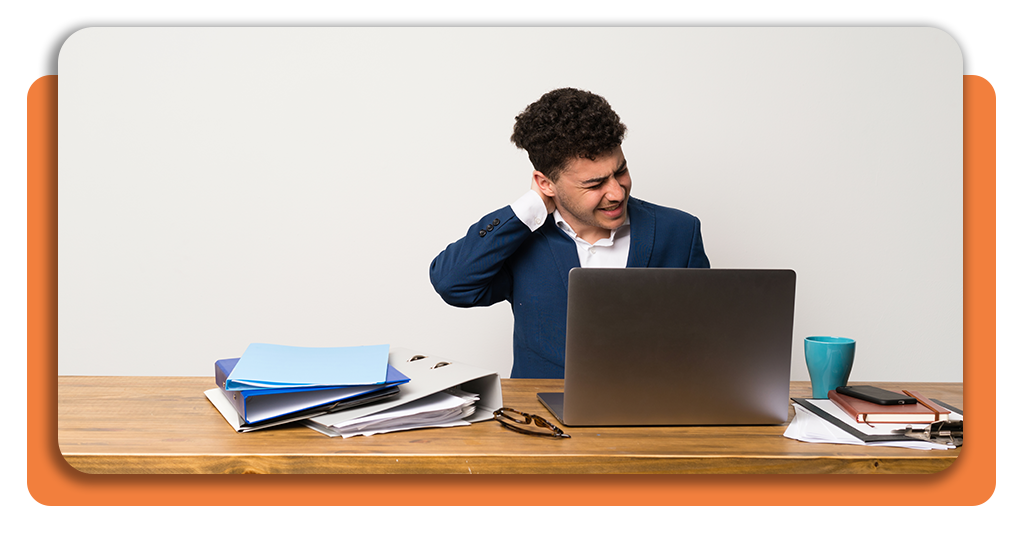
How to have more comfort during remote work
Upright (Android | iOS) helps you track your posture, but your chair, desk setup, and movement habits determine how good you feel after 8 hours at home.
Fixing your alignment with this posture corrector for remote workers only gets you halfway there if your workspace forces you into awkward positions all day long.
Small adjustments to your furniture, your break schedule, and your core strength turn the tracking data into real relief that lasts beyond each training session.
Adjust your chair to support alignment
Your lower back needs support from the chair itself, so adjust the lumbar section until it fills the curve of your spine without pushing too hard.
Tilt the backrest slightly backward so you’re not leaning forward to see your screen, which forces your shoulders and neck into a constant hunch.
Armrests should let your shoulders drop naturally without tension, and they should sit high enough that your arms rest lightly without lifting your shoulders up.
Take movement breaks every hour
This posture corrector for remote workers tracks how you sit, but staying in one position for hours will still leave you stiff and sore by afternoon.
Stand up, walk around your space, and stretch your neck and shoulders every 60 minutes to keep blood flowing and prevent muscles from locking up.
Even a two-minute break to refill your water or look out the window gives your back a chance to reset before you sit down again.
Strengthen your core beyond the device
Your abs and lower back muscles hold your spine in place, so weak core muscles make it harder to maintain good posture even with constant reminders.
Add simple exercises like planks, bridges, or standing leg lifts to your routine. This posture corrector for remote workers tracks progress, but strength training prevents future pain.
Building muscle around your midsection reduces how much effort it takes to sit up straight, which means less fatigue and fewer aches at the end of long workdays.
4.6/5
Correlato: Escape the commute: secure your future with these remote careers
Better posture means better workdays
Upright gives you a way to fix your posture without relying on willpower or constant self-checking, which makes the process easier to stick with over time.
Questa guida di Insiderbits showed you how real-time feedback and personalized goals from this posture corrector for remote workers help reduce back pain and build lasting awareness.
Continua a esplorare Insiderbits for more articles about good posture and healthy habits that help you feel better and work more comfortably during long hours at home.




