Preparing for the citizenship test feels more challenging than expected, not because the content is necessarily complex, but because of the pressure to remember specific answers under interview conditions. That’s why there are a lot of applicants that find themselves reading the same material repeatedly without feeling confident that the information will stay in place when it actually matters.
That is where mobile-based study tools begin to change the process. Instead of relying on static reading, the USCIS Civics Test Study Tools (iOS/Android) bring official questions into a format that encourages repetition and continuous practice. This makes studying more dynamic, helping users reinforce knowledge gradually rather than trying to memorize everything at once.
- Applicazione CBP One: Servizi per la cittadinanza e l'immigrazione degli Stati Uniti
- Free U.S. citizenship test prep — civics and English training
- How to get a citizenship from another country

4/5
What is the official citizenship test app?
When people look for a mobile tool to study for the citizenship test, the safest starting point is usually the official study material published or endorsed through USCIS.
The USCIS itself directs applicants to free study resources for the naturalization test and also points users to its civics study app in the official tools and resources section.
The USCIS Civics Test Study Tools app (iOS/Android) is the official USCIS civics study app and is designed to support preparation for the civics portion of the naturalization interview.
What makes that important is not just accuracy, but consistency. The citizenship process already brings enough pressure on its own.
That’s why using an app tied directly to USCIS materials reduces the chance of building study habits around the wrong content.
In practical terms, the app works best as a repetition exercise, and it gives applicants a way to keep official questions close at hand.

Resources available in the USCIS app
The resources inside the USCIS app (iOS/Android) are built around repetition and recall. Also, the app includes the official civics questions and answers in Spanish and English.
The repetition is good because some users respond better to reading, while others remember more through listening.
In addition, the practice structure reduces one of the most common study problems: passive review.
Reading the same 100 questions over and over can create the illusion of progress without much recall under pressure. For that reason, the app is strongest when used as part of a recurring routine.
A few minutes in the morning and another short session later in the day, for example, can build familiarity in a way that feels less overwhelming than trying to absorb in large blocks.
Step-by-step guide to starting the practice test in the app
The goal of the citizenship test app is not to turn every session into a marathon, but to make practice frequent enough that the questions stop sounding formal and start sounding familiar.
Step 1: download the official app and open the study section
Download and install USCIS Civics Test Study Tools from the App Store o Google Play, and open the civics study area.
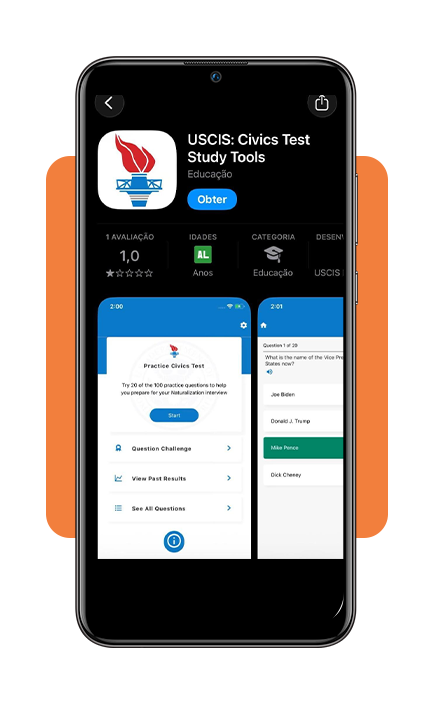
Step 2: start a short practice round and review every answer
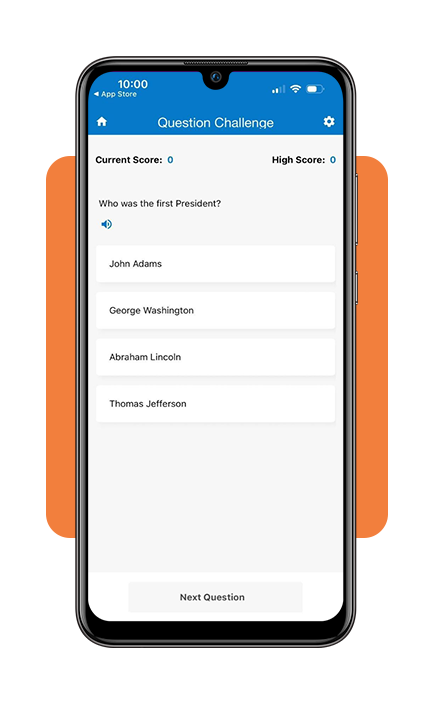
Choose a quiz or practice mode, answer the questions at a steady pace, and check the correct responses.
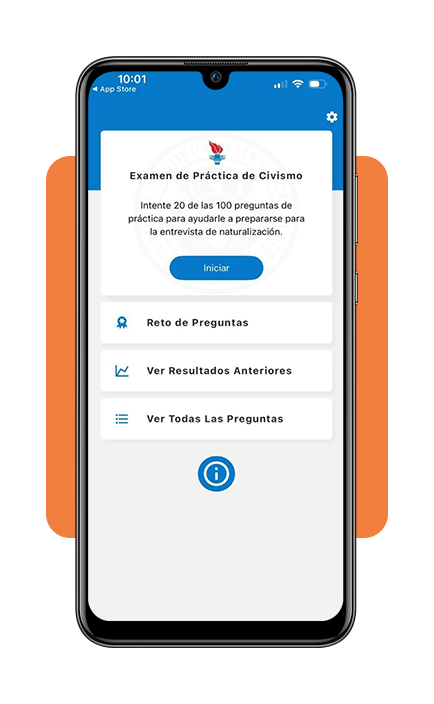
Step 3: change language
Use the app’s configurations to switch from English to Spanish so you can practice in another language you may feel more comfortable with.
Tips for preparing for the US citizenship test
As you can see, a good study routine for the citizenship test has less to do with intensity and more to do with rhythm.
Because of that, USCIS provides official study materials for the test and makes clear that applicants should study for the English and civics portions before the naturalization interview.
One of the smartest ways to study is to keep your sessions short and repeated.
Still, people assume they need long hours and total silence, but many applicants retain more when they revisit the same questions in smaller blocks across several days.
It also helps to study aloud, so hearing the question and saying the answer creates a more active form of recall than silent reading alone.
For applicants who feel nervous about the interview itself, this can make the real conversation with the USCIS officer feel less abrupt.
Most of all, the process gets easier once preparation stops feeling like a giant academic task and starts feeling like repeated contact with a finite set of official material.
That shift makes the test feel much more manageable, especially for applicants balancing work, family life, and a long immigration process at the same time.
4/5
When study sessions start turning into interview confidence
In short, preparing for the citizenship test on a phone works so well because it turns waiting time and short breaks into opportunities for repetition.
The official USCIS app (iOS/Android) gives applicants a way to stay close to the real material and practice often enough that the civics portion feels less intimidating.
Then, when the questions have already been seen and repeated many times, the interview feels like a format the applicant already knows how to handle.
That is the real advantage of studying this way. The phone doesn’t magically make the process easier, yet it makes consistency far more realistic.
Correlato: Applicazione CBP One: Servizi per la cittadinanza e l'immigrazione degli Stati Uniti
Enjoyed this article? Save Insiderbits to your favorites and discover the most useful tech tips.