
The final months of pregnancy often mix excitement with quiet concern about a baby’s well-being. Many parents monitor movement between prenatal visits, but keeping a mental count during a busy day can be difficult. For expectant families, a baby kick counter app offers a simple way to track those small signals of activity.
Doctors often recommend paying attention to fetal movement as a basic health indicator. Digital tools now make that process easier by recording patterns over time. With an app, parents can log movements and notice changes more clearly. That record can provide useful information during checkups and help families feel more confident between appointments.
- Baby Heartbeat App: Listen to Your Baby from Your Phone
- Baby name app: find unique names with meaning
- Recensione dell'app BabyGenerator
Looking for a baby kick counter app?
When it comes to fetal monitoring, Count the Kicks is a free, research-based tool designed to help expectant parents monitor their baby’s health with professional-grade accuracy.
Forget about simple loggers; the platform features built-in guidance and interactive messaging to help you recognize changes and feel empowered to speak up if something feels off.
For the 2026 version, the app feels more like a pregnancy companion than a clinical tool. It now includes “Digital Badges” to celebrate milestones and a highly requested “Dark Mode” for those late-night sessions.
The addition of iPhone widgets and Siri voice activation means you can start a session without even unlocking your phone.
The baby kick counter app is available for both Android e iOS, making it an essential download for the final stretch of pregnancy.

4.8/5
Features available in the Count the Kicks app
- Siri voice activation: in the final weeks of pregnancy, finding a comfortable position is hard enough without fumbling for your phone. You can now use hands-free tracking by simply saying, “Hey Siri, start counting on Count the Kicks app,” allowing you to stay relaxed while the baby kick counter app handles the logging;
- OCR scanning: for those who like to keep things old-school with paper logs during the day, the app features Optical Character Recognition (OCR). This allows you to scan your physical charts with your camera to upload your kick data instantly, eliminating the need for tedious manual entry;
- Contraction timer: as you move closer to your due date, the app transitions into a labor companion. The simple, built-in contraction timer helps you monitor the frequency and duration of surges, giving you a clear data point to decide exactly when it’s time to head to your birthing location;
- Multi-Language support: to ensure every parent has access to life-saving tools, the interface is available in over 20 languages. Whether you speak Amharic, Mandarin Chinese, Arabic, Spanish, or Portuguese, you can navigate the baby kick counter app in your primary tongue;
- Home screen widgets: you don’t even need to open the app to stay updated. By adding a widget to your iPhone home screen, you can view your baby’s recent movement history or start a new counting session with a single glance;
- Twin pregnancy support: carrying two babies means double the movements to track. The app is specifically designed to be compatible with twin pregnancies, allowing you to toggle between “Baby A” and “Baby B” to ensure both are hitting their milestones.
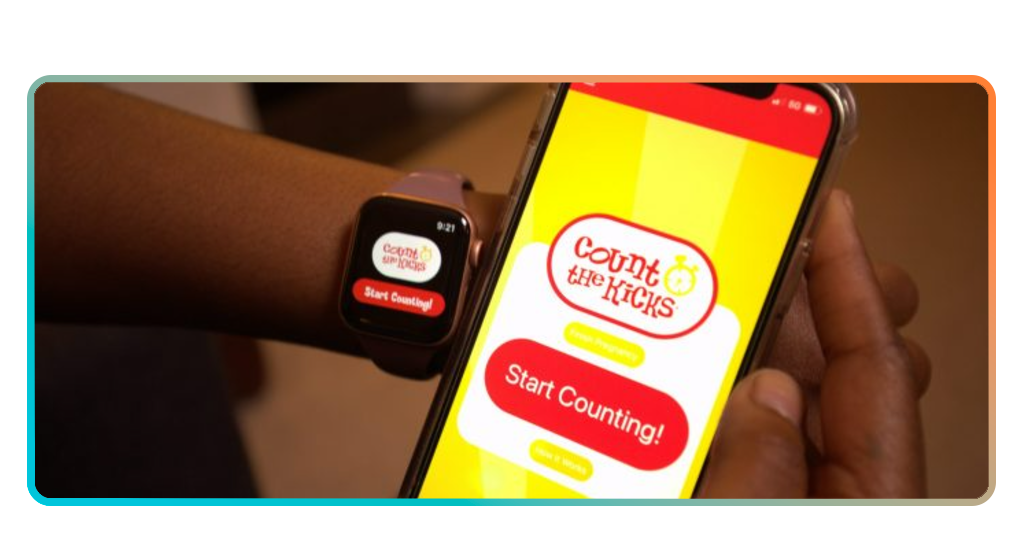
Step-by-step: how to track fetal movements using the Count the Kicks app
Learning how to use a baby kick counter app is straightforward, but consistency is the key to its effectiveness. Most doctors recommend starting this routine around the 28th week of pregnancy.
Step 1: download and set up your profile
Install the Count the Kicks app on your phone and enter your due date to customize the tracking timeline for your specific trimester.
Step 2: find a quiet moment
Choose a time when your baby is usually active—often after a meal or when you are lying down—and open the baby kick counter app.
Step 3: start your session
Tap the start button and focus on your baby’s movements, tapping the large “footprint” icon every time you feel a distinct movement.
Step 4: reach the ten-movement goal
Continue tracking until the app records ten movements, which will then automatically save the time it took to reach that goal in your history.
Step 5: review and share your data
Check your daily graph to see if your baby’s “time to 10” is consistent, and use the export feature to send a report to your healthcare provider.

Tips for monitoring baby movement
While using your baby kick counter app, remember that every baby has a different personality. Some are “night owls” who dance while you’re trying to sleep, while others are more active in the morning.
To the NHS, there is no set number of movements you should feel; the most important thing is noticing a change in your baby’s own individual pattern.
If you notice a significant decrease in movement or if it takes much longer than usual to reach ten kicks, do not wait—contact your healthcare provider immediately.
To prepare for life after the third trimester, you might also want to explore our resources for first-time parents to help navigate the transition from pregnancy to newborn care.
4.8/5
Peace of mind at your fingertips
Your bond with your baby starts long before the delivery room, and paying attention to their “language” of kicks and rolls is a beautiful part of that journey.
When choosing to use a baby kick counter app, you are adding an extra layer of safety and connection to your pregnancy.
A Insiderbits, we believe that the best apps are those that provide real, tangible peace of mind during life’s most significant moments.
Download the tool, get to know your baby, and enjoy these final weeks of pregnancy with the confidence that you are doing everything right.