
Tracking food intake sounds simple in theory, but in practice it turns into a frustrating process where estimates replace precision and consistency breaks after a few days. That’s exactly why a macro counter app can be super helpful for people trying to manage weight, improve performance, or understand how nutrition actually impacts their body. Below, you will see how, without a structured system, even well-intentioned diets tend to drift.
Because of that, Insiderbits brings you an article about MacroFactor (iOS/Android), an app that can change the equation, offering a data-driven approach that allows users to log meals, track macronutrients, and adjust intake based on real feedback instead of guesswork. This app adapts to user behavior and creates a more responsive system that aligns daily tracking with long-term progress, which is what this guide will explore in detail.
- Health Tracker: Simplify Health Monitoring
- AI-Powered Plant Care Guide: Bing’s Tips for Healthy Growth
- Chatbot per ansia e terapia: Conoscere Wysa, la vostra app per la salute mentale
What is the best macro counter app?
A strong macro counter app is a tool that can capture the balance between protein, carbohydrates, and fats with enough precision to make the numbers useful.
All of that while still keeping the app practical enough for daily use, and that balance is where MacroFactor stands out.
This macro counter app combines detailed meal logging with an adaptive system that interprets user data over time and turns it into updated recommendations.
It is known that many nutrition apps feel rigid after the first week, since they ask users to follow targets even when body weight, activity, appetite, and meal patterns start shifting.
However, MacroFactor (iOS/Android) takes a more responsive path, using logged intake and body-weight trends to refine calorie and macro recommendations as more information enters the system.
That gives users a stronger sense that the app is responding to real life instead of forcing everyone into the same template.
The result is a tracker that feels much more aligned with long-term use.
And consequently, a beginner can use it to understand the basics of intake and consistency.
Meanwhile, a more experienced user can rely on it for tighter nutritional control and better decision-making across cutting, maintenance, or gaining phases.

4.8/5
Features available in the app
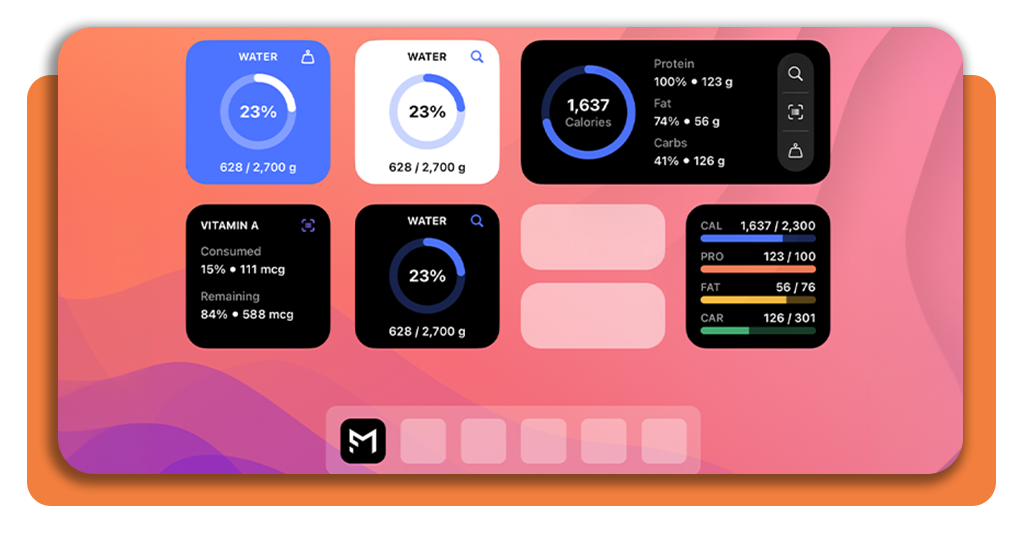
MacroFactor (iOS/Android) offers a detailed food logging experience that supports meal entry, database search, macro breakdowns, and progress visualization in one place.
That matters for users who want more than a simple food diary.
And since the real value of macro tracking comes from seeing how each meal fits into the larger picture of the day and how repeated choices shape weekly progress.
One of its strongest elements is the adaptive coaching system, which interprets user data and updates nutritional targets according to real-world progress.
This gives the macro counter app a more intelligent feel than traditional trackers, since it doesn’t leave the user alone with a static calorie number and an open food log.
Instead, it connects intake data with body trends and turns that connection into guidance.
On the visual side, you can find charts, macro summaries, and progress views that help understand where their nutrition is aligned and where it drifts.
When a macro counter app can show both the daily picture and the longer pattern, the logging habit tends to feel more rewarding and more sustainable.
Step-by-step: how to track your daily macros using the MacroFactor
Daily macro tracking works best when it fits naturally into routine. Check the tutorial below to learn the easiest approach and to start today with your current meals:
Step 1: download the app
Firstly, download and install MacroFactor from the App Store o Google Play and create your account.
Step 2: set your main goal
Then open the macro counter app and choose a goal such as fat loss, maintenance, or muscle gain so the app can calculate an initial intake plan.
Step 3: log meals throughout the day
Now, enter foods as you eat them so the macro totals remain current and easier to manage.
Step 4: review your intake and trends
Check how much protein, carbs, and fat you have consumed and compare that with your target.
Step 5: follow updated guidance
Lastly, use the app’s recommendations as your intake and body data develop over time.
Tips for accurate logging
One of the first things you should know is that accurate logging starts with honesty and repetition.
Because of that, it is common for users to lose useful data when they skip small foods, round portions too loosely, or wait until the end of the day to reconstruct everything from memory.
A macro tracker can only generate helpful insights when the information going in reflects what was actually eaten, so regular entry is one of the most important habits in the process.
Portion awareness also matters a lot, so measuring food more carefully during the first weeks creates a reference point for future meals and reduces any type of distortion.
Once users learn what common portions really look like, the app’s data starts making much more sense, and the nutritional feedback gains far more value.
How to manage your macros daily
Managing macros each day is much easier when the goal is framed as rhythm instead of perfection.
Most people don’t struggle with one single meal, but with the cumulative effect of small nutritional decisions that feel harmless in isolation and disruptive when added together.
Still, a good macro tracker helps reveal that pattern, which turns daily eating into something more visible and easier to guide.
When users have a rough sense of how protein, carbs, and fats will be distributed across meals, the day tends to feel less reactive and less dependent on impulse.
That doesn’t mean every meal needs to look identical. It simply means the user enters the day with a nutritional direction.
Of course some days will involve restaurant meals, social events, or limited choices, and the goal is not to abandon tracking when life gets messy.
The goal is to keep enough consistency that one unusual day does not distort the week.
MacroFactor (iOS/Android) supports that mindset well by helping users work with trends and adjustments instead of turning every variation into a perceived failure.
4.8/5
When food tracking starts making sense
In short, MacroFactor (iOS/Android) works well for people who want nutrition tracking to feel useful instead of punishing.
Its value comes from the way it connects logging with adaptive guidance, giving users more than a food record and turning the app into a tool for understanding intake and progress.
That is what makes a macro counter app worth keeping on the phone. When logging is consistent, nutrition stops feeling vague and starts feeling manageable.
The app is a good way to improve body composition or simply understand food intake with more confidence, offering a smart starting point that can hold up.
Enjoyed this article? Save Insiderbits to your favorites and discover the most useful tech tips.