Strange calls asking for Social Security numbers or banking details have become a growing worry for older adults. A trusted identity protection app such as LifeLock monitors personal information, sends alerts when suspicious activity appears, and helps you react before scammers can open accounts, apply for credit, or misuse your identity and finances.
This article by Insiderbits explains how identity monitoring works and how seniors can recognize warning signs before fraud spreads. You will see how alerts, monitoring tools, and recovery support protect personal data. Keep reading to discover practical strategies that help you stay one step ahead of modern identity scams.
Correlato: Fake Mail Scams Are Back — Here’s How to Spot Them in Seconds
How to protect your data with an identity protection app?
Scam calls and fake messages asking for personal details show up every day. If someone gets hold of your Social Security number, they might open credit or take loans.
LifeLock Identity (Android | iOS) helps watch over your personal information. It keeps an eye on activity connected to your name and sends alerts when something unusual appears.
That’s the real importance of having an identity protection app installed. It watches for signs someone might be using your information and gives you a chance to react early.

4.8/5
Features available in the LifeLock Identity app
- Identity alerts: get notified when your Social Security number, name, or birth date appears in credit or service applications that could signal identity theft attempts;
- Dark web monitoring: LifeLock searches hidden online markets and alerts you if stolen personal details connected to your identity appear in leaked databases;
- Identity restoration specialists: if someone steals your identity, a dedicated agent helps fix accounts, contact institutions, and guide every step during recovery;
- Million Dollar Protection Package: some plans include coverage for experts, legal help, and reimbursement for stolen funds and related expenses.
Identity alerts that warn about suspicious activity
With the identity protection app running on your phone, you receive alerts when personal details appear in credit requests or service applications that look unusual.
These alerts help you catch problems earlier. If someone tries opening an account using your name, you can review the activity and contact the company involved.
Getting that notice quickly gives you time to take action. You can check your accounts, call the company, and stop the situation from growing into bigger trouble.
Dark web monitoring that scans stolen data
Some criminals nowadays sell stolen information in hidden parts of the internet. These spaces are not visible on regular search engines where people trade passwords and personal details.
Il identity protection app scans those websites and alerts you if your email, passwords, or personal records appear in leaked databases connected to data breaches.
When that alert arrives, you can change passwords, check your accounts, and keep an eye on credit activity so criminals have fewer chances to misuse your information.

Step-by-step: how to block senior scams using LifeLock
Scam calls and fake emails keep targeting older adults every day. Someone may pretend to be a bank, a government office, or even a grandchild asking for help.
Setting up the identity protection app gives you tools that watch your personal details and notify you when someone tries using your information for credit or services.
Think of the app like a guard watching your information day and night. A few settings inside the app help spot trouble early and keep scammers away.
Step 1: install the app and verify your account
Begin by downloading the LifeLock Identity app (Android | iOS) from the official store on your phone. After opening it, follow the instructions to create your account.
You will enter basic details such as your name, address, and email. These details allow the service to watch activity connected to your identity.
The app then asks a few questions to confirm your identity. This step makes sure the monitoring tools protect the correct person.
Step 2: activate identity alerts and monitoring
Inside the identity protection app you can turn on alerts that track credit requests and services connected to your personal details.
After enabling monitoring, the system watches for signs someone may try opening accounts or applying for services using your name.
When something unusual appears, a message arrives on your phone. You can review the activity and contact the company involved if the request looks suspicious.
Step 3: lock your credit file inside the app
LifeLock also includes a tool that lets you lock your TransUnion credit file. This action helps stop criminals from opening new credit accounts.
Using the identity protection app you can place the credit lock from your phone, adding a barrier that prevents lenders from checking your credit file.
If someone tries applying for credit with your information, lenders cannot view the report. Without access, the request usually stops before an account opens.
Correlato: Protect Your Elderly Parents From Phone Scams With This App
Tips for staying safe online and app compatibility
Online scams keep changing, so staying careful while using your phone or computer protects personal details like banking information, Social Security numbers, and account passwords.
Adding the identity protection app to your phone helps monitor suspicious activity connected to your personal information while you continue using everyday services and websites.
Even with monitoring tools running, simple habits and awareness still protect your personal data while using phones, tablets, and computers connected to the internet.
Recognize warning signs of senior scams
Scammers usually create urgency. A caller may claim your bank account has a problem and demand personal details immediately to fix the issue.
Another warning sign appears when someone asks for gift cards, wire transfers, or payment through unusual methods after pretending to represent a company or government agency.
Messages filled with spelling mistakes, strange links, or unfamiliar email addresses also signal trouble. Taking a moment to pause and verify the source protects your information.
Habits that keep personal data secure
Keeping the identity protection app active on your phone helps monitor personal information while you continue browsing websites, checking email, and using everyday online services.
Strong passwords add another layer of protection. Avoid using the same password across accounts and consider using longer phrases that are easier for you to remember.
Also stay careful when sharing personal details online. Social media posts that reveal birthdays, addresses, or travel plans sometimes give scammers clues they can misuse.
Devices supported by LifeLock Identity
LifeLock Identity works on common smartphones and tablets, allowing you to monitor alerts and activity wherever you normally check messages or manage accounts.
The identity protection app runs on Android e iOS phones, making it easy to review alerts and manage monitoring tools from the device you carry daily.
Desktop computers can also access LifeLock through a web dashboard. This option allows you to review alerts, update information, and manage your account from home.
4.8/5
What to do if identity theft happens
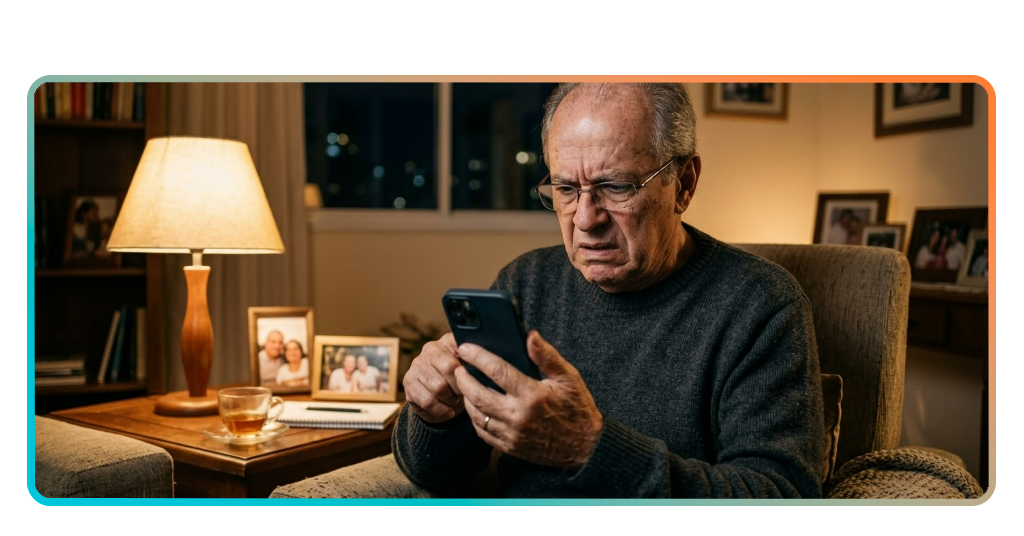
One day you might wake up to an email about a credit card you never opened or notice a strange charge tied to an account you do not recognize.
Sometimes the first warning appears through the identity protection app showing a credit request or service application connected to your name that you never authorized.
Instead of ignoring it or hoping it disappears, treat that alert like a smoke alarm. Check the details, contact the company involved, and begin protecting accounts.
Confirm suspicious alerts immediately
When you receive an alert about unusual activity, open the notification and read the details carefully. Look for credit requests, service applications, or unfamiliar accounts.
Check the date, company name, and type of request shown in the alert. These details help you decide if the activity belongs to you or signals identity theft.
If something looks unfamiliar, contact the company mentioned in the alert and explain the situation. Acting quickly helps stop criminals from continuing using your identity.
Work with identity restoration specialists
Through the identity protection app you can contact identity restoration specialists who guide you during recovery after identity theft or fraudulent activity linked to your records.
These specialists help organize the recovery process. They explain which companies to contact, which forms to complete, and how to document fraudulent activity.
You also get guidance while restoring accounts and correcting records. Having support during recovery keeps the process organized and helps protect your information moving forward.
Recover accounts and secure personal records
After confirming fraud, begin securing your accounts. Change passwords for email, banking, and other services connected to your personal information.
Using the identity protection app you can review alerts and monitor activity while updating passwords, contacting lenders, and checking credit reports for additional suspicious accounts.
Keep copies of reports, confirmation emails, and case numbers from companies you contact. These records help track the recovery process and prove fraudulent activity if needed.
Correlato: Recognizing Popular Scams: Warning Signs and Prevention Tips
Stay protected in a world full of scams
LifeLock Identity keeps watch while you go about your day, sending alerts when something looks unusual and helping protect the personal details scammers try to steal.
This guide by Insiderbits showed how this identity protection app helps monitor suspicious activity, warn you early, and support recovery steps if someone tries to use your information.
Keep exploring Insiderbits for practical articles about security apps that help protect accounts, personal data, and everyday online activity as digital threats keep evolving around us.