
Every athlete who has ever decided to train for a triathlon knows the excitement usually comes first, but this excitement is usually followed very quickly by confusion. That happens because fitting swimming, biking, and running all at the same time and training in the same week doesn’t even sound simple, and gets even worse when your legs are tired and your shoulders are sore. At the beginning, most people train based on motivation alone, but after weeks, the real questions appear, like whether today should be hard or easy and how much rest is actually enough.
Now, you will discover a triathlon app that will make you start to feel like you have a quiet training partner that helps make sense of the mess. That said, with this app, you won’t need to guess or copy plans that were clearly written for someone with unlimited time and energy. And then, athletes begin to see patterns in their own training, track swim or bike with smart data, and understand why some weeks feel strong while others feel heavier than expected.
- La nostra migliore selezione di applicazioni sportive
- Per lo sport in diretta streaming con l'applicazione Dofu
- E-sports Explosion: Best Gaming Apps
Triathlon App: How It Optimizes Training
To begin with, we can say a triathlon app like TriDot does not behave like a fixed spreadsheet that refuses to change when life or fatigue shows up.
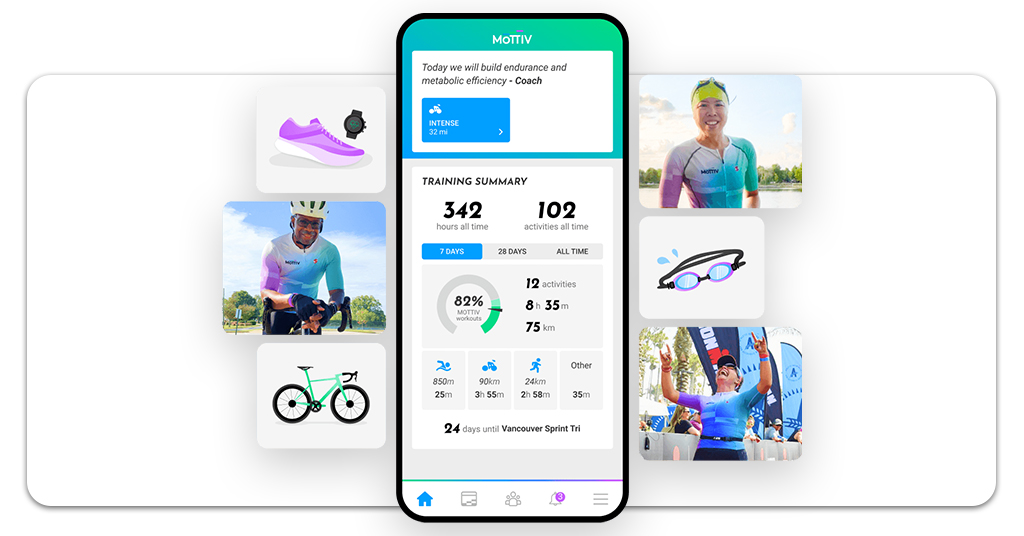
Instead, this triathlon app pays attention to what you actually did, how hard it was, and how your body responded, then adjusts what comes next rather than pretending every day should feel the same.
One of the most noticeable differences is how recovery is handled. Sometimes rest stops feel like something you are skipping, but the app makes you understand this is something that protects progress.
For example, when signs of accumulated fatigue appear, the app quietly tones things down, which can be frustrating at first for athletes who always want to push, but usually makes a lot of sense a week later when training still feels consistent instead of overwhelming.
Over time, training starts to be less about surviving the plan and more about understanding why each session exists, and this is something many athletes only realize they were missing after experiencing it.
Step-by-Step: Set Up Your Training Plan
Getting started with TriDot is about setting expectations rather than passing a test. In the end, this is refreshing for athletes who are tired of unrealistic plans.
- To begin with, you need to download the app directly from the App Store or from the Google Play Store;
- After installing the triathlon app, you need to create a profile with basic information about your age, experience, and recent training, giving the system a realistic starting point.
- Initial assessments help establish swim, bike, and run benchmarks, without making you feel like race day arrived too early.
- Then, you choose a target race or general goal so training has direction, even if the event still feels far away.
- Weekly availability is defined honestly, consequently, it matters more than most people like to admit.
- Then, devices are synced so data flows automatically, and you do not spend evenings typing numbers instead of recovering.

4.7/5
Features for Swim, Bike, and Run Tracking
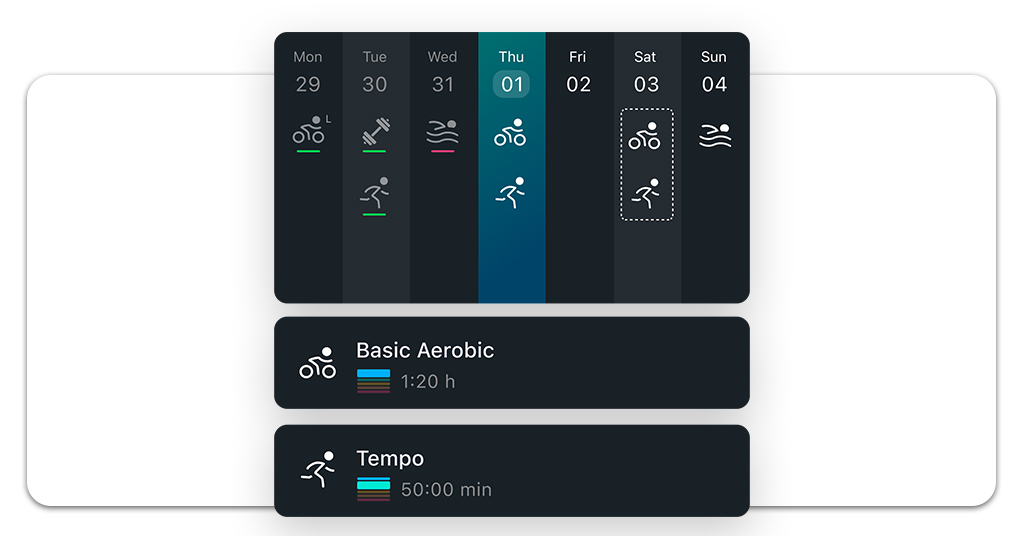
One of the most helpful aspects of TriDot is that it treats all the triathlon exercises, swimming, cycling, and running as parts of the same body, not as three separate sports fighting for attention.
For instance, you will begin to understand that what happens in the pool influences the bike, and the bike absolutely affects how the run should be handled, especially when fatigue starts stacking up.
Also, swim sessions often emphasize control and efficiency, helping avoid that familiar feeling of starting the bike already tired.
Meanwhile, the bike workouts focus on sustainable effort and not those hero moments that feel good for ten minutes and terrible for the rest of the day.
Lastly, run training adapts carefully, acknowledging that running on legs already worked by two disciplines requires restraint, even when motivation says otherwise.
After using the triathlon app, athletes start noticing fewer bad weeks and more steady progress, which is usually the goal everyone claims to want.
Where to Download TriDot
TriDot is super easy to download like any other app. You can find the triathlon app available on both Android e iOS, which makes it easy to keep training organized regardless of the device you use most.
Downloading the app gives immediate access to planning tools and performance feedback without complicated setup.
In addition, the app connects with popular fitness devices, reducing manual work and improving accuracy. The more consistent data is collected, the more useful the adjustments become.
For reliability and proper updates, accessing TriDot through official app stores is the safest path.
When you download TriDot, you will optimize your triathlon performance with one app and keep your training information where it belongs.
4.7/5
Best Triathlon App to Train Smarter and Track Your Progress – Conclusion
Triathlon can be way more manageable if structure replaces guesswork and decisions feel guided.
A triathlon app built around adaptation helps athletes stay consistent without questioning whether they are doing too much or too little.
And you just learned that TriDot supports progress while respecting recovery. Each adjustment reflects real training rather than assumptions.
When guidance feels aligned with how your body actually responds, training turns out to be surprisingly more enjoyable. Train smarter with TriDot — download for free today.
Correlato: Why everyone you know is running a marathon now
Enjoyed this article? Save the Insiderbits blog to your favorites for the latest tools, creative tech tips, and photo editing breakthroughs.




