Everyone who shops online regularly knows that strange feeling of anxiety for package deliveries, and ends up checking the door a little too often, refreshing emails, and wondering if the delivery truck somehow passed your house without you noticing. All of these actions are some of the things that turn waiting for a package into an emotional experience. The thing is this is happening more often now that orders come from different stores and carriers at the same time, so keeping track of all those tracking numbers quickly stops being practical when each one lives on a different website.
However, now there’s an app available for iOS devices that comes quietly into this routine and does all the tracking like it was one simple thing, and Parcel does it very well. The app is responsible for putting all your deliveries in one place so you can track your packages from any carrier in real time — all in one free app — and finally stop playing detective every time a new order ships.
- Delivery app: get food from your favorite restaurants at home
- Drone Delivery Apps: Get Your Food in 15 Minutes or Less
- Eating at Home: The Best Food Delivery Services
Track Package Deliveries From Any Carrier for Free
Tracking package deliveries can be way less annoying right in the moment you stop worrying about who is carrying what.
This works well, especially when one order ships with USPS, another with UPS, and a third one appears out of nowhere handled by a carrier you have never heard of.
Thankfully, Parcel removes that friction by identifying the carrier automatically as soon as you add a tracking number.
All shipments sit in a single list that updates quietly, so instead of reading long tracking histories you can see at a glance what is moving, what didn’t even go out of the seller’s hands, what is delayed, and what is almost at your door.
This setup works particularly well for people who receive packages often, including online sellers, remote workers, or anyone whose doorbell rings more than usual.
The app also translates confusing carrier messages into clearer updates, which helps when “In transit” has been showing up for three days straight without explanation.
Once everything is organized in one view, delivery tracking becomes something you check briefly instead of something that follows you all day.
Step-by-Step: How to Add and Manage Shipments
Adding a shipment should never feel harder than placing the order itself, and this is how Parcel keeps this part refreshingly simple:
- To begin with, download Parcel from the App Store. After installing it, just open the app;
- After opening Parcel, tap to add a new delivery and paste the tracking number you received after purchase;
- Now, the app will fastly detect the carrier automatically so you do not need to guess;
- It is possible to rename the shipment if you want. This is even better when multiple packages are on the way at once;
- Don’t forget to turn on notifications so you receive updates without opening the app repeatedly;
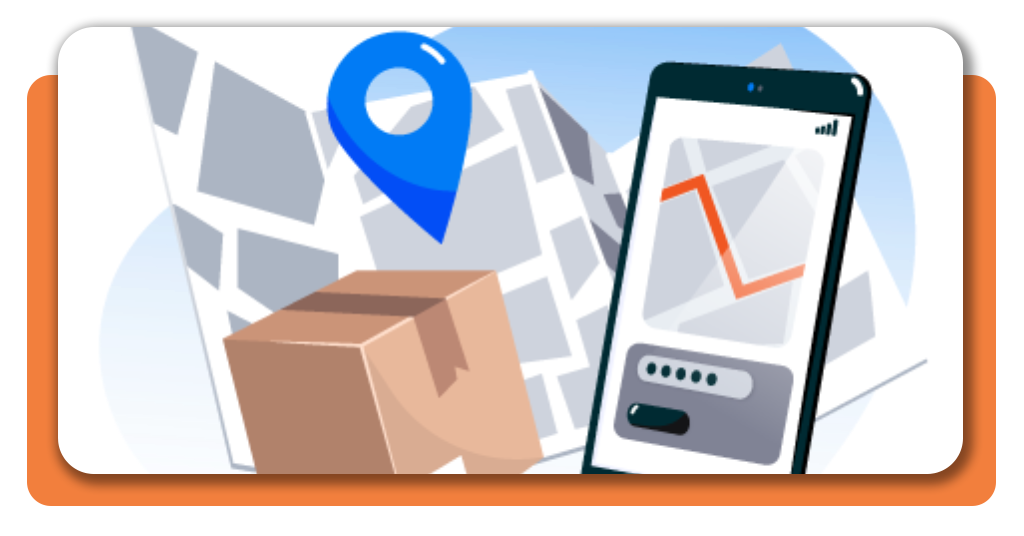
- If your anxiety comes in, check the map view when available to see where your package currently is;
- Finally, archive your package deliveries to keep the list clean and focused on what still matters.

4.8/5
Features Like Real-Time Updates and Notifications
Real-time updates are what make a tracking app genuinely useful, mainly on days when delivery windows keep shifting without warning.
This way, Parcel sends notifications when something actually changes, which means fewer pointless checks and more relevant information.
Also, the app gives small updates like “Out for delivery”, and this suddenly becomes important when you are deciding whether you can leave the house or should stay close to the door.
The map view adds context that text updates often fail to provide, showing movement and not just vague status messages.
With that ease to track package deliveries, handling multiple shipments at once feels natural since the app does not mix information or overload the screen.
Over time, these features fade into the background and simply work, which is exactly what a tracking app should do.
Where to Download Parcel
Parcel is available directly only in the Apple App Store for iOS devices, where you can download the official version safely.
Installation takes only a moment, and most users start tracking their first shipment almost immediately.
Meanwhile, the official Parcel website offers additional explanations and FAQs for anyone who wants to explore more advanced options.
Using the official download source helps ensure accurate tracking data and reliable notifications.
Once installed, Parcel quietly earns its place on your phone until the next package is on the way.
4.8/5
How to Track Package Deliveries From Any Carrier for Free – Conclusion
Keeping track of your package deliveries doesn’t need to be so stressful like before. With Parcel, everything lives in one place and updates arrive without effort.
As you can see, Parcel offers a simple solution for people who order online frequently and want clear information without jumping between carrier websites.
Designed to simplify your delivery routine, this is a good moment to download Parcel and track all your deliveries for free today while you stay updated and follow every package from shipment to doorstep.
Related: How to Block Trackers on Your Phone Automatically
Enjoyed this article? Save the Insiderbits blog to your favorites for the latest tools, creative tech tips, and photo editing breakthroughs.