Your cat strolls in, plants itself right in front of you, and lets out the most dramatic meow you’ve ever heard. You check the food bowl. Full. You offer a cuddle. Rejected. So what on earth is going on in that fluffy little head? The Cat Translator app is a fun, surprisingly addictive way cat owners are finally getting some answers, and the results are as entertaining as they sound.
This adorable tool puts a meaning to all that meowing, and it goes both ways so you can send messages back in cat language. This Idées reçues guide covers everything you can find in the app, from the features that’ll make you laugh out loud to the setup process that takes no time at all. Keep reading and you’ll have all the tools to start the most unusual conversation of your life.
En rapport : Traveling soon? Try this free pet sitting app

4.6/5
How does a cat translator app work?
Audio recognition technology picks up on the unique patterns in your cat’s voice and matches them to known feline sounds and emotions, giving each meow an actual meaning.
The Cat Translator app (Android | iOS) takes that a step further, turning those recordings into readable translations and giving you a library of sounds to play back to your pet.
It’s a two-way system that feels more like a game than a tool, and once you start recording your cat, it’s genuinely hard to stop.
Features available in the Cat Translator app
- Two-way translation: record your cat’s meows and get a readable result back, or flip it around and send your own voice in cat language;
- Pet profiles: set up a dedicated profile for each of your cats, including name, age, gender and personality traits for a more tailored experience;
- Recording history: every session gets saved automatically, so you can go back, replay your cat’s greatest hits and track its most frequent sounds;
- AI effects and games: drop your cat into fun animated scenarios or fire up the games tab and give your pet something moving on screen to react to.
Audio analysis that bridges two species
The Cat Translator app runs your cat’s recorded voice through an audio analysis system that identifies patterns and maps them to specific emotional states or needs.
It’s not a random match. The app cross-references what it hears against a database of cat vocalizations, giving each translation a specific label like ‘play with me’ or ‘pick me up’.
Flipping it around works the same way. Speak into the app and it converts your voice into a cat sound your pet is more likely to respond to.
A sound library your cat can recognize
Inside the sounds tab, you’ll find a full library of pre-recorded cat audio grouped by category, covering everything from invitations to play to phrases meant to calm an anxious pet.
Tap any sound and the Cat Translator app plays it out loud so your cat can hear it directly, which makes the whole experience feel surprisingly interactive and alive.
The library is split into two modes: one plays sounds from a human to a cat, and the other lets you hear how specific emotions sound in cat language.
Step-by-step: how to translate meows using the app
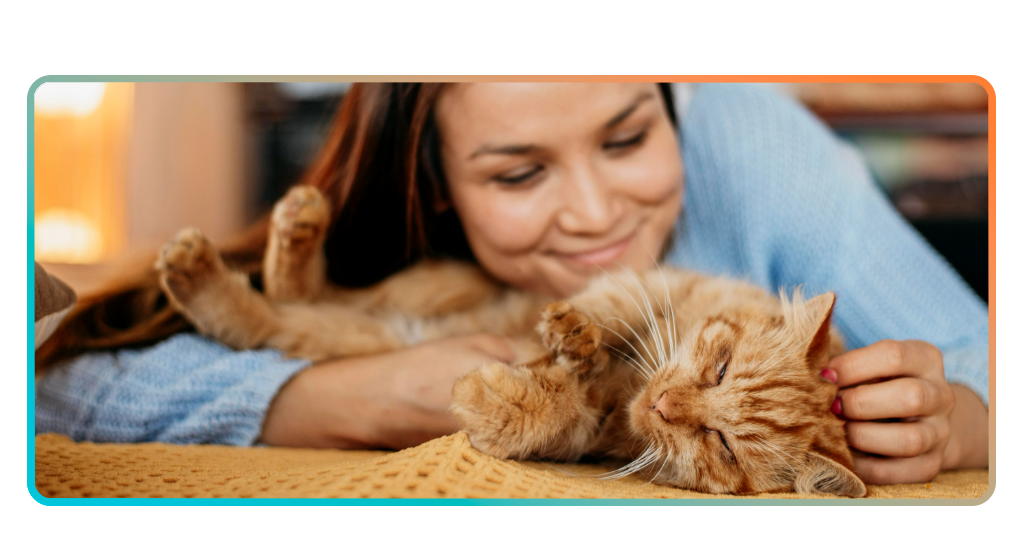
Setting up takes less time than your cat spends judging you from across the room, and the payoff kicks in almost immediately once you’re in.
You’ll download the Cat Translator app (Android | iOS), put together a quick profile for your cat, and land inside a setup that invites you to poke around every corner of it.
The whole experience unfolds across four tabs, each one offering a genuinely different way to spend time with your pet beyond the usual pat and ignore routine.
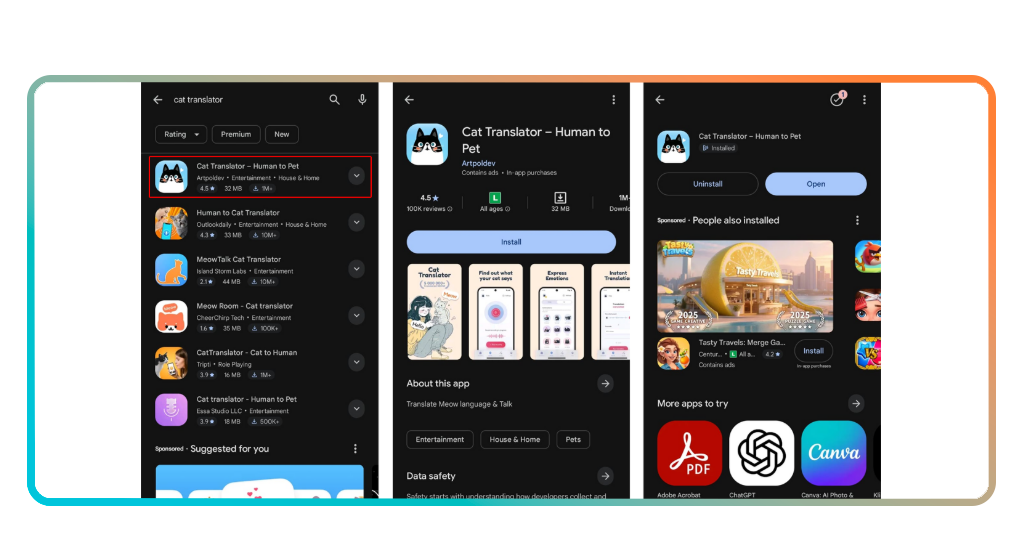
Step 1: download the Cat Translator app
Grab your phone and open the app store (Android | iOS), search for ‘Cat Translator’ and hit ‘Install’ or ‘Get’. The download is 32 MB for Android and 144.6 MB for iOS, so it won’t eat into your storage.
Once the app is on your phone, you’ll land on a screen that kicks off a 3-day free trial before anything else happens, giving you full access to explore without committing.
After the trial wraps up, the $9.99 per month plan kicks in automatically, so if you’d rather not continue, just cancel before those three days are up.
Step 2: fill out your cat’s profile
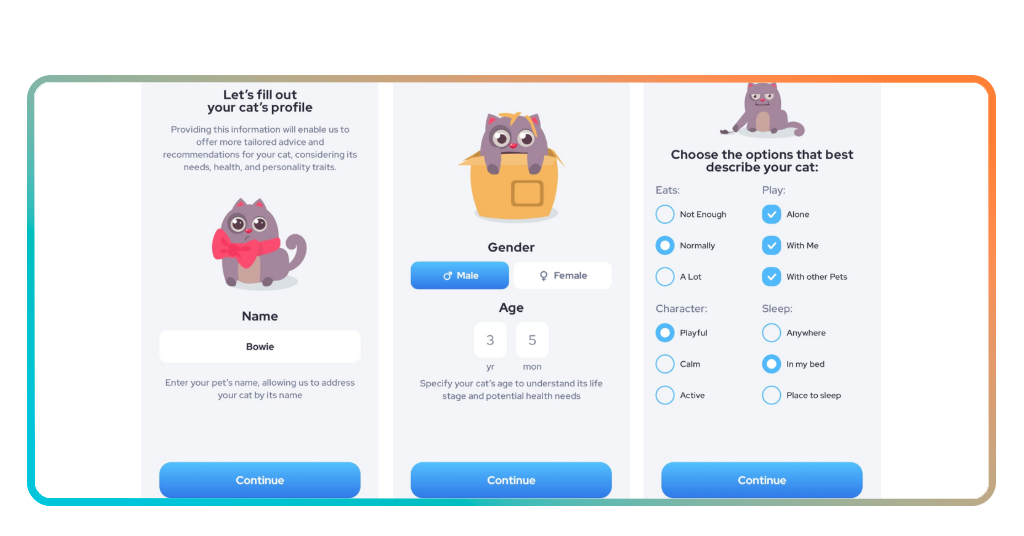
Downloading the Cat Translator app kicks off a step-by-step profile setup where you’ll enter your cat’s name so the app addresses it personally throughout your experience.
From there you’ll pick your cat’s gender and punch in its age in years and months, which helps the app factor in its life stage and health needs.
The last part of the setup asks about your cat’s eating habits, personality, play style and sleep preferences, painting a fuller picture of who your cat actually is.
Step 3: translate, use effects, and play games
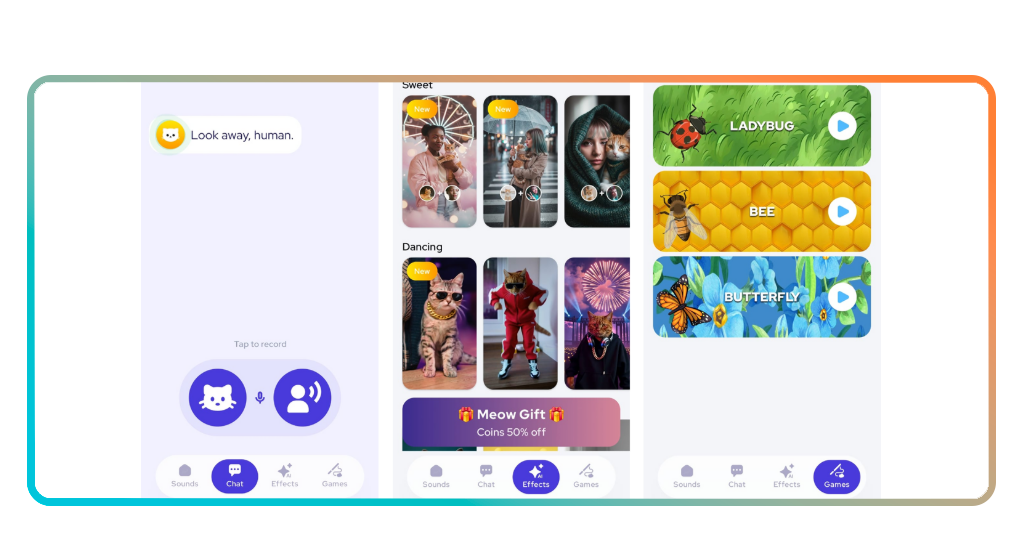
With the profile sorted, the main screen opens up into four tabs covering sounds, chat, AI effects, and games, each one a different way to interact with your pet.
Head to the ‘chat’ tab, record a meow, and watch a translation pop up that’ll either make total sense or crack you up. That’s where the Cat Translator app really delivers.
The effects tab drops your cat into AI-generated scenes, while the games section runs animated bugs across the screen to grab your cat’s full, undivided attention.
Tips for better results and app compatibility
Your cat is unpredictable on a good day, so going in with a little prep makes the difference between a translation that lands and one that goes nowhere.
The recordings that come out best are almost always the ones where everything around you is working in your favor, not just the app itself doing its thing.
A good environment, a calm cat, and an updated phone are the three things that make the Cat Translator app perform at its absolute best every single time.
Find a quiet spot before you hit record
Background noise is the number one thing that throws off a recording. A TV in the next room or a passing car outside is enough to muddy the results.
Pick a spot where it’s just you and your cat, ideally somewhere your pet already feels at ease, and hold the phone close without hovering too aggressively over it.
Even a small change like closing a window or stepping away from the kitchen can give the audio analysis a much cleaner signal to work with every time.
Let your cat be natural and relaxed
Put the phone down for a minute and just hang out with your cat. The moment it feels like a normal interaction is usually when the good vocalizations start coming out.
Cats pick up on nervous energy fast, so keeping the Cat Translator app open in the background while you’re relaxed on the couch tends to work out far better.
Let your cat come to you, start talking or reacting to something in the room, and then hit record. That’s when you get something genuinely worth translating.
Keep the app updated for the best experience
An outdated app is the kind of thing you don’t notice until something feels off, like a translation that seems clunky or a feature that isn’t behaving the way it should.
Developers push updates regularly, and turning on automatic updates means the Cat Translator app is always running the latest version without you lifting a finger.
New sound categories, audio improvements, and bug fixes all come through updates, so staying current is the easiest way to keep every session feeling fresh and reliable.
En rapport : Create a free digital pet ID in minutes and keep your pet protected
4.6/5
Meow means something after all
Your cat has been trying to tell you something for years, and now you actually have a way to listen back, respond, and make the whole thing a proper exchange.
Le présent Idées reçues guide showed you how the Cat Translator app turns those everyday meows into something meaningful, making the bond between you and your pet more fun to explore.
Explorer d'autres Idées reçues articles for more guides and reviews on apps built around pets and the humans who are completely obsessed with them.