
There are two kinds of people: those who turn on their camera at 8:59 a.m. looking suspiciously flawless, and the rest of us, who look like we barely survived a tornado made of deadlines. For years, video meetings have exposed humanity’s collective struggle with bad lighting, flat hair, and the kind of undereye circles that suggest we’ve been mining coal instead of answering emails.
Entrer AI makeup. Yes, makeup powered by artificial intelligence. It was only a matter of time before someone at Google realized people don’t want to apply concealer before a weekly check-in. Google Meet’s AI makeup tool arrived like a digital guardian angel for anyone who wants to look presentable without, you know, actually doing anything.
- How Google Meet AI Translations Are Changing Global Calls
- How to Use Google Meet: Free Video Calls Made Simple
- Google Meet - Appels et communications vidéo
Google Meet’s AI makeup tool: how it works
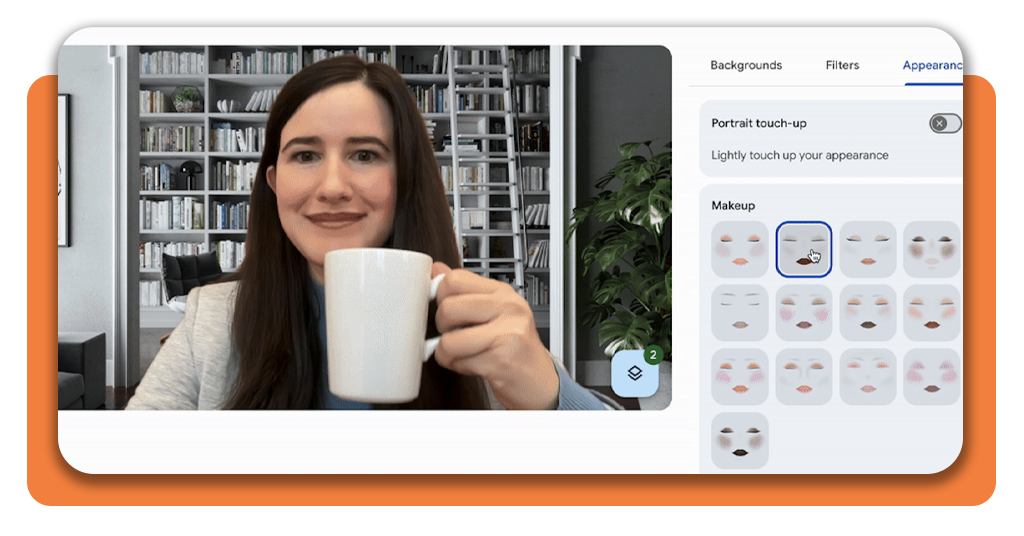
Google Meet’s new AI makeup feature uses machine learning to analyze your face in real time and apply virtual cosmetics that actually look natural.
Think of it as the good kind of filter: subtle, professional, and designed to enhance rather than distort.
According to Google’s announcement on the Workspace Updates blog, the tool processes lighting, facial contours, and skin tone before layering makeup effects that adapt as you move.
This means no more pixelated blush or ghost-white foundation like those old photo booth apps. Instead, the AI simulates foundation, lipstick, eyeliner, soft blush, and even skin smoothing to give you a clean, rested appearance.
If you want, it can also adjust lighting so your face doesn’t disappear into whatever dim cave your home office has become.
Tech journalists have already noted that the effect is surprisingly realistic. As TechCrunch reported in its coverage of the feature, the tool was trained on diverse faces to avoid that uncanny-valley look some beauty filters create.
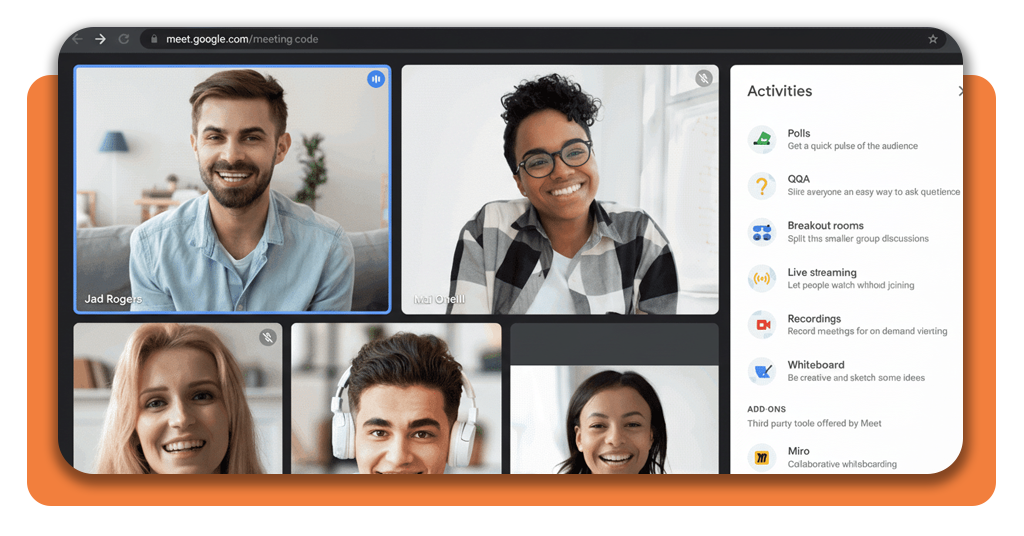
Step-by-step: apply filters and look your best
You don’t need a ring light or a 20-minute pre-meeting routine. Activating AI makeup takes less time than rejecting a calendar invite. Here’s how to use it inside Google Meet:
- Open Google Meet on Android, iOS ou Web;
- Turn on your camera before joining a meeting;
- Click “Effects” at the bottom of the preview screen;
- Select “Appearance”;
- Choose your preferred AI makeup style and adjust intensity.
The interface is intuitive, and it updates instantly, so you can experiment with natural vs. polished looks depending on whether your call is with your boss or someone who loves scheduling 6 p.m. meetings for no reason.
If you want a deeper breakdown of Meet’s AI features, check InsiderBits’ guide to Google’s video tools. It shows how AI is making online communication significantly less painful, one filter at a time.

4.4/5
Features that use AI to perfect your image
Google didn’t stop at lipstick. The new AI makeup tool works alongside several beauty-adjacent enhancements that push Meet closer to professional studio territory. Here’s what’s happening behind the scenes:
- AI lighting adjustment, which makes your face brighter without blowing out your background;
- Skin-tone matching, avoiding the common filter problem where the face ends up orange, pink, or alien blue;
- Adaptive movement tracking, ensuring the makeup stays aligned with your face even if you talk with dramatic hand gestures;
- Virtual cosmetics that scale naturally, including eyeliner, blush, foundation, and lip color.
These features were designed for professionals who don’t want to look overly edited. Google took the hint that people want polish, not plastic.
The result is a set of tools subtle enough for a morning stand-up but strong enough to cover the aftermath of a 2 a.m. editing marathon.
Mashable also highlighted how the effect reacts to real lighting in your room, creating a final image that looks significantly cleaner than what most built-in laptop cameras can produce.
Why AI makeup matters for meetings
On-camera expectations have skyrocketed. It’s not enough to be competent—you’re expected to look like a LinkedIn headshot at all times.
Women in particular have reported feeling pressure to look professional and put together, even in remote settings.
A 2024 survey by Buffer found that 62% of women feel more judged on appearance during video meetings than in person. The pressure to appear polished is real, even when the job has nothing to do with looks.
This tool, ironically, offers something refreshing: control. Instead of spending money on concealer or stress-buying a ring light, people can let AI handle the most annoying parts of appearing on camera.
It helps users feel more confident and reduces the anxiety of “camera on” days. And in a world where every remote job interview, team sync, or sales pitch happens on screen, confidence is not optional but like a part of the job.
Where to download Google Meet
If you’re ready to test AI makeup and see whether it saves your next Monday morning meeting, here’s where to start.
Whether you’re joining as a guest or using it through Google Workspace, the AI makeup tool is rolling out across all major platforms. Most users don’t need to update anything, just open the app and the feature appears in the Effects menu.
4.4/5
The future of AI-enhanced meetings
The addition of AI makeup in Google Meet is part of a bigger shift: as remote work becomes mainstream, people expect better digital tools. The line between “video call” and “production environment” is blurring fast.
Soon enough, AI may handle background noise, posture corrections, wardrobe continuity, and maybe even a gentle nudge reminding you to stop frowning when your manager talks.
But for now, the ability to instantly apply professional-looking makeup is already a win. If you want to look camera-ready without actually being camera-ready, this is your easiest upgrade.
Try Google Meet’s AI makeup tool today, turn on your camera with confidence, and let technology do the heavy lifting while you focus on the important part—pretending you’re listening during meetings.




