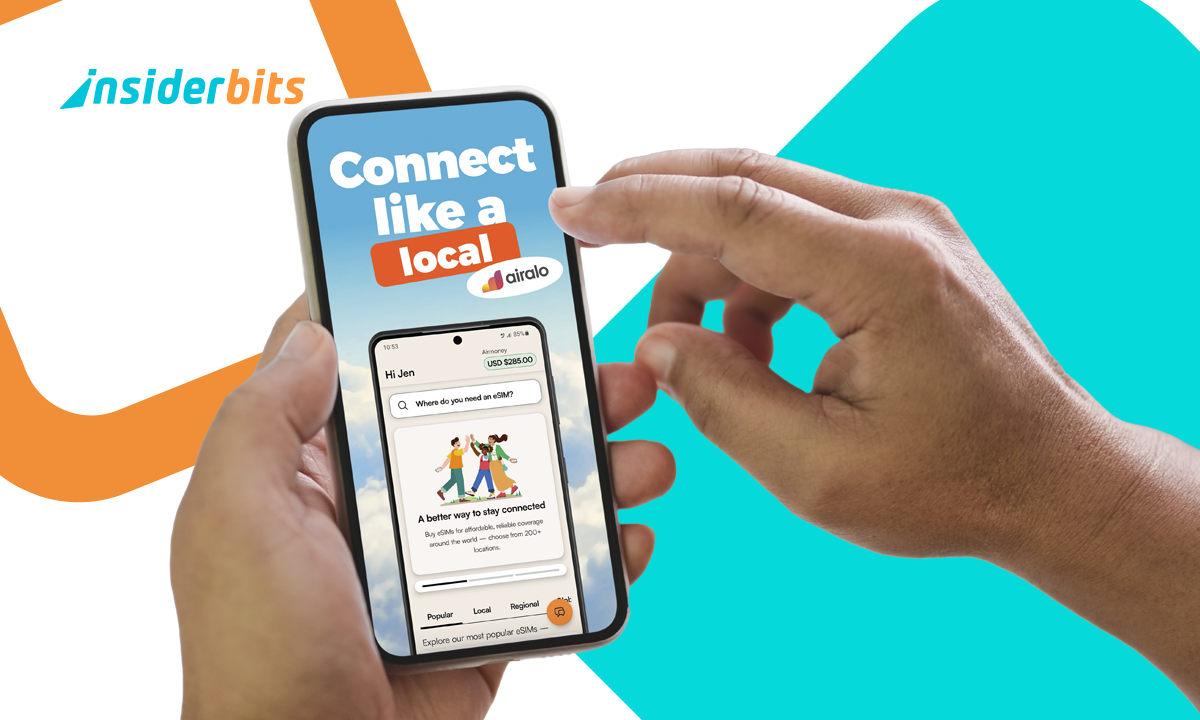
Remember when switching SIM cards meant searching for that tiny ejector pin you swore you’d never lose? Then came the balancing act, holding a new chip in one hand while hoping the old one didn’t vanish under the couch. Those days, thankfully, are ending fast. Now, we have the eSIM, a small but mighty shift in how phones connect to networks. It’s built directly into your device, which means no more swapping plastic chips or visiting carrier stores.
This new tech is the natural evolution of mobile connectivity. You can activate a plan anywhere, keep multiple numbers on one phone, and even grab a travel data package before your flight lands. And with Airalo, switching to an eSIM has become so simple that even your least tech-savvy friend could set one up between boarding calls. Let’s go through how it works and how you can join the digital SIM era without breaking a sweat.
- Travel eSIM: Ditch Roaming and Stay Online Anywhere
- Family Locator: Stay Connected with Life360
- Stay Connected Anywhere With This Friend Location Tracker
How to Switch to an eSIM on Your Phone
There’s no need to worry, switching to an eSIM feels almost suspiciously easy, the kind of task you double-check because you think something’s missing.
And there’s more: most recent smartphones already support it, meaning your device is ready long before you even realize it.
The process begins by confirming that your phone is eSIM-compatible. iPhones from the XR onward, Google Pixels, and most modern Samsung models already support it.
Once that’s sorted, you can forget about visiting carrier shops or handling micro-sized cards that love to hide in carpet fibers.
With Airalo, all the magic happens inside the app. You choose your destination or data region, select a plan, and purchase it directly on your phone.
Within moments, a digital SIM profile installs automatically, connecting you to a network without any tools, cables, or small bits of plastic involved.
The first time you see that new signal bar appear instantly after installation, you’ll probably wonder why we didn’t all switch years ago.
Step-by-Step: How to Activate a Digital SIM
This is the short guide for you to travel lighter — get your digital SIM in just a few taps:
- First, download Airalo from the App Store ou Google Play. It’s easy like any other app you have, with no hidden files and no strange permissions;
- After installing, create an account to access local, regional, and global plans, depending on where you’re headed;
- Pick your plan based on your destination or usage needs. Prices vary by country, but the app displays everything clearly upfront;
- Tap “Install eSIM” and follow the short setup process. Most users are connected in under five minutes;
- Enable the line in your phone’s settings. The eSIM activates automatically, and you’re good to go;
- Manage multiple eSIMs if you travel often or use different carriers, switching between them is as easy as flipping a switch.
That’s it! It’s efficient, and refreshingly modern. No lines, no paperwork, and no mysterious fees that appear after you’ve already left the store.

4.6/5
Benefits of Using an eSIM for Travel
If you’ve ever landed in another country and spent your first hour searching for Wi-Fi just to find a local SIM shop, an eSIM will feel like magic.
With Airalo, you can buy and install a data plan before even stepping off the plane, so while others are queuing for SIM cards, you’re already checking maps and sending selfies from baggage claim.
The flexibility is unmatched. You can keep your main number active while adding a temporary data plan for travel, which means you’ll still get important calls and messages without paying roaming fees that cost more than your flight.
There’s also an eco-friendly bonus worth mentioning. No more plastic packaging, disposable chips, or tiny metal trays. It’s cleaner and just makes sense in a world that’s finally learning how to go digital without losing convenience.
And let’s be honest, once you’ve activated your first eSIM, fumbling with physical ones feels like going back to dial-up internet.
Where to Download the Airalo App
You can find Airalo on iOS, Android, or use it directly from your browser at airalo.com. It’s built for travelers, digital nomads, and anyone who prefers setting things up in two minutes instead of two hours.
The app’s design is clean and welcoming. You can browse plans by country, region, or even continent.
It also keeps track of active and expired eSIMs, so you always know what’s running. For example, do you need help mid-trip? Airalo’s 24/7 chat support means you can get assistance no matter what timezone you’re in.
Download the app and switch to an eSIM effortlessly today. It’s fast, practical, and genuinely one of those tech upgrades that make you wonder how you lived without it.
4.6/5
Switch to an eSIM in Minutes and Stay Connected Anywhere – Conclusion
Switching to an eSIM can change how we stay connected. It cuts down on waste, saves time, and lets you travel or work with a freedom that physical SIMs never offered.
Today, we understood how Airalo made that transition even easier, offering affordable data plans for nearly every country in the world.
Whether you’re hopping between countries or just tired of searching for SIM trays, it’s time to go digital. The world moves fast, and with an eSIM, you’ll keep up effortlessly.
En rapport : Plan work travel smarter with these top apps
Enjoyed this article? Save the Idées reçues blog to your favorites for the latest tools, creative tech tips, and photo editing breakthroughs.