Long Exposure photography introduces a creative way to capture motion, light, and atmosphere in a style that transforms simple scenes into expressive images with movement flowing across the frame. The technique adds depth to everyday locations as car lights stretch through city streets and fireworks turn into elegant trails that fill the sky with color and rhythm. Mobile users often imagine that this effect requires professional cameras, but modern apps simplify the entire process with tools that blend frames intelligently and guide users toward the right exposure to shape each shot with intention.
Meanwhile, the app Easy Long Exposure Camera elevates this experience with modes designed for artistic results, pairing user-friendly controls with real-time previews that help photographers understand how movement interacts with light. This structure offers creative freedom even in places where a tripod or DSLR setup would feel impractical, opening space for experiments during trips, nighttime walks, or simple moments at home. In this article, you will learn how the Long Exposure Camera app will turn everyday scenes into artistic photos — no DSLR required.
- 5 Best Photo Safety Apps to Keep Your Photos Safe
- 5 meilleures applications de photographie pour améliorer votre clic
- 6 Easy Ways to Change the Color of an Image in Photoshop
How to Shoot Long Exposure on Your Phone
To begin with, long exposure effects appear smooth and controlled when a phone collects multiple frames and blends them into a single image, and this process works well when the camera stays steady during capture.
Still, Easy Long Exposure Camera includes a stabilization mode that supports handheld shots, giving users the freedom to experiment in places where a tripod would be impractical.
The feature structure guides users toward the right shutter duration depending on the scene, and longer times create more dramatic visual trails while shorter captures preserve details that complement subtle movement.
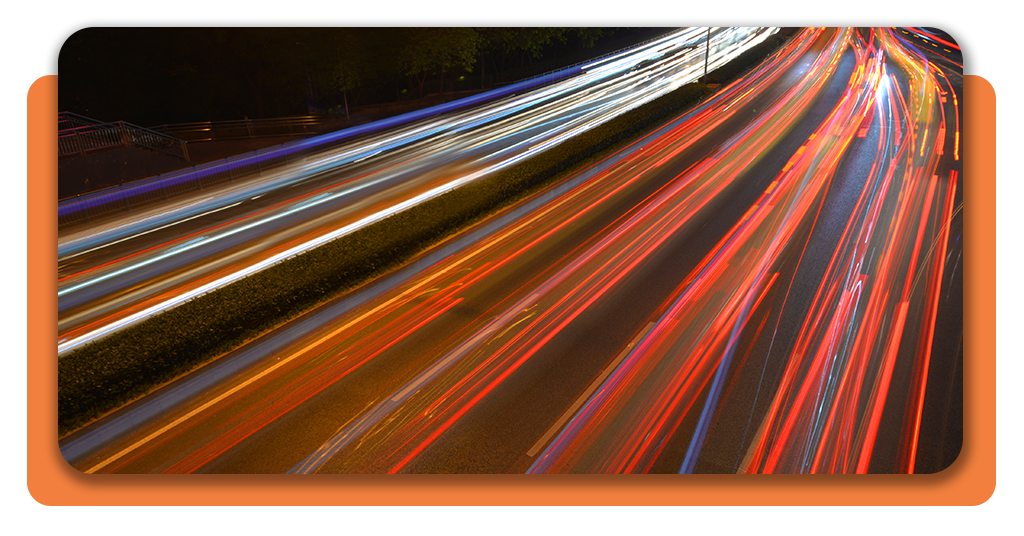
This flexibility allows users to shoot waterfalls, moving traffic, or fireworks with a distinct artistic character.
A lot of photographers enjoy how the app maintains clarity in static objects while motion transforms into flowing shapes, creating a contrast that elevates the overall impact.
The technique adapts to outdoor and indoor conditions, making it ideal for travel photos or nighttime city scenes.
Step-by-Step: Capture Light Trails and Smooth Water
- After installing, open Easy Long Exposure Camera to access the shutter control panel, where movement settings appear clearly displayed;
- Then, choose the capture mode that matches your scene, such as motion blur, light trails, or water smoothing;
- Now, set the exposure duration to achieve the intensity you want, and longer values create more pronounced movement effects;
- Hold your phone steady or lean it against a surface to maintain stability during the capture sequence;
- Tap the shutter to record multiple frames that the app blends into a single artistic image.

4.3/5
Features That Mimic Professional DSLR Effects
Firstly, you need to understand how everything works. So, Easy Long Exposure Camera simulates DSLR-style results through intelligent frame merging that respects both highlights and shadows while preserving detail in parts of the scene that remain still.
The app manages noise reduction through layered exposure blending, which keeps night scenes clean and prevents grain from overpowering delicate light trails.
Consequently, users gain access to precise shutter-time adjustments that guide them toward the right effect, allowing creative freedom during outdoor shoots or controlled indoor sessions.
These features motivate people to experiment without overwhelming beginners who want impressive results with minimal setup.
Also, color balance remains stable during the blending process, and this consistency helps create images suitable for editing or direct sharing on social platforms.
The effect works particularly well in urban environments where moving lights and reflections combine naturally with slow exposure.
Where to Download the App
Easy Long Exposure Camera is available only on the Apple App Store, where users can download the app and experiment with long-exposure photography today on their iPhones.
The app opens with a clean interface that supports both quick captures and deliberate compositions for users exploring creative photography.
Installation requires minimal storage space, which helps users keep the app ready for travel shoots or spontaneous nighttime scenes without adjusting other files.
The interface synchronizes smoothly with iOS camera permissions, creating a frictionless starting point for creative exploration.
Once installed, the app displays a simple capture panel that leads beginners toward strong results, offering real-time previews that guide exposure adjustments.
Users can immediately try different shutter durations and explore how each setting shapes water, light, or motion.
4.3/5
Shoot Long Exposure on Phone and Create Stunning Shots – Conclusion
Long Exposure photography adapts easily to mobile environments where simple tools deliver dramatic visual effects that elevate ordinary scenes into expressive images.
Meanwhile, Easy Long Exposure Camera supports this creative experience with modes tailored to light trails, water smoothing, and motion blending that offer clear direction for beginners and hobbyists.
The technique fits travel photography, nighttime walks, and artistic projects since users can capture dynamic scenes without complex gear or advanced setups.
We presented essential steps that help creative experimentation toward striking long-exposure results on a phone.
En rapport : Colorize old photos in seconds with this free app!
Aimé cet article ? Enregistrez le Idées reçues favoris pour retrouver les derniers outils, les astuces de technologie créative et les innovations en matière de retouche photo.