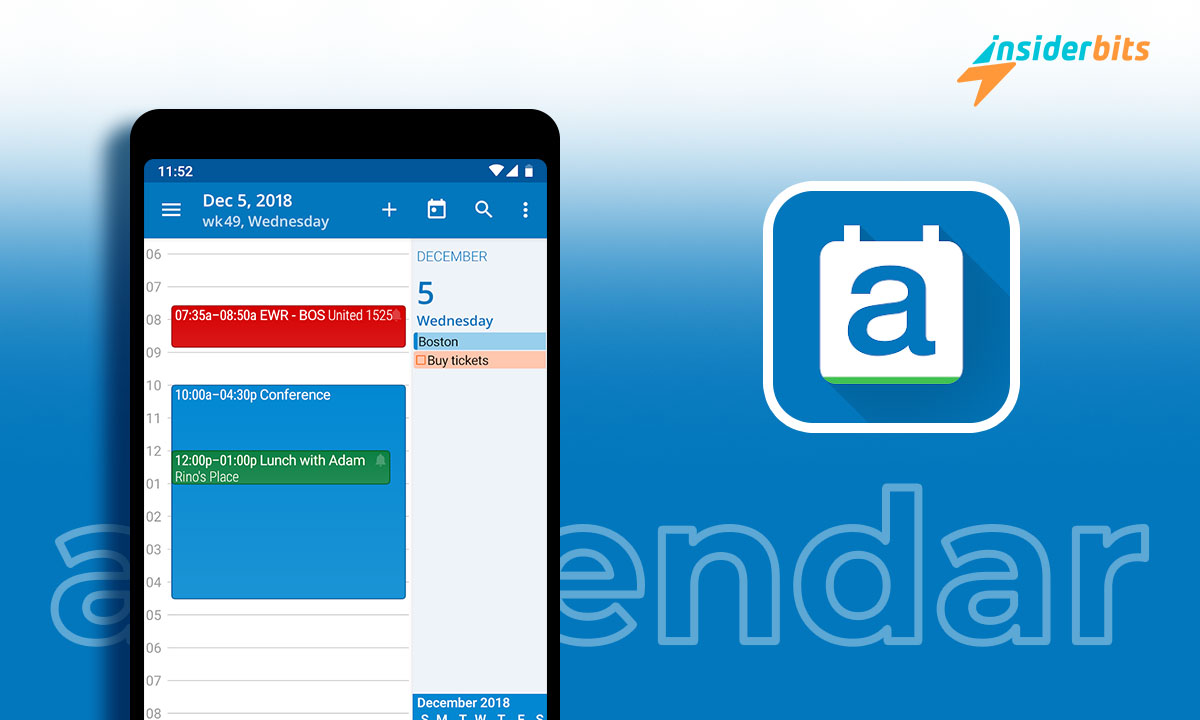
A personal calendar app can be an incredibly useful tool for managing your schedule and staying organized. With the rise of digital platforms, calendar apps have become increasingly popular, offering a range of features to simplify personal and professional organization.
In this article, Insiderbits will explore aCalendar, a popular personal calendar and event organizer app available on Google Play.
We will discuss its features, benefits, and how it can help you manage your time more effectively.
aCalendar: Personal Calendar and Event Organizer App – Review:
aCalendar is a comprehensive and intuitive calendar app that offers a wide range of features to streamline your scheduling and organization. With its seamless navigation between day, week, month, and agenda views, along with seven powerful widgets, printing, and the ability to export as ICS or CSV, aCalendar provides a user-friendly experience for managing your events and tasks.
The app also offers design and view customizations, flexible recurrences, and integration with Google Calendar.
Additionally, aCalendar displays moon phases, provides a mini-month or graphical week overview in the day and week views, and offers a free version with ads and some one-time in-app purchases. For those seeking additional features, the premium version, aCalendar+, unlocks public holidays for various countries, more colors, and other enhancements.
The app has received high praise, with users commending its design, view options, and intuitive functionality. Overall, aCalendar is a valuable tool for anyone looking to efficiently organize their schedule and stay on top of their events and tasks.

4.5/5
aCalendar: Features
aCalendar is a feature-rich calendar app that offers a variety of functionalities to enhance your scheduling and organization. Here are the key features of aCalendar:
Intuitive Navigation: The app provides seamless navigation between day, week, month, and agenda views, allowing you to switch between different time frames easily.
Powerful Widgets: With seven powerful widgets, aCalendar offers quick access to your schedule and upcoming events right from your device’s home screen.
Printing and Exporting: You can print your calendar and also export it as ICS or CSV, making it convenient to share your schedule with others or keep a physical copy.
Design Customizations: aCalendar allows for extensive design and view customizations, enabling you to personalize the app to suit your preferences.
Google Calendar Integration: The app seamlessly integrates with Google Calendar, allowing you to manage your events and tasks across both platforms.
Flexible Recurrences: You can set up flexible recurrences for your events, making it easy to handle repeating appointments and tasks.
Moon Phases: aCalendar displays moon phases, which can be useful for various purposes, such as planning outdoor activities or tracking lunar events.
Mini Month and Week Overview: In the day and week views, the app provides a mini-month or graphical week overview, giving you a comprehensive look at your schedule.
Free and Premium Versions: The app offers a free version with ads and some one-time in-app purchases. Additionally, a premium version, aCalendar+, unlocks extra features such as public holidays for various countries and more color themes.
How to Download aCalendar
To download aCalendar, follow these steps:
- Visit the Google Play Store
- Search for: aCalendar – your calendar.
- Click on the Install button to download the app to your Android device.
4.5/5
How to Use aCalendar
To use aCalendar, follow these step-by-step instructions:
- Download, Install, and Open the App:
Once the installation is complete, open the aCalendar app on your Android device.
- Navigate the Interface:
Familiarize yourself with the interface, allowing intuitive navigation between day, week, month, and agenda views.
- Add Events:
To add a new calendar event, long-press on the desired date or time within the app.
- Customize Actions:
Explore the configurable actions, such as a three-finger tap, tap on the title, and volume buttons, to personalize your interaction with the app.
- Utilize Additional Features:
Take advantage of other features, such as printing, exporting as ICS or CSV, year view, design and view customizations, Google Calendar management, flexible recurrences, and moon phases.
- Explore Extra Features:
Consider upgrading to aCalendar+ for additional features, including public holidays for various countries and more color themes.
aCalendar: Personal Calendar and Event Organizer – Conclusion
The aCalendar app offers a comprehensive and user-friendly solution for personal calendar and event organization.
The app’s integration with Google Calendar, flexible recurrences, and display of moon phases further enhance its utility.
With its high user ratings and frequent updates, aCalendar stands as a popular choice for Android users seeking an efficient and feature-rich calendar app.
Whether you’re a professional or an individual user, aCalendar offers a valuable tool for optimizing your time management and staying organized.
En rapport : TOP 5 des applications de Mind Mapping pour les étudiants : Améliorer les techniques d'étude
Cet article vous plaît ? Ajoutez le blog Insiderbits à vos favoris et visitez-nous chaque fois que vous voulez apprendre de nouvelles informations passionnantes sur la technologie et bien plus encore !