Online dating has some risks tied to sharing personal information, including your phone number, which remain largely underestimated. A single message exchange on Tinder and Bumble, or in a marketplace listing can quickly escalate into constant calls and intrusive texts, especially once a real number is linked to public data sources that expose far more than intended. That loss of control is what makes the situation far more uncomfortable than the conversation itself.
Nevertheless, a burner phone strategy introduces a protective layer that keeps your real number separate while still allowing normal communication. With Burner, users create a secondary number for dating or other types of account registrations, preserving privacy while maintaining full control over who can reach them and for how long. If protecting your personal number is important to you, this article shows how this digital shield works in practice and why so many people use it to stop spam calls instantly.
- 10 Best Dating Apps to Find Real Love
- Dating Apps That Actually Work: Finding Real Connections in 2025
- Trouvez votre prochain rendez-vous avec l'application de rencontre de la Ligue
Keeping Your Personal Life Private From Strangers
The moment you share your real phone number, you create an immediate bridge into your personal space, even when the interaction begins casually through a dating app or an online listing.
Some people still don’t know, but once that number is stored on another person’s device, it can be reused indefinitely, searched across platforms, and connected to other data points that were never meant to be shared with someone you just met.
Meanwhile, a burner phone works as a buffer between curiosity and trust, allowing conversations to happen without exposing details tied to your everyday life.
This separation is important during early interactions, when intentions remain unclear and boundaries are still being tested.
When communication flows through a temporary number, engagement stays intentional, and stepping away does not require any kind of explanation.
That layer of distance reduces vulnerability, and allows online dating or selling to feel safer without sacrificing responsiveness or convenience.
Setting Up a Line With the Second Phone Number App
Fortunately, creating a separate line no longer requires extra devices or complicated carrier plans.
A burner phone setup starts directly on your existing device, where a new number appears inside the app and functions independently from your primary line.
This process is easy, and is designed to emphasize speed and control.
After choosing an area code, the second number activates immediately for calls and texts, making it suitable for short-term registrations that should never touch your personal contact details.
Once done, messages arrive inside the app, calls route through the temporary line, and your real number stays invisible throughout the interaction, preventing accidental exposure through callbacks or saved contacts.
With Burner, setting up a second line feels deliberate rather than technical. The experience prioritizes autonomy, and allows users to communicate confidently while keeping their personal life compartmentalized from the start.
Got interested in getting a private number now? Download Burner on the App Store, for iOS, or on the Play Store, for Android devices.

4.7/5
Screening Calls and Texts Without Revealing Identity
Early conversations with strangers can change tone entirely in many ways, sometimes moving from casual to intrusive without warning, which makes unrestricted access to a real phone number feel uncomfortable very quickly.
When it comes to these situations, it’s usual for calls at odd hours or pressure to respond faster, and that goes beyond simple annoyance.
A burner phone allows screening to happen quietly and deliberately. This way, incoming calls and texts arrive through the secondary number, giving space to observe patterns and intent before deciding how much access someone deserves.
Therefore, messages can be ignored, answered selectively, or muted without affecting personal contacts, while calls never reach the main phone line where identity and routines are easier to infer.
Screening becomes a built-in safeguard when you have a Burner app, and communication stays flexible and reversible, allowing users to protect their identity while staying open to genuine connections on their own terms.
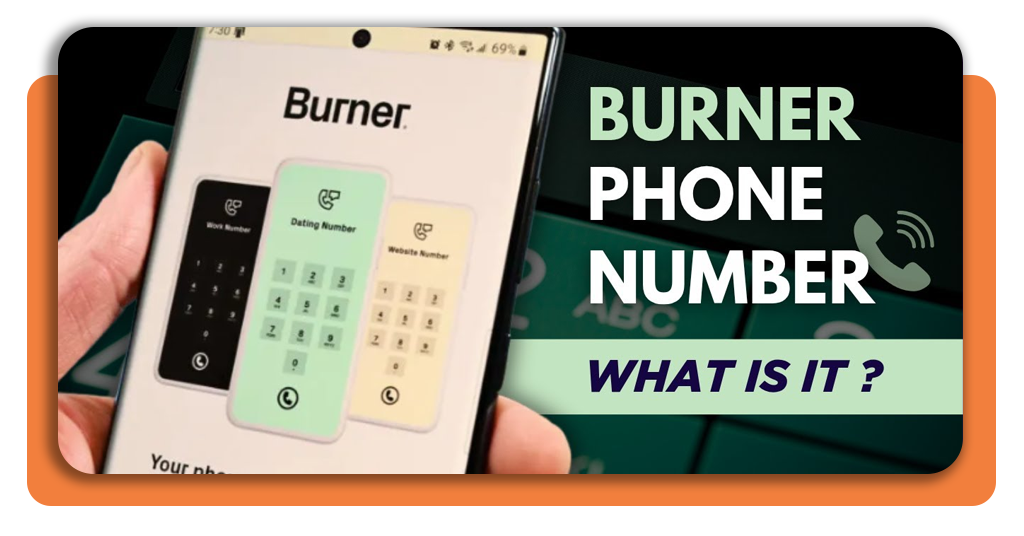
Burning the Number Instantly if Things Get Creepy
If a conversation crosses a line without warning, shifting from uncomfortable messages to behavior that raises genuine concern about personal safety, it’s a signal to burn the number instantly.
When that happens, continuing to explain boundaries or negotiate disengagement places unnecessary emotional weight on the person trying to step away.
Ending contact with a burner phone does not rely on blocking or waiting for the other party to stop, since the number itself can be eliminated with a single action, removing the need for confrontation.
It’s simple: once the number is burned, calls and messages tied to it simply stop reaching you.
There is no lingering access, no follow-up from alternate numbers, and no residual connection to your real phone line that could be reused later.
For dates that turn uncomfortable, marketplace interactions that feel unsafe, or situations that escalate unexpectedly, burning the number creates a clean exit that protects personal space without explanation or delay.
4.7/5
Dating Online? Get A Burner Phone Number To Hide Your Real One – Conclusion
The first thing we learned today is sharing a real phone number too early exposes more than most people intend, opening paths to spam, pressure, and unwanted contact that are difficult to reverse once access is granted.
A burner phone reframes communication around choice and reversibility. In dating apps or online marketplaces, that loss of control often becomes clear only after boundaries are crossed and disengagement feels stressful.
Downloading Burner gives immediate protection against spam and unwanted contact, turning your phone number into a tool you control.
En rapport : How to Hide Your Online Status and Read Receipts (Respectfully)
Enjoyed this article? Save the Idées reçues blog to your favorites for the latest tools, creative tech tips, and photo editing breakthroughs.