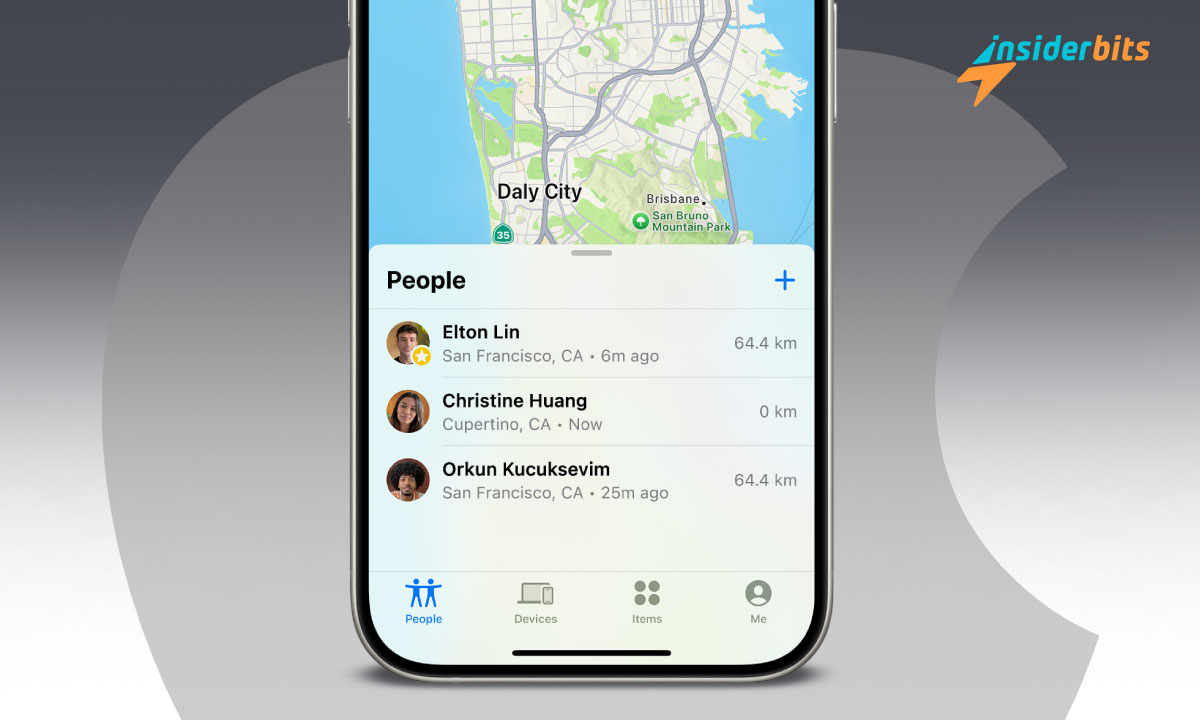
Learning how to share your location on iPhone is a practical skill that simplifies modern life. It’s not just about convenience; it’s about safety and staying connected with those who matter most.
Apple provides multiple ways to share your location, catering to different needs and preferences. The process is straightforward, and once you understand the basics, you’ll wonder how you ever got by without it.
How Do You Share Your iPhone Location with Someone?
One of the easiest ways to share your location on iPhone is through Apple’s Messages app. This method ensures real-time updates and keeps everything simple.
First, open your Messages app and navigate to a conversation with the person you’d like to share your location with. At the top of the screen, tap the person’s name, and you’ll see the option to “Share My Location.” Choose how long you want to share it: for one hour, until the end of the day, or indefinitely.
If you’re looking for more control or want to share with multiple people, the Find My app is another great option:
Head to the People tab, tap the “+” button and type in the contact’s name or number. Once shared, they’ll receive a notification and can see your location in real-time. Knowing how to share your location on iPhone can make coordinating plans or staying safe incredibly simple.
When Someone Shares Their Location, How Do You See It?
When someone shares their location on iPhone with you, accessing it is a breeze. For instance, if they’ve shared it via Messages, just tap on the preview map in the chat to see their location in more detail.
Alternatively, you can open the Find My app, where all shared locations are displayed under the People tab. Tap the name of the person, and you’ll get a live update of their location, making it easy to coordinate plans or ensure everyone is on the same page.
Being able to access a shared location offers peace of mind and helps you stay connected with friends or family no matter where they are. With just a few taps, you can navigate to meet them or ensure they’ve reached their destination safely.
Why Can’t I Share My Location on iPhone with One Person?
Sometimes, sharing your location doesn’t go as planned. If you’ve tried to share your location on iPhone with a specific person and it’s not working, a few common issues might be the culprit.
- Location Services Might Be Off: Head to Settings > Privacy > Location Services and make sure the feature is turned on. Without it, your iPhone can’t share your whereabouts.
- Find My Settings Could Be Misconfigured: Go to Settings > [Your Name] > Find My and double-check that Share My Location is enabled.
- iOS dépassé : An older software version can cause unexpected glitches. Navigate to Settings > General > Software Update to see if there’s an update waiting for you.
How to Share Pin Location on iPhone?
Sometimes, sharing a specific location pin is more helpful than sharing your real-time location. For example, if you’re at a new restaurant or need to guide someone to a precise spot, dropping a pin is the way to go.
Open the Apple Maps app and long-press on the location you want to share. Once the pin drops, tap it and select the Share button. From here, you can choose how to send the location via Messages, Mail, or any other method.
For those who prefer Google Maps, the process is just as simple. Drop a pin on the desired location, tap the card that appears at the bottom, and hit the Share button.
Sharing Location on iPhone with Android Users
Sharing your location isn’t limited to iPhone users. You can easily share your location on iPhone with Android friends too. Apps like Google Maps or WhatsApp make cross-platform sharing seamless.
Simply share your location via one of these services, and your Android contacts will receive a link they can open on their device.
Share Your Location on iPhone: Stay Connected and Secure – Conclusion
Now that you know the ins and outs of how to share your location on iPhone, you can make the most of this feature in your daily life. From meeting friends to ensuring loved ones know you’re safe, location sharing bridges the gap between technology and personal connections.
Take a moment to explore the options, experiment with the different methods, and enjoy the peace of mind that comes with staying connected.
Sharing your location on iPhone is more than a convenience, it’s a way to stay close to those who matter.
En rapport : Autonomisation et protection : Les 4 meilleures applications de sécurité pour tous
Cet article vous plaît ? Ajoutez le blog Insiderbits à vos favoris et visitez-nous à chaque fois que vous voulez apprendre de nouvelles informations passionnantes sur la technologie et bien plus encore.