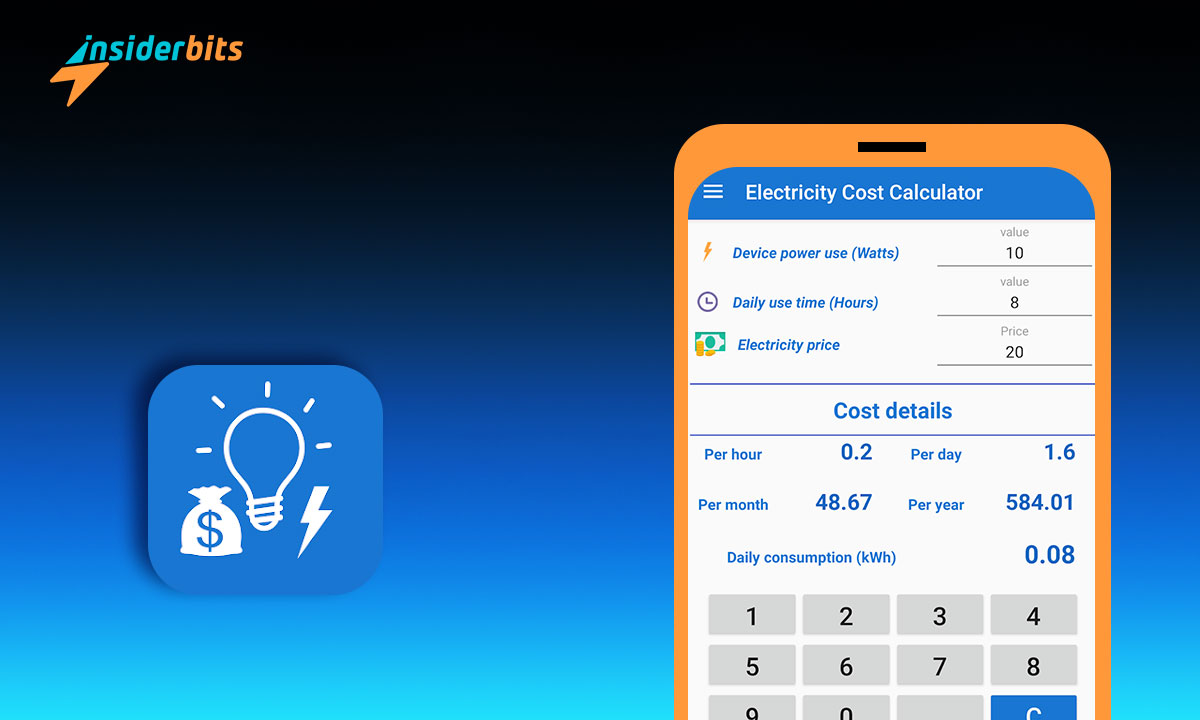
The Energy Cost Calculator app is a powerful tool that allows users to calculate the operating cost and energy usage of electric equipment or machinery.
With this electricity saving app, users can input the consumption per hour (in watts or kilowatts), the usage per hour (number of hours used), and the cost per watt, and the app will provide calculations for cost per day, week, month, and year, as well as energy usage per day, week, month, and year.
Additionally, the app can help users determine the demand charges for energy for running specific machinery or equipment, as well as the amount of carbon emissions associated with the electricity consumed in a year
Electricity Cost Calculator Review
The Electricity Cost Calculator app is a valuable tool for individuals and businesses seeking to manage and optimize their energy consumption. Available on both the App Store and Google Play, the app has garnered thousands of downloads and favorable reviews for its functionality and practicality.
The app’s user-friendly interface and simple navigation make it easy for users to input parameters and obtain accurate calculations. It is 100% free with no in-app purchases, and it can be used offline, ensuring convenience for users at all times.
The app’s minimal phone space usage and attractive design have contributed to its positive feedback, with users praising its accuracy and ease of use.
A standout feature of this electricity saving app is its ability to help users determine the demand charges for energy for running specific machinery or equipment.
Additionally, the app can calculate the amount of carbon emissions associated with the electricity consumed in a year, making it a valuable tool for individuals and businesses looking to reduce their carbon footprint and promote sustainability.

4.5/5
Electricity Cost Calculator features
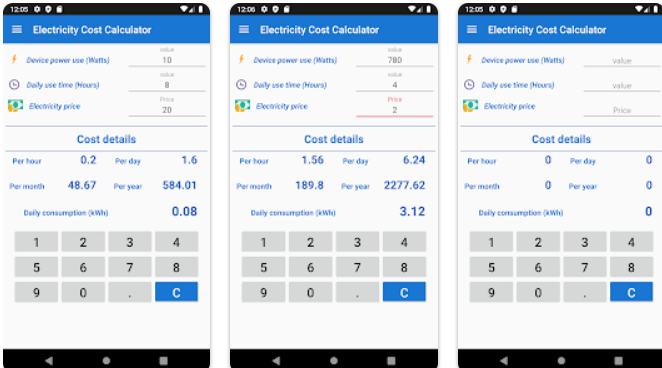
The key features of the Electricity Cost Calculator app include:
Power Consumption Measurements: The app supports power consumption measurements in watts or kilowatts, allowing users to input the power usage of various electrical appliances and devices.
Detailed Input: Users can set up various electrical appliances and devices used every month by entering each device’s wattage, as well as the days and times used per month. The app comes with various samples that can be used as-is or easily modified to suit individual needs.
Energy Consumption Estimates: The electricity saving app provides the estimated electricity consumption per day, week, month, or year of any electrical device in kilowatt-hours (kWh). This feature enables users to understand the energy usage patterns of their appliances and make informed decisions.
Cost Estimations: Users can calculate the cost of operating specific electrical devices by inputting the device’s power in watts, daily usage in hours, and electricity cost. The app then displays the daily consumption in kWh, cost by hour, cost by day, cost by month, and cost by year, allowing users to understand the financial implications of their energy usage.
Demand Charges and Carbon Emission Calculation: The app helps users determine the demand charges for energy for running specific machinery or equipment. Additionally, it provides the amount of carbon emissions associated with the electricity consumed in a year, promoting awareness of environmental impact.
Interface conviviale : The app is designed with ease of use as a top priority, featuring a user-friendly interface for efficient and accurate energy calculations on any mobile device.
Soutien linguistique : The app is available in multiple languages, enhancing its accessibility to a global audience and catering to users from diverse linguistic backgrounds.
Offline Usage: The app can be used offline, ensuring convenience for users at all times, even in areas with limited or no internet connectivity.
These features collectively make the Electricity Cost Calculator app a comprehensive and practical tool for individuals and businesses looking to manage and optimize their energy consumption.
Pros of Electricity Cost Calculator
- The Electricity Cost Calculator app accurately calculates the cost of electricity in running electrical appliances and equipment, providing users with detailed insights into their energy usage and associated costs.
- The app features a user-friendly interface, making it easy for users to input specific parameters and obtain accurate calculations. This simplicity improves the overall user interaction.
- The app can be used offline, allowing users to access its features and perform energy cost calculations without the need for an internet connection, ensuring convenience and accessibility at all times.
- The app utilizes minimal phone space and works efficiently with low memory, ensuring that it does not significantly impact the device’s storage capacity.
- Available in multiple languages, including English, French, Spanish, Italian, German, Portuguese, and Dutch, the app caters to a diverse global audience, enhancing its accessibility and usability.
Cons of Electricity Cost Calculator
- While the app has received positive feedback, there are limited reviews available, which may make it challenging for potential users to gauge its overall performance and reliability.
- Some user reviews suggest that the app may benefit from updates and improvements to enhance accuracy and user experience. For instance, there are comments about the need for more precise input requirements and potential programming issues.
- There are occasional user concerns about the app’s input requirements, with suggestions for clearer data input and potential improvements in accuracy.
In summary, the Electricity Cost Calculator app offers accurate energy cost calculations, a user-friendly interface, offline usage, minimal phone space usage, and language support.
However, potential areas for improvement include addressing limited reviews, updating the app to enhance accuracy and user experience, and refining data input requirements based on user feedback.
How to download Electricity Cost Calculator – Step by Step:
Here are the step-by-step instructions to download this electricity saving app on both Android and iOS devices:
Sur Android
- Ouvrez le Google Play Store sur votre appareil Android.
- Search for “Electricity Cost Calculator” in the search bar.
- Cliquez sur le bouton "Installer" pour télécharger et installer l'application.
- Une fois l'application installée, ouvrez-la et accordez les autorisations nécessaires.
- Vous pouvez maintenant commencer à utiliser l'application.
Sur iOS
- Ouvrez l'App Store sur votre iPhone ou iPad.
- Search for “Electricity Cost Calculator” in the search bar.
- Cliquez sur le bouton "Get" pour télécharger et installer l'application.
- Une fois l'application installée, ouvrez-la et accordez les autorisations nécessaires.
- Vous pouvez maintenant commencer à utiliser l'application.
4.5/5
How to use Electricity Cost Calculator – Step by Step
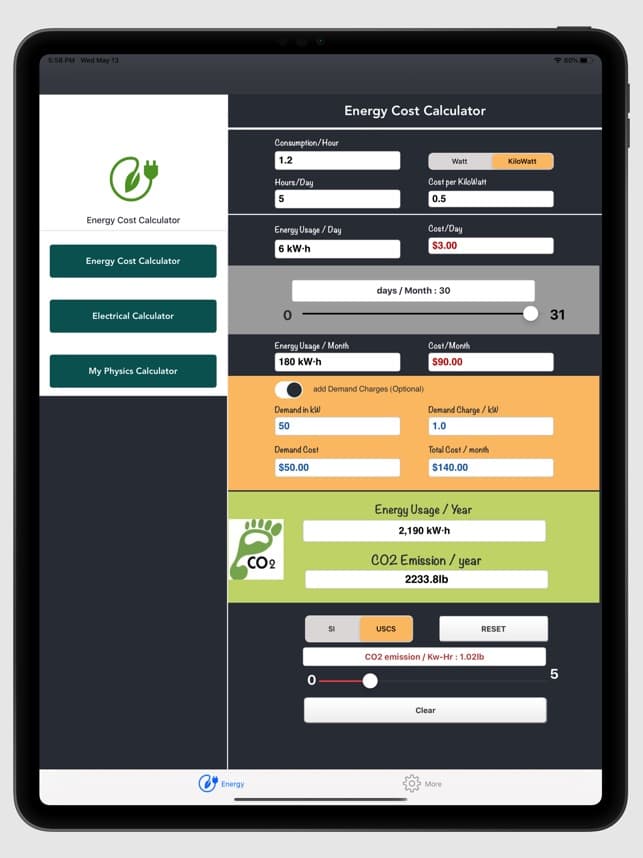
To use the best electricity saving app, follow these steps:
- Visit the App Store or Google Play Store and search for “Electricity Cost Calculator.” Download and install the app on your mobile device.
- Open the app and input the specific parameters required for energy cost calculations. This includes entering the power consumption of the electrical appliances in watts or kilowatts, the hours of usage per day, and the cost of electricity.
- After inputting the necessary parameters, the app will provide detailed calculations for the cost of energy usage per day, week, month, and year, as well as the energy consumption per day, week, month, and year.
- Explore additional features such as the ability to determine demand charges for energy for running specific machinery or equipment, as well as the calculation of carbon emissions associated with the electricity consumed in a year.
- The app is available in multiple languages, including English, Français, Español, Italiano, Deutsch, Português, and Nederlands, ensuring accessibility for a global audience.
- The app allows users to share the calculated values and results to social media, mail, messages, and other sharing apps, enabling users to communicate their energy cost calculations with others.
- The app can be used offline, providing convenience and accessibility even in areas with limited or no internet connectivity.
By following these steps, users can effectively utilize the Electricity Cost Calculator app to gain insights into their energy usage and associated costs, ultimately aiding in the management and optimization of energy consumption.
Electricity Cost Calculator – The Best Electricity Saving App – Conclusion
In conclusion, the Electricity Cost Calculator app offers a valuable solution for individuals and businesses seeking to gain insights into their energy consumption and associated costs, making this one of the best electricity saving apps.
With its accurate energy cost calculations, user-friendly interface, offline usage, minimal phone space usage, and language support, the app provides a practical tool for managing and optimizing energy usage.
By leveraging the features of the Electricity Cost Calculator app, users can effectively estimate energy costs, understand energy usage patterns, and work towards more efficient and sustainable energy management practices.
Cet article vous plaît ? Ajoutez le blog Insiderbits à vos favoris et visitez-nous chaque fois que vous voulez apprendre de nouvelles informations passionnantes sur la technologie et bien plus encore !