
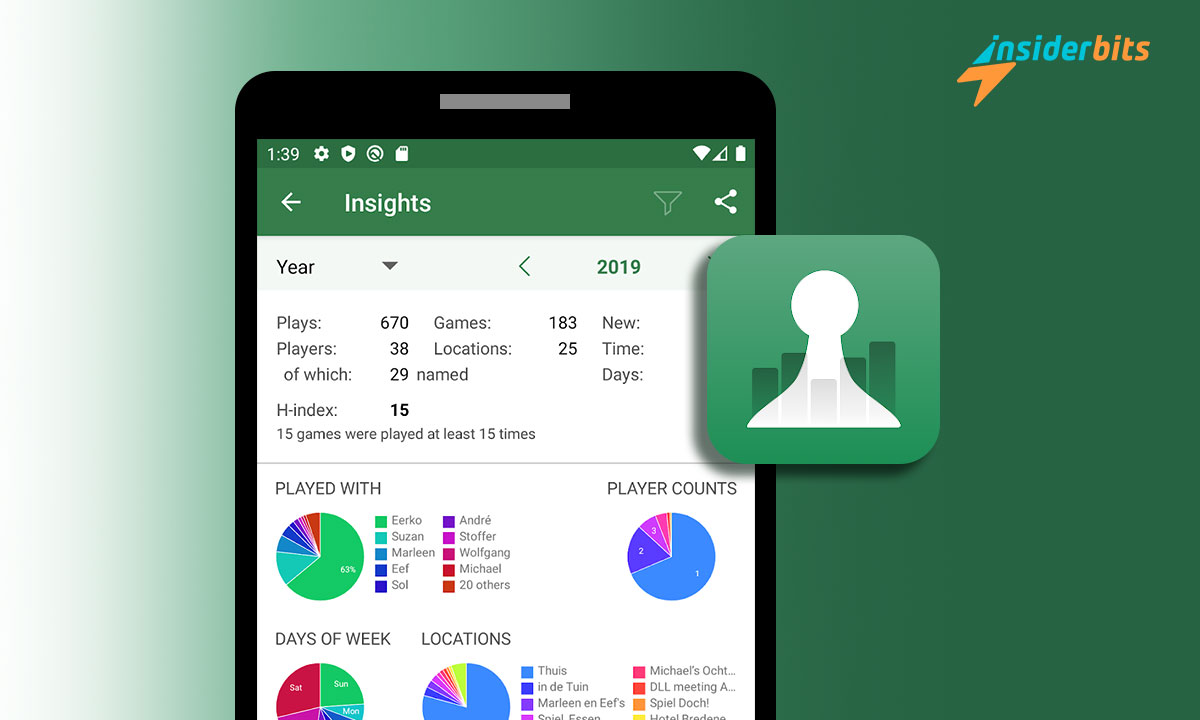
Board Game Stats (BG Stats) for board games arise in today’s digital age, where technology rules. Lovers of board and role-playing games find this app their perfect ally. This intuitive tool allows you to track your collection and games and offers detailed statistics and graphs.
If you are passionate about analog games, at Idées d'initiés, we will help you immerse yourself in this fantastic world. And with the technological contribution of BG Stats, you can obtain a perfectly balanced fun mode. So, join us and receive all our information for you in this article.
How Board Game Stats Works: The Essential Tool for Board Game Fans
Board game enthusiasts know that the experience goes beyond the board. With the Board Game Stats app, you can immerse yourself in a comprehensive tool that takes your game to a new level.
Perform a complete search
BG Stats allows you to record every game, maintaining a detailed history of your most recent games. Find out how many games you’ve played in your last few sessions and see how your experience evolves.
Insightful Statistics and Charts
Who has achieved the highest score? How do you compare to other competitors? BG Stats answers these questions with intuitive statistics and graphs. Analyze your scores, compare your skills with friends, and see who has mastered a particular game.
Friendly competition
Do you wonder who wins the most in your games? With BG Stats, find out who the undisputed champion among your friends is. Friendly competition reaches a new level when you can track and compare the results of each player.
Steady improvement
Are you looking to improve your performance in your favorite games? BG Stats helps you evaluate your progress. See if your scores have improved compared to previous games, and use that information to refine your strategies.
Custom Annotation Sheet
BG Stats offers custom score sheets, allowing you to enter scores in an easy and organized way. Adapt the sheets to your preferences and keep a detailed record of your games.
Player Comparison
The player comparison feature allows you to evaluate your performance against friends. Find out who excels in different games and use this data to plan future strategies.
Synchronization with BoardGameGeek
This app goes further by offering the option to sync with BoardGameGeek. So you can keep your game collection updated and share your achievements. Board Game Stats is not simply a tool; It is your companion in the world of board games. Increase your experience, analyze your games, and enjoy friendly competition like never before.

4.8/5
Efficient game management with BG Stats
BG Stats offers build management methods that will allow you to organize and track your gaming experiences efficiently. These features include:
- Exhaustive registration. Keep a detailed history of the games you have participated in or those that interest you. Everything is recorded in the app, from epic matches to titles on your wish list.
- Visual customization. Select specific versions and attach images to search for multiple copies of the same game. It gives you a much more unmistakable visual impression of your collection.
- Custom states. Categorize your games with statuses like “Owned,” “Wishlisted,” “I want to play,” and more. This functionality allows precise management adapted to your individual preferences.
- Relevant details. Access detailed information such as opinions, the amount paid, and the acquisition period. This feature adds valuable context to each game in your build.
- Intelligent and personalized filtering. Use filters to categorize games based on your status. Plus, it makes it easier for you to explore your collection according to specific criteria.
- Automatic synchronization. Benefit from full automatic synchronization with your build-on (BGG). Effortlessly keep your data current and enjoy an integrated game statistics management experience.
BG Stats collection management features give you a complete tool. It is to organize, personalize, or fully enjoy the compilation. Syncing with BGG adds extra convenience, ensuring your information is always up to date.
Exploring the powerful features of BG Stats for board game fans
As a board game enthusiast, you will find BG Stats an invaluable tool to analyze and improve your performance. This tracking app offers game statistics and various particulars that provide deep insight into each game and player. From round charts to H-indexes, here we break down the key elements of the app.
Detailed statistics
Explore specific statistics for each game and participant and combinations of both. Get detailed information on periods, stays, and scores clearly and concisely.
Informational graphics
Immerse yourself in round charts that intuitively visualize data. Observe the evolution of your games over time and discover patterns with time and stay graphs. Grade charts provide a visual perspective on your progress.
Temporal analysis
Access informative details of both the games and the participants for different periods. This feature allows you to identify trends over time and evaluate growth or changes in your performance.
H-indexes and more
Calculate h-indexes, nickels, dimes, cents, quarters, and centuries to assess your ability in various contexts. Examine your personal H-index and win percentage to understand your performance thoroughly.
Share and collaborate
Share your analysis with graphs and images. Facilitate communication and collaboration by visually presenting your board game experiences.
The monetary value per play
Control your investment by analyzing the amount per play on your favorite games. This feature provides a financial perspective that complements your performance analysis.
Efficient synchronization
Sync your data between mobile devices using BG Stats Cloud, available by registration. This functionality guarantees constant and updated access to your statistics, regardless of your device.
It has a native interface, compatibility with dark mode on Android 10+, and adaptability to horizontal screens and tablets. BG Stats is a tool for enthusiasts looking to take their experience to a higher level.
New Stats, Challenges, and Tagging Expansions
In the digital age, the board game community finds a powerful ally in innovative expansions that offer advanced functionality. These include profound stat expansions, challenges, and tagging, each designed to elevate the gaming experience to a whole new level.
Statistics (in-app purchase)
As for board game statistics items, we have:
- Large game boards. Customize your games with broad boards based on the number of participants, providing a more detailed and strategic view.
- Advanced filters. Explore detailed data on competitors, locations, times, and new player counts. Filter statistical data based on roles and boards to gain accurate insights.
- Comparison of participants. Discover new dynamics by analyzing specific competitor statistics and comparing won uneven periods and performance of new and pros.
- Monthly heat map. Visualize your games with a map highlighting games and permanence, providing a valuable tool for improving strategies.
- Cost per hour. Get financial insights by analyzing cost per hour, player, and more, allowing for efficient management of your games.
Challenges (acquisition from the app)
Regarding the challenges of this board game tracking application, the following is worth highlighting:
- Challenge templates. Transform your gaming experience with personalized challenges from various templates, adding a competitive and motivating element.
- Flexibility in challenges. Set custom challenges, from playing several games to reaching specific H-rated goals, offering variety and adaptability.
- Specific monitoring. Track your progress over time by setting specific periods and games for your duels. It is done with filtering options to obtain precise statistics.
Tagging (in-app acquisition)
Regarding the Tagging of the board games that this tracking application offers you, the following are worth highlighting:
- Organisation. Add tags to matches, participants, and sites for effective, customizable organization.
- Personalized filters. Create and save advanced filters with brands, customizing the menu for an improved experience.
- Synchronized with BGG. Optimize your game library by syncing brands with BoardGameGeek, allowing seamless integration.
Synchronized in the cloud
Linking this app with the cloud to archive information elements is very useful. In this sense, with this tracking application, you can enjoy:
• Efficient synchronized.
• Backups.
How do you download Board Game Stats?
Le processus de téléchargement de cette application sur votre smartphone est simple. Pour ce faire, procédez comme suit :
- Entrez dans le Play Store.
- Placez le nom de l'application dans le moteur de recherche.
• Once you locate it, click on the blue strip that says “USD 5.99”. Lorsque vous appuyez, vous verrez une autre section dans laquelle vous devez entrer votre méthode de paiement (carte de débit ou de crédit). Vous saisissez les données correspondantes, et c'est tout. Vous pouvez commencer à observer vos statistiques.
C'est simple et rapide, n'attendez plus et installez-le pour profiter pleinement de vos jeux.
4.8/5
What did you think of the details of Board Game Stats?
As you have seen, Board Game Stats not only documents our exploits in the world of board games. It also drives us to explore, compete, and share our gaming experiences meaningfully through game statistics.
With every click, every challenge accepted, and every statistic analyzed, we are forging a new era for the board gaming community. But if you also want to use some gaming apps, click on this link, and you will be redirected to an article of interest. Good luck in your next gaming days!




