
A save webpages app exists because modern internet users have developed a peculiar habit: opening articles with genuine interest and never returning to them.
People consume enormous amounts of content every day yet struggle to finish long-form articles amid notifications, emails, and more. See how to avoid this on Idées reçues.

4.6/5
What’s the best app to save webpages?
The market for read-it-later tools is not particularly crowded, but a few platforms have maintained loyal audiences for years. Among them, Instapaper (iOS | Android) is often considered one of the most established options.
Launched in 2008, long before TikTok, Threads, or AI-generated summaries became part of daily life, Instapaper was built to help people save articles they genuinely want to read.
More than fifteen years later, that mission remains relevant.
A good save webpages app removes visual clutter and stores content for offline access.
Which may not seem like a big deal until you’ve tried reading an important article while fighting off autoplay videos, cookie banners, and advertisements competing for attention like contestants on a reality TV show.
Features available in the Instapaper app
Instapaper includes several features designed for frequent readers:
- One-tap article saving
- Offline reading access
- Adjustable fonts and text sizes
- Dark mode and reading themes
- Highlighting and note-taking tools
- Reading speed estimates
- Folder organization
- Cross-device synchronization
The app can strip away advertisements, pop-ups, and visual clutter. What remains is usually just the article itself, which feels closer to reading a digital book than browsing a website.
Step-by-step: how to save articles for offline reading using Instapaper
Using a save webpages app is simple, even for first-time users.
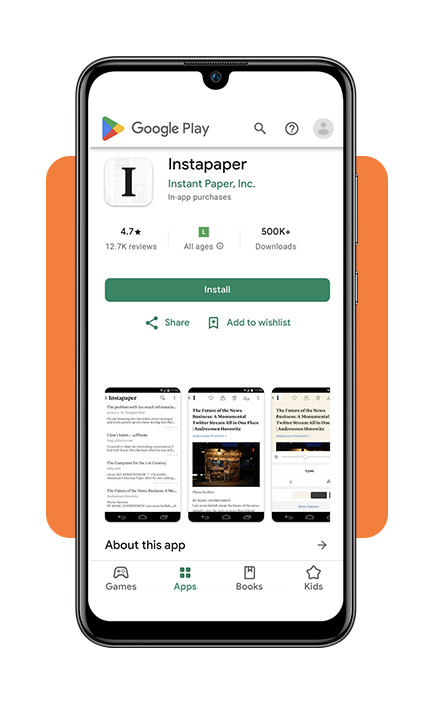
Step 1: download Instapaper
Install the app from the App Store ou Google Play Store and create a free account. Most users add the Instapaper extension or sharing option to their browser. This allows articles to be saved with a single click.
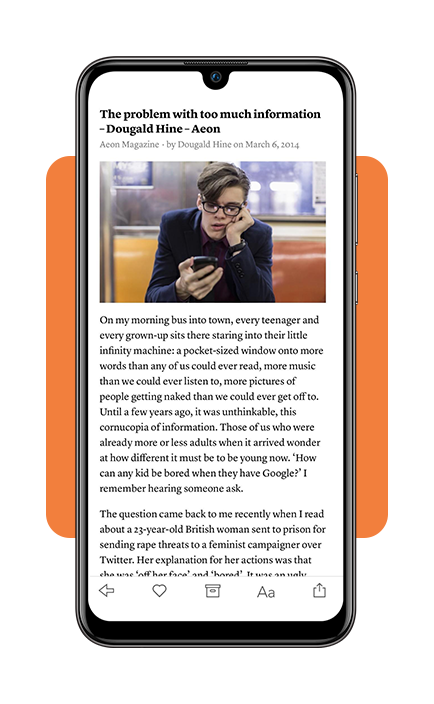
Step 2: find an article you want to read later and save the webpage
When you come across an interesting story, tap the share button or use the browser extension. Select Instapaper from the sharing menu. The article will automatically be added to your reading list.
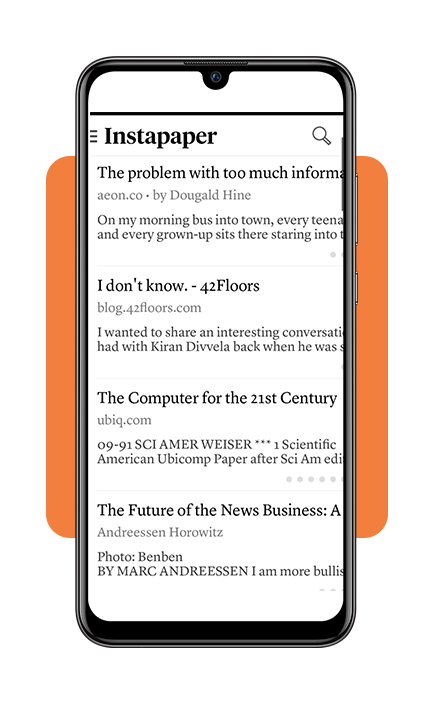
Step 3: open the app later
The saved content will appear in your library and can be downloaded for offline reading.
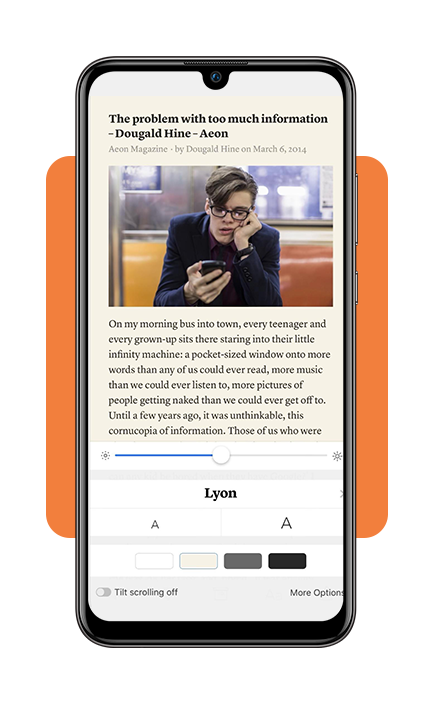
Step 4: read without an internet connection
Once synchronized, articles remain available even when traveling, commuting, or dealing with unreliable internet access.
The entire process takes only a few seconds. That’s one reason why a save webpages app continues to attract users despite the growing popularity of short-form content platforms.
Why save articles instead of bookmarking them?
At first glance, bookmarks and offline reading apps may seem like the same thing. In practice, they’re very different.
Bookmarks are often digital graveyards. People save links with the intention of returning later, only to accumulate hundreds of forgotten pages over time.
A save webpages app, on the other hand, is designed around reading rather than storage.
Instead of saving a link, the app saves the article itself, making it easier to access, organize, and actually finish reading.
Research on digital consumption habits consistently shows that information overload has become a growing challenge.
Americans spend several hours per day consuming digital media, yet many report difficulty focusing on long-form content.
Offline reading apps attempt to solve that problem by removing distractions and creating a dedicated reading environment.
Organization tips
One of the biggest advantages of a save webpages app is that it organizes information. Without a system, saved articles can pile up almost as quickly as browser tabs. Here are a few strategies:
Create folders by topic
Separate content into categories such as:
- Technology;
- Finance;
- Health;
- Travel;
- Career;
- Entertainment.
This makes articles easier to locate later.
Use highlights strategically
Instead of highlighting entire paragraphs, focus on key insights, statistics, or quotes.
Future you will appreciate the restraint.
Archive completed articles
Many users keep finished content in an archive folder to avoid cluttering their main reading list.
Review your saved list regularly
A save webpages app works best when it functions as a reading queue rather than a digital attic filled with forgotten links.
Save selectively
Not every article deserves permanent storage.
If a piece won’t matter next week, it may not need to be saved today.
Who benefits most from a save webpages app?
The audience for a save webpages app is broader than it might appear. Some common users include:
Students
Students often save research materials, academic articles, and study resources for later review.
Professionals
Workers who encounter industry news throughout the day may prefer reading in focused sessions rather than jumping between tasks.
Frequent travelers
Offline access becomes especially useful during flights, train rides, or periods of limited connectivity.
News readers
People who follow multiple publications often use a save webpages app to avoid losing important stories amid the constant flow of daily news.
Lifelong learners
Readers who enjoy long-form journalism, essays, and educational content may appreciate having a dedicated reading space separate from social media feeds.
4.6/5
Are offline reading apps still relevant?
In a digital environment dominated by short videos, algorithmic feeds, and endless notifications, one might assume offline reading apps would be fading away.
Interestingly, the opposite appears to be true for many users.
The growing popularity of newsletters, independent journalism, and long-form content has renewed interest in tools that support focused reading.
A save webpages app doesn’t compete with social media. Instead, it offers an alternative experience: slower, quieter, and intentionally less distracting.
Instapaper won’t magically create more hours in the day, but it can help preserve articles that might otherwise be lost in the constant churn of online information.