
The receipt scanner category has become increasingly popular among freelancers, business owners, remote workers, and even everyday shoppers trying to manage their budgets.
Instead of storing paper receipts in drawers, folders, or kitchen junk boxes, users can photograph them and organize everything digitally. Join them—read ahead on Idées reçues.

4.6/5
Expensify: best receipt scanner app
Expensify stands out as a leading receipt scanner because it eliminates the tedious work of typing in transaction dates, merchant names, tax amounts, and totals.
At the core of the platform is its proprietary one-click photo scanning technology (SmartScan).
When you take a photo of any paper receipt, the app uses advanced optical character recognition (OCR) to read the image, transcribing all key financial details directly into an itemized expense entry.
Switching to digital receipt scanning helps prevent lost tax deductions, protects records against thermal paper fading, and streamlines personal financial auditing.
Expensify (iOS | Android) expands on these benefits by pairing smart scanning with automatic credit card matching, mileage tracking via GPS, and integration with accounting platforms like QuickBooks, Xero, and NetSuite.
Features available in the Expensify app
Expensify provides a complete suite of expense management tools designed for individual users, small teams, and corporate travelers:
- SmartScan technology: one-click photo receipt capture with automatic OCR extraction. Eliminates manual data entry and transcribes receipt details automatically;
- Credit card import: syncs with personal or corporate credit card feeds. Matches scanned paper receipts with actual posted card transactions;
- GPS mileage tracking: logs distance traveled using phone location services Calculates mileage reimbursements accurately for business travel;
- Automated reports: aggregates individual receipts into clean PDF or CSV reports. Simplifies tax prep and speeds up employee reimbursement approvals;
- Multi-currency support: converts foreign receipt amounts using live exchange rates. Ideal for international travel, remote work, and overseas purchases.
Related: looking to get a firm grip on your monthly cash flow? Pair your expense tracking with top-rated digital tools by reading our guide on how to stop overspending with free budgeting apps.
Step-by-step: how to organize expenses automatically using Expensify
Setting up Expensify as your primary receipt scanner takes only a few minutes. Follow this workflow to start digitizing your purchases:
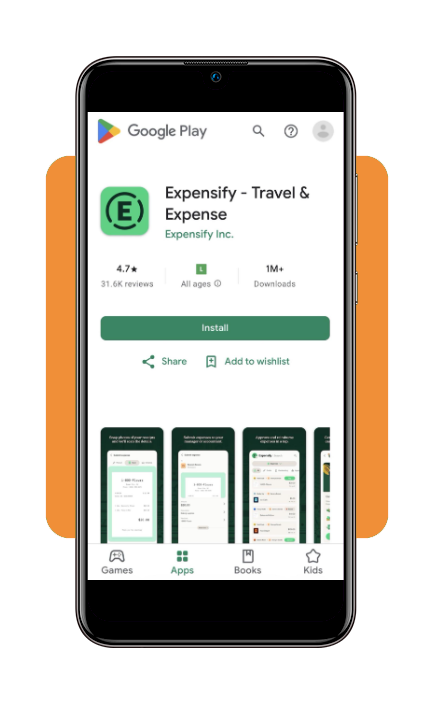
Step 1: download and install Expensify
Download the app for your iOS ou Android. Open the app, tap the green camera icon, and align your paper receipt within the frame.
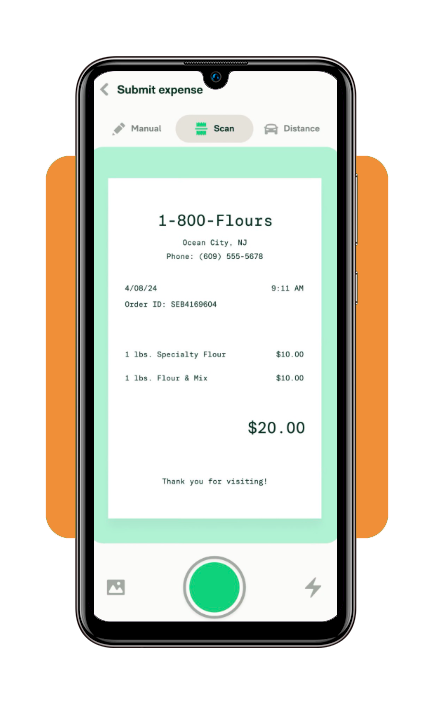
Expensify’s one-click photo scanning technology automatically captures the image and begins processing the text.
Step 2: verify and categorize the expense
Once SmartScan extracts the merchant, date, currency, and total amount, assign a category (such as Meals, Travel, or Office Supplies) and tag it to a specific project or tax category.
Step 3: export or submit expense reports
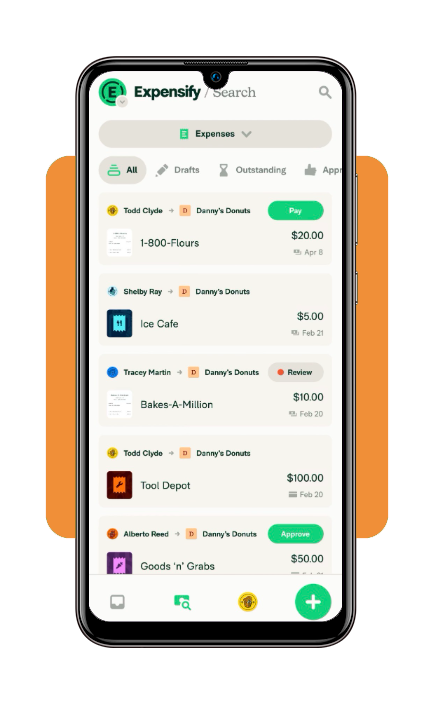
Group your logged receipts into an organized monthly expense report. You can export the report as a PDF for tax filing or submit it directly to your accounting manager for approval.
Tips for better receipt scanning and safety
To ensure your receipt scanner captures clear data every time and keeps your financial information secure, keep these practical tips in mind:
- Capture receipts in good lighting: place paper receipts on a flat, dark surface with direct overhead lighting. High contrast between the white paper and dark background helps the OCR engine read small print accurately;
- Flatten wrinkled or long receipts: for long grocery store or restaurant receipts, smooth out creases before taking the photo. If a receipt is exceptionally long, use Expensify’s multi-page capture mode to scan it in sections;
- Scan immediately after purchase: thermal paper receipts fade quickly when exposed to heat or sunlight. Scanning your receipts on the day of purchase guarantees a crisp digital backup before the ink degrades;
- Protect personal financial data: enable biometric authentication (Face ID or fingerprint lock) inside the Expensify app settings. This ensures that even if your phone is unlocked, unauthorized users cannot view your digitized receipts or financial accounts.
Is Expensify free?
Expensify offers flexible pricing structures ranging from a free tier for individual tracking to tiered paid plans for growing teams and enterprise organizations:
A friend’s tip: for individual users or self-employed freelancers who only process a few receipts per week, the Free Tier’s limit of 25 SmartScans per month is sufficient without needing a paid monthly subscription.
4.6/5
Receipts deserve a better retirement plan
Most receipts spend their lives in pockets, bags, glove compartments, or forgotten drawers before eventually ending up in the trash.
A receipt scanner gives those documents a slightly more dignified future.
When tax season arrives, a reimbursement request appears, or a warranty claim suddenly becomes necessary, finding the receipt in ten seconds instead of ten hours feels surprisingly satisfying.
And unlike the mysterious receipt hidden somewhere in your car, at least you’ll know exactly where this one went.