Scrolling through options for kids online often feels like wandering through a supermarket where half the labels are missing. The current digital landscape is crowded, fast-moving, and not particularly interested in separating what is appropriate from what simply performs well. Everything looks fine until it suddenly isn’t, which is why landing on a reliable kids streaming app feels like a relief.
Instead of relying on algorithms that occasionally guess wrong, you get a controlled space where content is already filtered before it reaches the screen, not limiting entertainment but removing the need to constantly supervise it. At Idées reçues, we prioritize tools with genuine utility without hidden costs or privacy risks. In terms of kids streaming apps, that means fewer surprises, fewer interruptions, and a bit more intentional version of screen time.

4.3/5
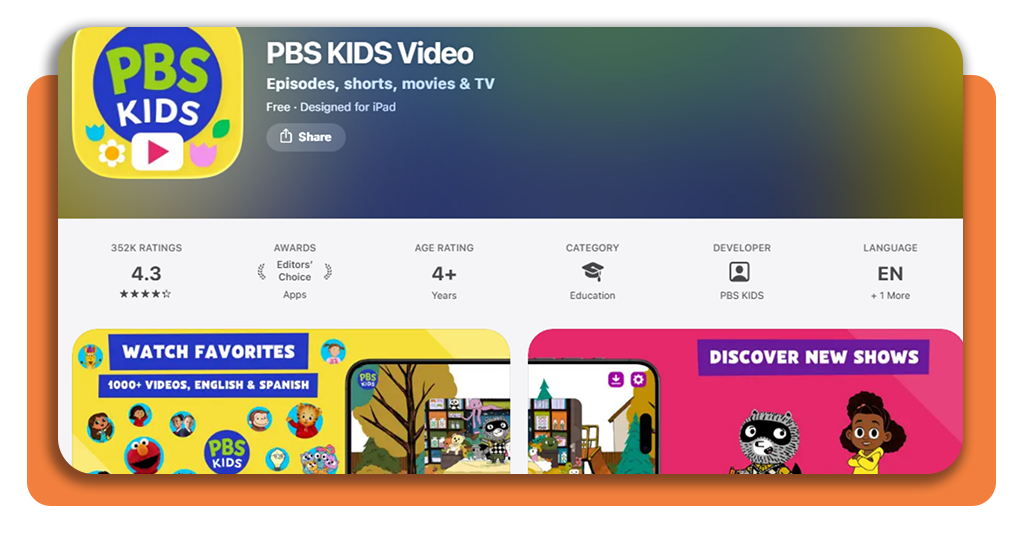
PBS KIDS Video: best kids streaming app
PBS KIDS Video is one of the few platforms that leans fully into curated content without trying to mix in broader entertainment.
Focusing on educational shows and familiar characters, the platform is a favorite when it comes to kids streaming apps for families across the United States.
Available on both iOS et Android, focusing on lessons that range from emotional intelligence to fundamental STEM concepts.
Its expansive library of over 600 full episodes includes more than 40 iconic series, including Sesame Street, Daniel Tiger’s Neighborhood, and Wild Kratts, specifically designed for children aged 2 to 8.
This kids streaming app is a multi-award winner, frequently recognized by the Webby Awards for its excellence in family and children’s software.
Features available in PBS Kids Video app
This kids streaming app is packed with functionalities that cater to both the child’s curiosity and the parent’s need for control:
Offline viewing: download select shows like Alma’s Way or Odd Squad to watch during road trips or flights without an internet connection;
Dual Language support: many episodes offer audio and captioning in both English and Spanish, making it an excellent tool for bilingual households;
Live TV stream: watch the 24/7 PBS KIDS channel directly within the app for a traditional broadcast experience;
New content monthly: fresh episodes and clips are added frequently, ensuring the library stays relevant and engaging for young viewers;
The grownups button: a dedicated section for parents to view local TV schedules, learn about specific learning goals, and manage app settings;
Cross-platform sync: start an episode on a tablet and finish it on a smart TV or smartphone seamlessly.
Step-by-Step: how to watch safe cartoons using PBS KIDS Video
Setting up this kids streaming app is simple, as it does not require a subscription or a complex login process to begin viewing.
Step 1: download and launch
Install the app from your device’s store (iOS ou Android). Upon opening, you will be greeted by the colorful, easy-to-navigate interface.
Step 2: select a show
Tap on any character icon (like Curious George or Donkey Hodie) to see a list of available full episodes and short clips.
Step 3: choose your language
In the video player settings, you can toggle between English and Spanish audio if available for that specific episode.
Step 4: download for later
Look for the ‘Download’ arrow icon on eligible episodes. Once the progress bar is full, the video will be available in your ‘Offline’ folder.
Step 5: access live TV
Tap the ‘Live TV’ button on the main screen to start the 24/7 broadcast stream instantly.
Do you need to pay to use PBS KIDS?
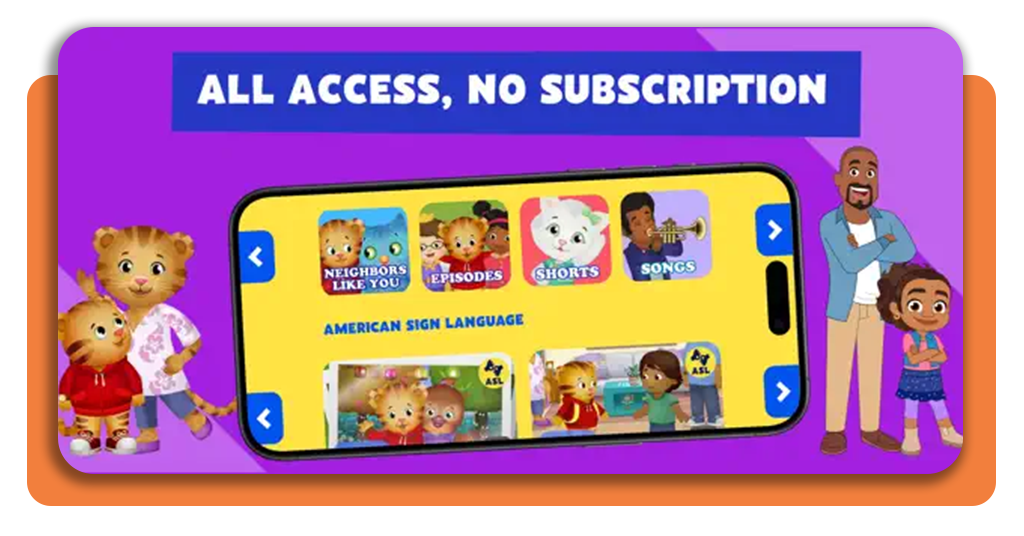
This kids streaming app is committed to accessibility, being 100% free.
Unlike most major streaming platforms that require a monthly subscription fee, PBS KIDS Video provides its entire library of 5,000+ clips and hundreds of full episodes without any cost to the user.
While the app is free to download and use, you may notice brief sponsorship messages at the start of some full-length episodes.
These are similar to the funding credits seen on public television and are essential for supporting the mission of curriculum-based entertainment.
For parents who wish to own content permanently, the app provides a link to buy full seasons through Google Play or the App Store, but this is entirely optional and not required for the standard streaming experience.
Safety tips for children’s content
Even when using a highly secure kids streaming app, creating a healthy digital environment is a team effort between technology and parenting. Experts suggest these core habits:
- Geographic awareness: note that PBS KIDS Video is only viewable within the United States due to licensing restrictions. If you are traveling abroad, ensure your offline downloads are ready before you leave;
- Utilize parental controls: beyond the app itself, consider using a tool like the Application Family Link to set overall screen time limits and bedtime locks for your child’s device;
- Engage in co-viewing: whenever possible, watch episodes with your child. Discussing the lessons learned in Lyla in the Loop or Work It Out Wombats! helps reinforce the educational takeaways;
- Stay informed: regularly visit resources like eSafety Commissioner to stay updated on the latest advice regarding children’s online safety and emerging digital trends.
4.3/5
Quality over quantity
The value of a good kids streaming app is measured not just by how many videos it has, but by the quality of the interaction it fosters.
Why does PBS KIDS Video work? Because it’s not ‘background noise,’ but a carefully calibrated educational tool that respects a child’s developmental stages and gives parents the peace of mind they deserve.
Download the app and give your child a front-row seat to the best educational cartoons available.