
Playing a guitar that’s out of tune can turn even the simplest chord into something terrible for our ears. For beginners, this leads to the impression that they’re playing something wrong, when in reality the problem is that the instrument isn’t properly adjusted. And that happens even with experienced players. Since tuning instruments by ear is difficult and not always reliable, a guitar tuner app can be a useful device.
With the right app, tuning turns out to be a quick and easy process that doesn’t depend on guesswork. You can see exactly how each string responds in real time and make precise adjustments until everything sounds right. Using a guitar tuner app improves your sound but also trains your ear to recognize pitch more accurately. Below, Idées reçues will show how to use it to keep your guitar consistently in tune.
- Beginner Guitar Lessons: Master the Basics with Apps
- Find Your Riff Rhythm with the Songsterr Guitar Tabs & Chords App
- Apprendre à la maison : Les meilleures applications de guitare
Discover the best guitar tuner app
When your guitar sounds off, the fastest way to fix it is using a tuner. Among the available options, GuitarTuna is one of the most popular and reliable choices.
What makes GuitarTuna (iOS/Android) a recommended option is its balance between simplicity and precision.

4.8/5
As you might expect, the app uses your phone’s microphone to detect pitch in real time, showing exactly when a string reaches the correct note.
With that, a guitar tuner app removes the guesswork and makes you tune your guitar in seconds, even if you’re just starting out.
In addition, the interface is designed to make tuning easy, so you can simply pluck a string and follow the visual feedback until you reach the correct pitch.
Beyond basic tuning, the app also supports multiple instruments and tunings, including standard and drop, which are common in different genres.
Consequently, you can use GuitarTuna for tuning guitars, of course, but also for bass, ukulele, violin, cello, and any other string instruments.
Overall, GuitarTuna is a guitar tuner app that is easy to use and effective, answering why this is one of the best options available.

Features available in the GuitarTuna app
GuitarTuna (iOS/Android) catches the eye because it goes far beyond a simple tuner and turns your phone into a complete toolkit for playing and improving.
Besides being a guitar tuner app, it combines precision tuning with learning tools, being useful both for quick adjustments and daily practice.
At its core, you get a high-accuracy tuner that works in real time using your phone’s microphone, delivering precise feedback as soon as you pluck a string.
And as we mentioned, it supports multiple instruments and over 100 different tunings, adding flexibility without complicating the experience
Beyond tuning, you can find a library of chords, tabs, and songs, allowing you to practice with real music.
Another strong point is the presence of the metronome and also ear training games. With that, you can improve timing and overall musical accuracy.
Step-by-step: how to tune your guitar using GuitarTuna
Check below how you can get a nice sound using this guitar tuner app:
- Étape 1: to begin with, download GuitarTuna from the App Store ou Google Play and open the app in a quiet place;
- Étape 2 : then, allow microphone access so the app can detect the pitch of each string correctly;
- Étape 3 : if playing guitar, select guitar as your instrument and choose the tuning you want, it can be standard tuning if that’s what you normally use;
- Étape 4 : pluck one string at a time with a clean, steady motion so the app can read the note more accurately;
- Étape 5 : after that, you’ll watch the tuner display and check if the note is below or above the correct pitch;
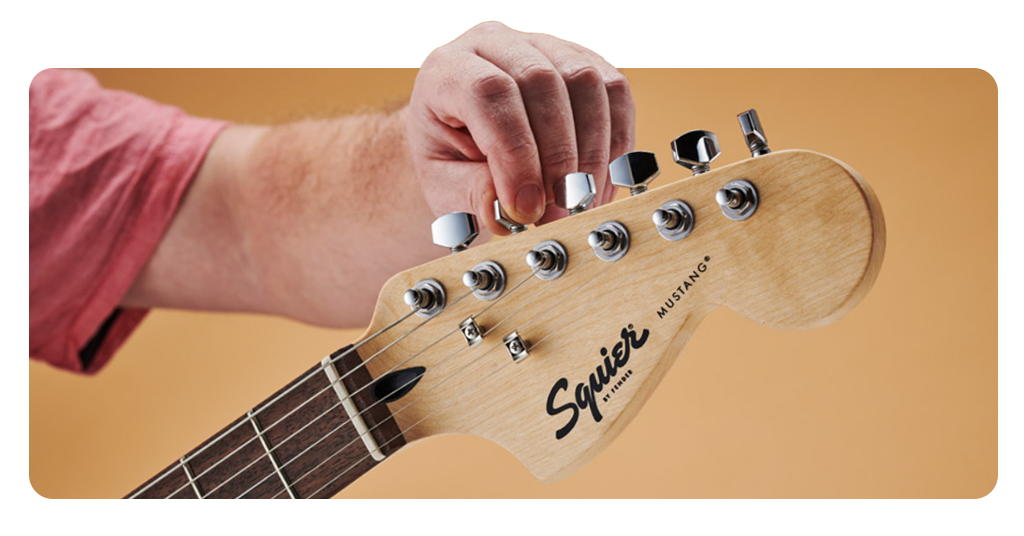
- Étape 6 : while plucking, turn the tuning peg slowly in the right direction while continuing to pluck the same string;
- Étape 7 : stop adjusting when the indicator reaches the center and shows that the string is in tune;
- Étape 8 : then, repeat the same process for the remaining strings until the full guitar is tuned;
- Étape 9 : play a few chords afterward and double-check the strings if anything still sounds slightly off.
4.8/5
Tips for getting better at tuning your guitar
Tuning is like any other training and becomes easier with repetition, though a few small adjustments in your approach can make the process faster and more accurate.
Paying attention to how the instrument responds to the guitar tuner app tends to improve both precision and consistency.
You should start by plucking the string with a steady and controlled motion, avoiding overly strong or uneven hits.
And a clean sound, for example, makes the app detect the pitch more accurately. It also helps to mute the other strings while tuning.
Also, turning too quickly can overshoot the correct pitch, forcing you to go back and forth unnecessarily.
Because of that, slower movements allow you to reach the target note more precisely and stay in tune longer.
Then, as your ear develops, you’ll begin to recognize when something is slightly off even before checking the tuner, making the whole process more intuitive and efficient.
Play in tune with confidence every time
An out-of-tune guitar can make even the most beautiful chords sound terrible, and that is not always about your technique; sometimes it is the instrument itself.
But a guitar tuner app can change that experience, so each string will start responding exactly as it should and your sound will be consistent all the time.
With GuitarTuna (iOS/Android), tuning stops being a barrier. As you use it regularly, the process gets intuitive, and your ear adapts to recognize correct pitch without relying entirely on the app.
En rapport : Beginner Guitar Lessons: Master the Basics with Apps
Enjoyed this article? Save Idées reçues to your favorites and discover the most useful tech tips.