
In this freelance economy, the real challenge is not a lack of work. Many independent professionals begin projects based on a “handshake deal” or a casual email thread, only to face the harsh reality of scope creep, delayed payments, or ghosting clients, denoting a big lack of structure. You are a risk-taker with no safety net if you don’t have a formal document.
A contract generator bridges the gap between being a “hired hand” and a professional entity, assisting you with the difficult task of legal drafting and transforming it into a straightforward, guided process. You can create authority, set boundaries, and make sure that you and your client are in agreement before any work is recorded when you choose to use a standardized, approved template.
- 10 Legal Apps Lawyers Swear by for Success
- Commencez votre carrière juridique avec cette application gratuite de cours de droit
- Data Monetization: How to Profit from Your Digital Footprint (Legally)
The real cost of starting a project without a clear agreement
Working without a contract does more damage than a single unpaid invoice. It often leads to the exhausting cycle of chasing payments and absorbing “scope creep”, when extra tasks quietly pile up without compensation.
Over time, those blurred boundaries translate into lost hours, strained relationships and real financial impact. Freelancers without written agreements are 3x more likely to experience late payments.
Furthermore, when disputes arise over deliverables, the absence of a signed document often leaves the freelancer with no legal recourse to collect their fees.
After all, a contract shouldn’t be interpreted as an indication of mistrust. It serves as a useful road map, laying out duties and expectations so that a collaboration can proceed with assurance and transparency.
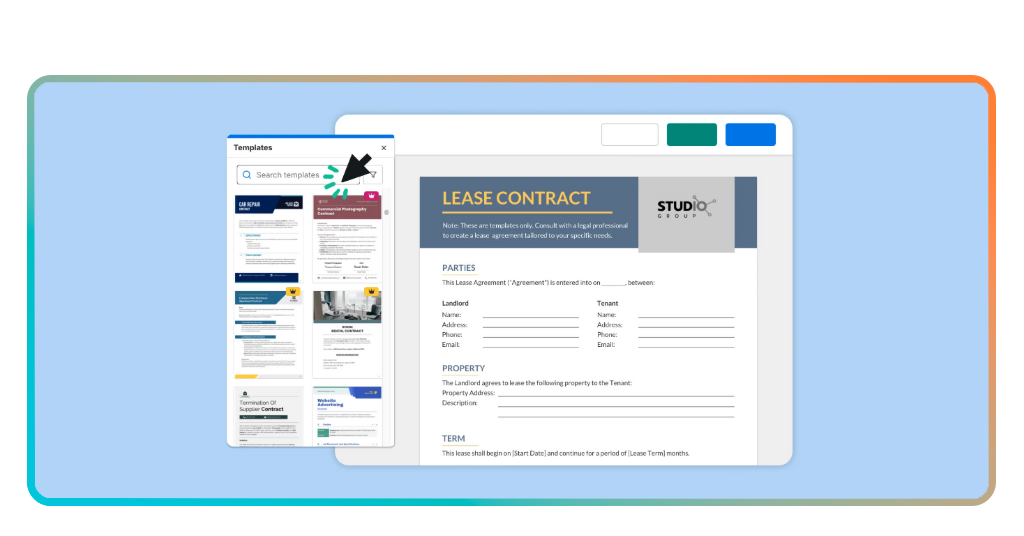
How a freelance contract generator brings structure to every job
The barrier to entry for legal protection used to be high costs and complex jargon. Today, tools like Bonsai act as a specialized contract generator that simplifies this entire ecosystem.
Disponible pour Android et iOS, Bonsai uses an AI-driven approach to help you “build” a contract by asking a series of plain-English questions.
Instead of staring at a blank page, you select your industry, your project type, and your specific requirements.
The system then assembles a vetted document that complies with local regulations, saving you thousands in legal fees while maintaining professional standards.
Key feature: vetted templates for 100+ professions with integrated e-signatures.

4.4/5
Your contract blueprint: scope, deliverables, deadlines, and payments
To be effective, a generated contract must cover four pillars of project management. A high-quality contract generator ensures none of these are missed:
- Scope of work: a detailed description of exactly what you will (and will not) do;
- Deliverables: the tangible results the client receives (e.g., “three 500-word articles” or “one logo in PNG and SVG formats”);
- Deadlines: specific dates for drafts, feedback cycles, and final delivery;
- Payment terms: not just how much, but quand. This includes deposit requirements, late fees, and the preferred payment method.
The protection freelancers gain when terms are crystal clear
Beyond the legal security, a contract provides psychological clarity. When terms are “crystal clear”, the client-freelancer relationship shifts from adversarial to collaborative.
Ownership and intellectual property
A major point of conflict nowadays is the ownership of AI-assisted work or source files.
A contract generator allows you to specify exactly when the copyright transfers to the client (usually only after the final payment is received). This protects your work from being used without compensation.
Termination clauses
What happens if a client cancels halfway through a project?
A professional contract includes a “Kill Fee” or a termination clause that ensures you are paid for the work already completed. This single clause can save a freelancer’s monthly budget from a sudden collapse.
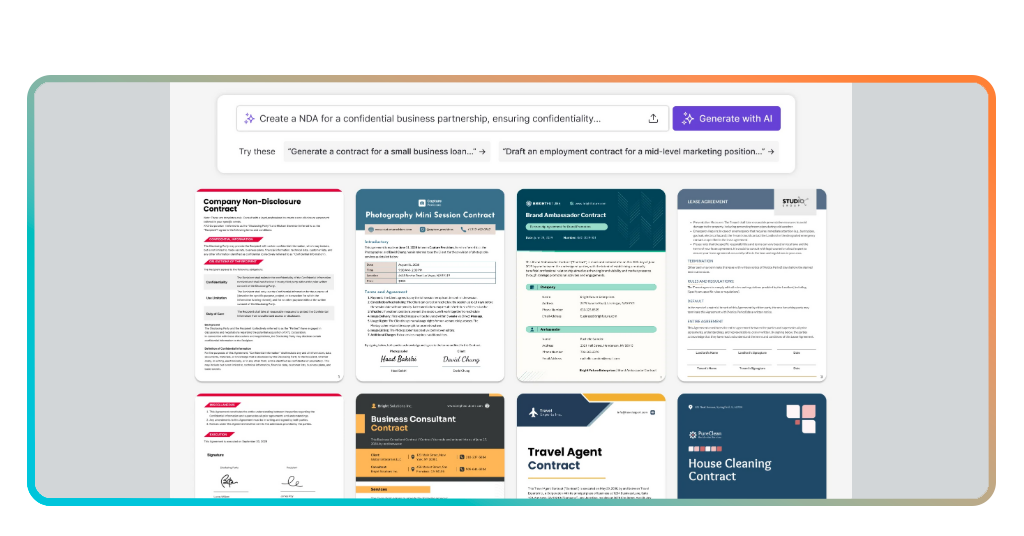
From draft to signed document — all in just a few minutes
Speed is essential in freelancing; if a contract takes three days to draft, you might lose the client. The modern contract generator workflow is built for speed.
Automated data integration
Modern generators eliminate repetitive manual entry through automated fill capabilities.
By pulling client names, addresses, and project details directly from your integrated CRM or previous project history, the software populates the complex fields of a legal document in seconds.
Not only this saves time but also significantly reduces the risk of clerical errors that could invalidate an agreement.
Integrated E-signatures
The days of “print, sign, scan, and email” are effectively over. High-quality generators feature integrated E-signatures that are legally compliant with acts like the ESIGN Act et eIDAS.
Once you hit “send”, your client receives a secure link where they can review and sign the document on any device—mobile or desktop—in seconds. A hand-off that shortens the “time-to-close” from days to minutes.
Legally vetted security
Speed is useless if the document doesn’t protect you.
Unlike “free templates” found on random blogs—which are often outdated or jurisdictionally irrelevant—professional generators provide legally vetted templates.
These documents are regularly reviewed by legal teams to ensure they hold up in court and reflect current labor laws.
4.4/5
Professionalize your workflow
Once your contract is signed, you can integrate your project management using tools like Notion templates to track the deliverables defined in your agreement.
Remarque : while a contract generator provides a strong professional foundation, it does not replace specific legal advice for complex, high-value corporate negotiations.