
A diagnosis of autism spectrum disorder always brings a long list of questions. The process of searching for professionals and programs can feel overwhelming at first, particularly when parents discover that waiting lists may be long and that available services vary depending on where they live. That’s why finding reliable information about free autism therapy and other programs is so important.
The search for that begins with a simple goal: locating support that is both accessible and appropriate for the individual’s needs. Public programs and government-supported resources help families connect with professionals without facing the same financial barriers that private services sometimes present. Insiderbits will explore how the CDC’s state-by-state service directory simplifies that search and helps families identify available options.
- Une application pour aider les enfants autistes à communiquer
- TDAH ou autisme ? Essayez ce site d'emploi pour neuroatypiques pour trouver du travail
- Jade Autism: Game for Children With Autism to Stimulate Learning
How the government’s free autism therapy works
Government-supported autism services are designed to help children and families access evaluations, free autism therapy, and developmental support programs as early as possible.
When it comes to availability, it varies by state, so the exact path may look different depending on where the family lives.
In many cases, these services operate through public health agencies, school systems, early intervention networks, or state developmental programs.
Then, the program is responsible for connecting families with qualified professionals who can evaluate needs and recommend support.
We’ll cover eligibility requirements in detail below, but it may depend on age, location, developmental concerns, diagnosis status, and the type of service requested.
After that, the process begins with a developmental screening, pediatric referral, or direct family request for an evaluation.
For families feeling lost after a diagnosis or early concern, these public programs can serve as an important first doorway into therapy and professional support.
Early intervention services (ages 0-3 years)
Early intervention programs serve infants and toddlers who show developmental delays or who have been diagnosed with conditions that may affect different aspects.
These services may include speech therapy, occupational therapy, developmental support, and family education programs, depending on the child’s needs and the evaluation results.
Families may receive guidance on communication routines, sensory needs, play-based learning, and strategies that can be used at home between professional sessions.
Since early support can make a meaningful difference during childhood, parents are encouraged to request an evaluation as soon as concerns appear.
Step-by-step: How to find a therapist using this online tool
Finding free autism therapy can be easier if you use official directories that organize information by state and program type.
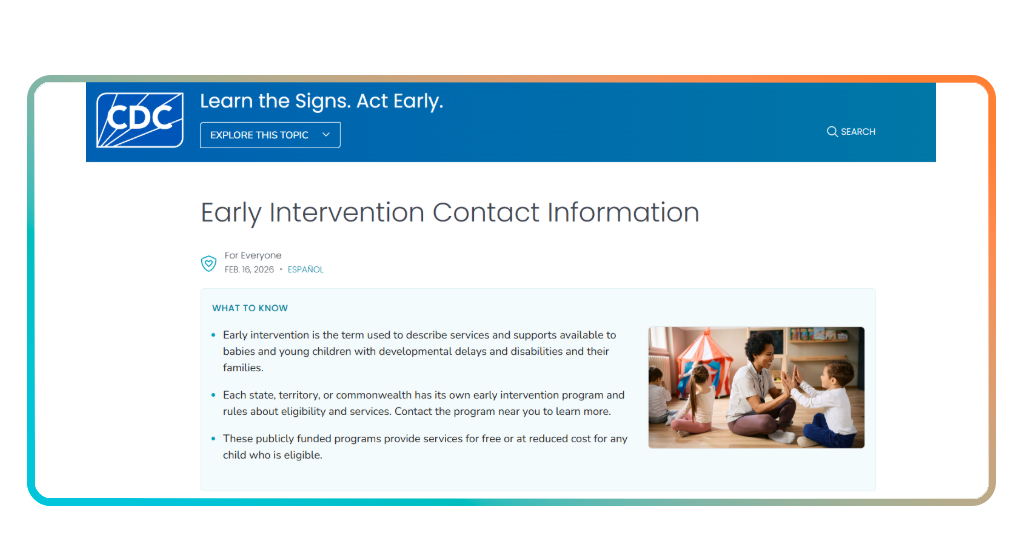
Step 1: visit the CDC resource page
First of all, access CDC Early Intervention Directory and select your state from the available list.
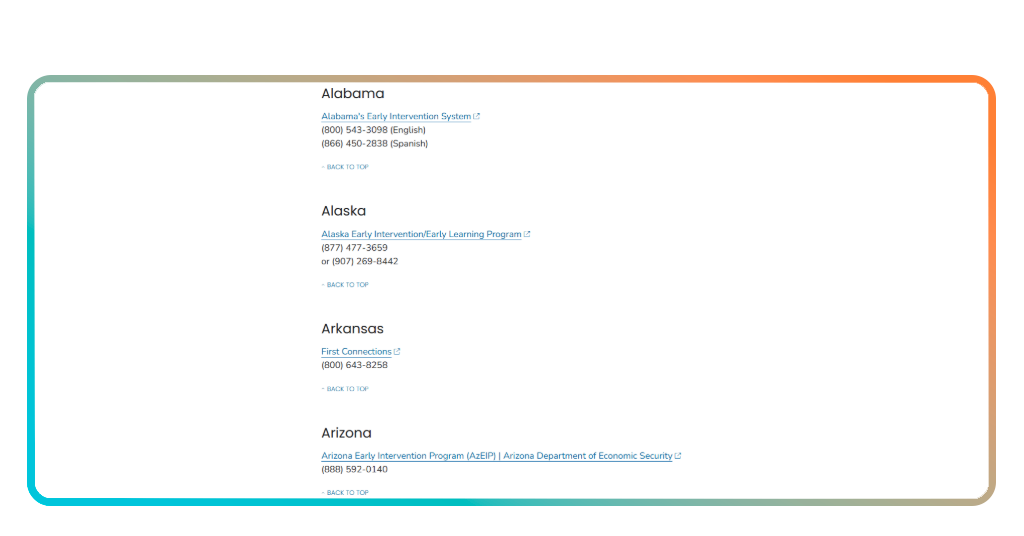
Step 2: review local contacts
Once there, locate the agencies, programs, and service coordinators responsible for early intervention and developmental support in your area.
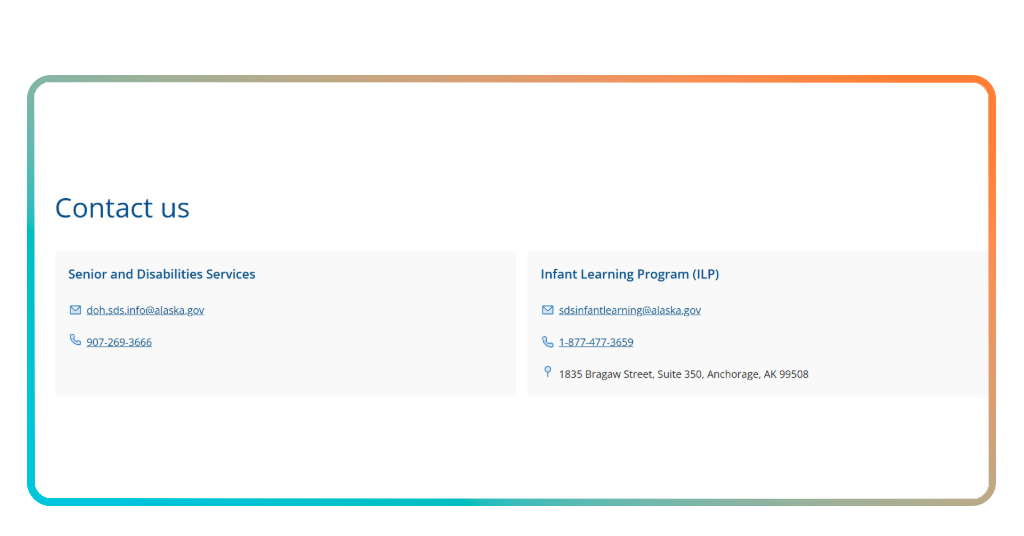
Step 3: request an evaluation
Contact the recommended provider or agency to ask about screenings, assessments, eligibility requirements, and available services.
Step 4: discuss therapy options
Review recommendations and determine which services may be appropriate based on the individual’s needs and developmental goals.
Step 5: begin the enrollment process
Complete any required paperwork and follow the instructions provided by the agency to access available support programs.
How to choose the right specialist
As you know, finding a qualified professional for free autism therapy involves more than selecting the first available provider.
Experience, communication style, and familiarity with autism spectrum disorders are topics that can all influence the quality of care.
It is worth mentioning that different specialists may address different needs as well.
For example, speech-language pathologists, occupational therapists, developmental therapists, and behavioral professionals work together as part of a broader support plan.
The relationship between the professional and the family also matters, and a specialist who communicates clearly and collaborates with caregivers can create a productive experience.
Families should not hesitate to ask about qualifications, treatment approaches, experience levels, and expected goals before beginning services.
Other ways to improve your life dealing with autism
Remember that the free autism therapy is only one part of a broader support system.
That’s why daily routines, educational resources, community programs, and family involvement are important and can also contribute to long-term development and well-being.
Consistent routines are responsible for creating predictability, which many individuals on the autism spectrum find beneficial during daily activities and transitions.
Meanwhile, support groups also provide guidance, and connecting with other families may offer advice and information about local services that might otherwise be difficult to discover.
Educational resources, recreational programs, and social development opportunities can complement professional services and create a comprehensive support network.
Finding support one step at a time
Accessing free autism therapy can be challenging, so understanding what resources are available is the first step toward receiving appropriate support.
Government-funded programs, early intervention services, and qualified specialists can help families build a plan that reflects the individual’s unique strengths and needs.
If you are searching for free autism therapy resources, start with CDC Autism Services Information and explore the programs available in your state.
Remember that early action can help connect families with valuable support and professional guidance.
En rapport : Find Therapy Within Your Budget: Try This Therapy Matcher App
Cet article vous a plu ? Enregistrez-le Idées reçues Ajoutez-le à vos favoris et découvrez les astuces technologiques les plus utiles.