For families adjusting to vision loss, communication can suddenly feel more complicated. Reading labels, messages, or simple notes may become difficult without new tools. A braille learning app is increasingly helping people bridge that gap through structured, interactive lessons. At Insiderbits, we see these digital tools giving learners a practical way to rebuild literacy and independence.
Technology is reshaping how braille is taught outside traditional classrooms. Modern apps break the six-dot system into simple, guided exercises that users can practice daily. Progress is tracked step by step, turning a complex skill into manageable milestones. For many learners, that steady approach restores confidence and opens the door to fuller participation in everyday life.
- TOP Braille Learning Apps: Accessibility for the Visually Impaired
- 10 Tips to Speed Up Language Learning on Duolingo
- 4 AR Education Apps to Enhance Your Learning Experience
What’s the best braille learning app?
Braille Academy (available for iOS and Android) stands out as a premier resource for both sighted and visually impaired learners.
Unlike traditional classroom settings that can feel rigid, this app uses a “Gradual Introduction” method that ensures you don’t get overwhelmed.
It is specifically designed to teach Unified English Braille (UEB), which is the standard used across most English-speaking countries for everything from signage to literature.
Features available in the app
This braille learning app is packed with quite a handful of tools to accelerate your literacy:
- Structured chapters: over 13 chapters covering letters, numbers, punctuation, and even complex contractions;
- Gamified progress: with 59 levels and 29 challenges, the app turns learning into a game where you earn certificates upon completion;
- Customizable themes: high-contrast modes are available to assist those with low vision in identifying patterns more easily;
- Offline functionality: you can practice your skills anywhere, even without an internet connection, making it perfect for commutes or travel.

4.8/5
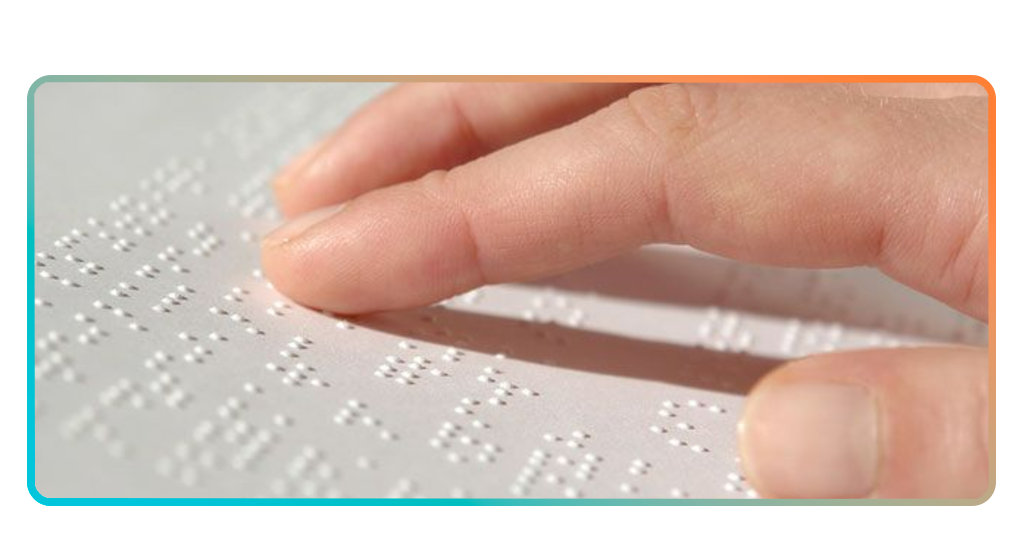
Step-by-step: how to learn the tactile alphabet using Braille Academy
Learning a new language is some sort of a mission launch that requires a clear plan. Here is how to use the app to master the basics:
Step 1: master the cells
Before you can read words, you must understand the 6-dot cell structure. Every character in the braille system is built from a 2×3 grid.
Start on the “Explore” page. Here, you can click on any character to see its dot configuration.
Focus on the numbering system: dots 1, 2, and 3 make up the left column, while 4, 5, and 6 make up the right. Visualizing this grid is the “Magic Tool” that allows you to identify patterns rather than just memorizing random dots.
Step 2: focus on letters A-J
These are the foundation of the entire system. Once you know these, numbers, and the rest of the alphabet follows a predictable pattern.
These letters only use the top four dots (1, 2, 4, and 5). Once you master A-J, you’ve also mastered the numbers 1-0.
The rest of the alphabet follows a predictable pattern. For example, adding dot 3 to the letters A-J creates the letters K-T. This logical progression ensures that your learning curve stays manageable and rewarding.
Step 3: use the “Hint” button
If you get stuck during a level, the infinite free hints provide immediate feedback, preventing frustration before it starts.
Hesitated or got stuck during a level? Tap the hint button on the right. It will instantly highlight the correct dot positions.
Step 4: daily challenges
Spend at least 10 minutes a day in “Challenge Mode” to build the muscle memory required for fast recognition.
Step 5: expand your skills
Once you are comfortable with the tactile alphabet, you’ve already developed the cognitive flexibility needed for other forms of communication. Use your newfound literacy as a bridge to other accessibility tools.
Moving on to free ASL courses allows you to become a multimodal communicator, supporting friends and family across both the deaf and blind communities.
Compatibility and accessibility features
To ensure no one is left behind, the braille learning app landscape has prioritized broad compatibility. Braille Academy is available on both major platforms, requiring only basic hardware to run smoothly.
For those with severe visual impairment, the app has been updated to improve TalkBack and VoiceOver experiences.
This allows the app to be “self-voicing”, guiding the user through lessons via audio cues. Furthermore, the app supports Bluetooth keyboard integration.
By using a standard keyboard, users can mimic a “Perkins-style” brailler, where specific keys (like S, D, F and J, K, L) correspond to the six braille dots, providing a physical, tactile feel that a touchscreen cannot replicate.
How to get better at braille
It takes more than just using a braille learning app to become fluent; you’ll have to really incorporate the code into your everyday life. To the RNIB, literacy is a key driver of employment and independence:
- Incorporate tactile aids: beyond the screen, practice by touching different textures—like sandpaper or fabric—to increase your fingertip sensitivity;
- Label your world: use a braille labeler to mark common household items like spices, light switches, and medicine bottles;
- Read “twin vision” books: these books feature both print and braille, allowing sighted caregivers and visually impaired learners to read together, reinforcing the connection between the dots and the letters;
- Stay consistent: like in any other project where learning is the final goal, consistency is key. Even a short session while waiting for an appointment keeps the patterns fresh in your mind.
Unlock a new world
Learning braille opens more than a new way to read—it restores access to written communication and everyday independence.
For many people with vision loss, learning the tactile system can reconnect them with books, labels, and personal notes that once felt out of reach. Digital tools have made this process more approachable than ever.
Using a braille learning app allows beginners to practice step by step, turning learning into a steady daily habit.
Because lessons guide users through the alphabet, what begins as practice can grow into a powerful new channel for communication.