If you’ve ever unboxed a brand-new PS5, VR headset, or shiny gaming PC and thought, “Why does this look worse than the ads?”, congratulations—you’ve just met the joy of mismatched tech. It’s not your console, nor your graphics card. It’s not even your TV. Blame it on your internet speed quietly dragging your expensive setup down like an anchor you didn’t know you owned.
Most homes still run on outdated Wi-Fi, cable upload speeds from 2012, and routers that panic if more than three devices join the network. Meanwhile, your gadgets demand bandwidth like they’re streaming the moon landing in 8K, a toxic relationship—one you can diagnose in 30 seconds with a free gadget. Before you spend another dollar on hardware, let’s figure out if the real villain is your connection.
- How to test internet speed on your mobile
- Measure Internet Speed on Phone With Super Accurate Tests
- Speed Slow PC: Free Tips to Boost Performance Without Extra Software
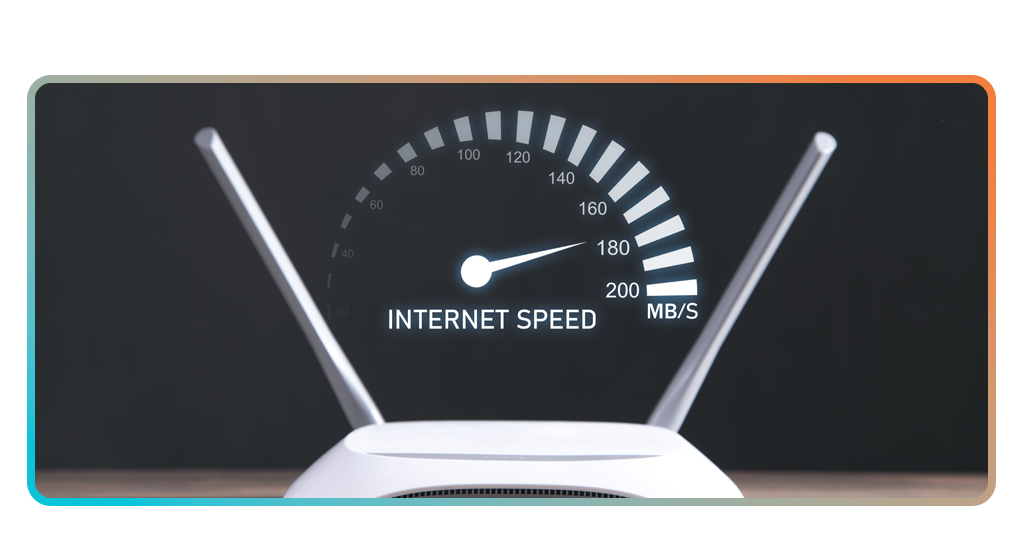
Gadget Speed Test: Is your internet slowing down your PS5 and VR?
Gamers love to blame consoles, GPUs, or even “bad servers”, but if your PS5 downloads at the pace of a retiring sloth, the first question should be: is my internet bottlenecking my PC or console?
A quick gadget speed test reveals your actual numbers, the speed your device truly receives, not the fantasy speeds printed on your ISP bill.
If your internet speed for PS5 can’t sustain 100–200 Mbps downloads, you’ll see sluggish patches, delayed updates, and compressed textures during online play.
VR is even more demanding. The ideal internet speed for VR requires consistent upload capacity, low jitter, and latency under 20–30 ms.
VR doesn’t just want speed; it wants stability. If your upload is bad, your headset will remind you every minute.
This 30-second test exposes whether the problem is your console or that outdated modem your ISP “gifted” you five years ago. Spoiler: it’s usually the modem.
Why new tech lags on old Wi-Fi (upload is the hidden problem)
Everyone obsesses over download speed but upload is the silent killer. Most cable plans get you 300–600 Mbps down and a tragic 5–10 Mbps up. That’s cute for emailing PDFs, but it absolutely chokes:
- VR multiplayer sessions needing two-way real-time data;
- Cloud gaming services like PS Plus, Xbox Cloud, and GeForce Now;
- Live streaming, updates, and multiplayer voice chat.
Old Wi-Fi standards (especially Wi-Fi 4/5 routers still gathering dust in living rooms) can also cut your speeds in half before packets even leave the house.
This mismatch explains why your PS5 behaves like it’s connected through dial-up even when you’re paying for “fast” internet.
If you want to see what your home network is really delivering, test each device individually. The gadget speed test gives an honest reading, and you can try on both Android und iOS mit HighSpeedInternet.
Real benchmarks: 8K streaming, VR latency, and online gaming
The actual, usable speeds needed for the tech you already own. Not the fantasy numbers ISPs print on their brochures, but the thresholds real devices need to perform the way the manufacturer intended.
For 8K TVs
You’ll need at least 100 Mbps sustained, preferably 200–300 Mbps. Anything lower, and the stream collapses into a blocky mosaic of disappointment.
For VR headsets
Latency under 20–30 ms is non-negotiable. Upload should sit above 10 Mbps. Otherwise? Stutters. Warping. Motion sickness. Basically a bad carnival ride.
For gamers
You need stable ping, not just raw speed. Even the best internet for gamers is worthless if jitter spikes. If your connection can’t keep latency consistent, online matches will feel sticky, no matter how good your hardware is.
Resources like HighSpeedInternet’s data usage guide give realistic speed requirements—unlike the vague promises of “up to” you get from ISPs.
Think your current plan can’t handle it? You’re probably right.
How a 30-second test shows your real bottleneck (not your device)
Most speed tests show what your router can theoretically reach, in the best case, at the perfect moment, under perfect conditions.
The Gadget Speed Test does the opposite. It measures the actual connection quality from the exact device you’re using.
That matters because:
- Your PC might get 300 Mbps, but your PS5 might only receive 40 Mbps on Wi-Fi;
- Your smart TV might choke because the signal drops 50% in the living room;
- Your VR headset might lag because it’s on a congested 2.4 GHz band;
- Your router might be limiting speeds without you knowing.
Real bottlenecks happen device-by-device. A 30-second test tells you exactly which gadget is suffering, whether your internet speed for PS5 is enough, and how much bandwidth your VR headset is actually getting.
If the test shows single-digit upload, high latency, or massive jitter? Congrats, the problem is not your shiny new console, but your $50 connection.
Check fiber availability at your address before upgrading anything
Before you buy a new router, mesh system, or $300 “gaming” modem, check whether fiber exists in your ZIP code. Fiber solves the real problem: upload and latency.
It’s the only connection type that’ll keep VR stable, fix gaming delays, and get your PS5 downloads out of 2010.
Use tools like the FCC Broadband Map or BroadbandNow ZIP code lookups to see which fiber plans are available at your address.
You can also estimate costs using HighSpeedInternet’s price comparison tools and best price-lock guides.
If fiber is available, upgrading is the easiest win of your tech life. If not, at least you’ll know which cable or 5G plan gets closest to what your devices need.
And don’t forget to check who might be stealing your Wi-Fi—yes, that still happens. Insiderbits has a guide for that.

4.8/5
Final thoughts
Your gadgets are already powerful. They just need the connection they were designed for. A simple gadget speed test can expose if your Wi-Fi is outdated, overloaded, or simply incapable of delivering the performance modern devices demand.
Run the test. Check your fiber options. Upgrade intentionally. Because your $500 PS5 deserves better than your $50 connection.