
Your partner is on zoom, one of your kids opens a game, and the other starts to watch a series, and the TV is buffering—but suddenly every screen freezes as if the house collectively sighed and gave up. For your information, the problem rarely comes from the device in front of you. These situations usually happen because most homes run networks designed for a simpler era, which becomes obvious the moment when many devices request bandwidth at once.
The real trouble starts in this moment, and then you realize your home isn’t misbehaving at random but reacting exactly the way an outdated network reacts under nonstop pressure, turning everyday tasks into slow, making it clear that your Wi-Fi simply wasn’t built for the number of devices that most families use today. For your luck, this article digs exactly into what actually happens inside an overloaded network and how a modern fiber connection transforms the experience completely.
- Wi-Fi Setup 101: Start Strong, Stay Secure
- Wi-Fi Without ISP: Guide to Connectivity
- Wi-Fi Safety Check with Norton 360 Antivirus & Security
Wi-Fi Overload: Why Your Network Breaks With 15+ Devices
First of all, let’s understand what happens when you have too many devices on Wi-Fi. So, the typical home router treats connections like a single line at a ticket counter, and every gadget waits its turn even when it barely needs data.
Consequently, one slow device drags the others with it because the entire system becomes a rotating queue trying to satisfy competing demands.
That said, the more smart devices, like smart TV’s, smartphones, tablets, computers, etc., appear in your house, the faster this invisible line grows.
Streaming and gaming place heavy pressure on legacy connections, while video calls create constant upload traffic that older networks struggle to balance.
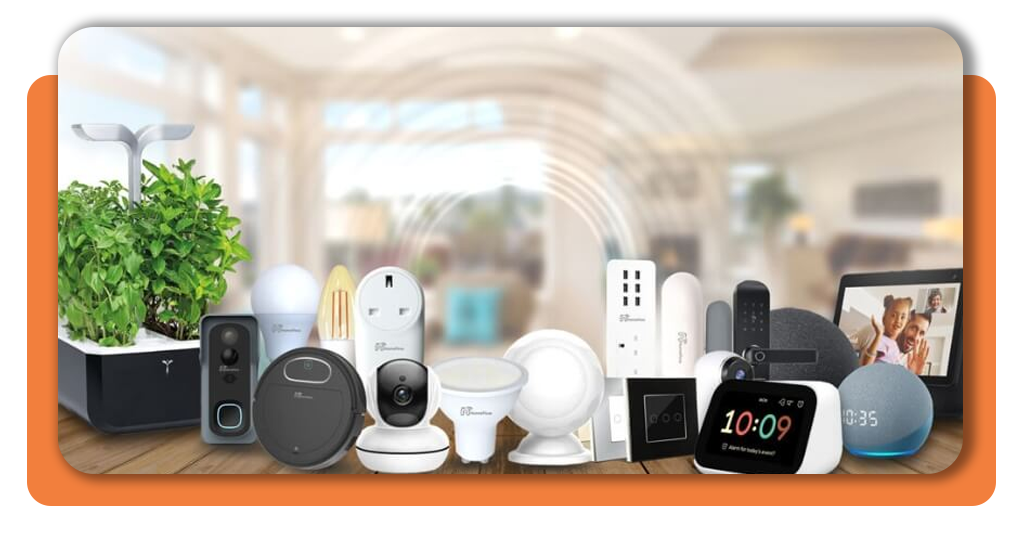
Alongside, if your home has smart sensors, cameras, thermostats, speakers, it all helps to combine into a chaotic mix that overwhelms any plan not meant for dense digital environments.
In summary, it is not your home that becomes complicated. The thing is your internet simply stayed the same while the world around evolved into a digital.
The 100-Device Test: What Really Happens in a Modern Home
Simulating a home with one hundred connected devices can reveal how quickly everything collapses under traditional networks.
Usually, in this simulation, the speed will drop, routers overheat, and connections begin to fall out of the system one by one. All of this while the network continues trying to serve everything equally until the entire structure slows to a crawl.
As we mentioned above, even small devices produce constant chatter that adds up Wi-Fi overload, and smart sensors send frequent micro-signals that fill the air with background traffic.
Since smart cameras maintain steady upload streams, and every screen in the house multiplies the pressure, there’s no way an outdated network can hold so many devices.
Nevertheless, fiber networks handle the same test with stability because the architecture distributes bandwidth smoothly without forcing devices into competition.
That’s what makes fiber the best internet for multiple devices and a good option if you’re looking for an internet for smart home.
Why Cable/DSL Can’t Handle Today’s Smart Homes (But Fiber Can)
This question is not hard to answer. We already told you many households still in the past and have an outdated network.
When it comes to Cable and DSL, we are talking about connections that rely on infrastructure built around passive consumption, which becomes a problem the instant your home generates upload traffic.
Hence, video calls, cloud backups, security cameras, and app updates create continuous two-way demands that older networks were never meant to balance.
All of this ends up causing bottlenecks that are the source of instability, even when your download speed looks impressive on paper.
Meanwhile, fiber eliminates the pressure with symmetrical performance that treats uploads and downloads with equal importance.
That balance prevents Wi-Fi overload and, in consequence, the system from collapsing when multiple people use demanding apps simultaneously.
A smart home thrives when the internet stops resisting and finally begins supporting everything you connect.
How to Check Fiber Availability at Your Address in 1 Minute
For some reason, most households assume fiber isn’t available nearby, yet expansions occur constantly and new neighborhoods gain coverage every month.
AT&T Fiber offers a quick ZIP code lookup that instantly confirms availability without extra steps.
Inzwischen, Google Fiber availability can be checked through a similar search that shows current and upcoming regions with clear status information.
Lastly, Spectrum provides availability information through its service map, allowing you to compare options quickly before choosing the network your home truly needs.
The entire process takes less time than restarting your router and removes the guesswork that keeps families stuck on outdated plans.
Stop Fighting for Bandwidth — Upgrade to a Network Built for 100+ Devices
A home full of smart devices requires a network that understands constant background communication rather than struggling against it.
Wi-Fi overload doesn’t mean you used the internet incorrectly. It means your network belongs to a time before homes became miniature data centers filled with cloud-connected gadgets.
That’s because it doesn’t matter how many devices you have connected on your Wi-Fi, your internet should handle 100+ devices at once.
If you want to have the best internet for multiple devices, fiber turns the entire experience around with stability that holds steady even when the house feels like a small office.
Every device gets the breathing room it needs, and the daily battle for bandwidth becomes a thing of the past.
Check availability, upgrade what supports your modern home, and let your network grow with the number of devices you already rely on.
The “Wi-Fi Overload” Test: Why 100 Devices Crash Your Network – Conclusion
Wi-Fi overload turns a normal home into a slow and frustrating environment because traditional networks were never prepared for dozens of devices asking for constant connectivity.
Everything starts working again the moment the bottlenecks disappear, and fiber brings that stability by treating every device with the capacity it needs, creating a network that feels smooth even when the entire house is online at the same time.
Since modern homes no longer rely on one or two screens, upgrading the connection becomes the easiest way to fix problems.
Check fiber availability at your address and see how a network built for heavy usage ends the fight for bandwidth for good.
Verwandt: Detect WiFi Intruders on Your Network for Free
Enjoyed this article? Save the Insiderwissen blog to your favorites for the latest tools, creative tech tips, and photo editing breakthroughs.




