
There is something oddly comforting about seeing your entire week laid out, all organized, in front of you, especially when you know deep down that without help, half of those tasks would quietly slip into oblivion. Fortunately, we can all have a deadline tracker that will bring a sense of control to that chaos. A Todoist, for example, leans into this idea with tools that turn scattered thoughts into structured tasks that feel achievable rather than intimidating.
Nowadays, many students and professionals juggle assignments, meetings, errands, and the occasional existential crisis, yet Todoist makes everything feel less dramatic because it makes deadlines stop living only inside your head. Once each item gains a priority and a reminder, the week feels more manageable, leaving space for focus, more creativity, momentum, and the occasional moment to breathe. If you wanna start to have an organized week, download the app and never miss another task again.
- Ask AI – What Tasks Should You NOT Delegate to AI Systems?
- Gamified Productivity: Apps, die Aufgaben in lustige Herausforderungen verwandeln
- How to Use AI to Automate Your Daily Tasks
How to Use a Deadline Tracker
A deadline tracker works best when every commitment finds a place to live, which immediately reduces that nagging sensation that something important is hiding out of sight.
The app we are analyzing in this article, Todoist, embraces this clarity with simple task creation, allowing users to write deadlines the same way they would describe them in conversation.
For example, you can separate projects to help break life into categories that make sense, such as school, personal goals, or work responsibilities that tend to multiply when you turn your back.
This organization turns overwhelming lists into clusters of manageable actions, giving your brain a cleaner path toward progress.
Also, daily reviews sharpen awareness of what truly needs attention, helping people adjust plans before pressure builds.
In the end, this habit becomes surprisingly grounding because it encourages reflection, pacing, and a healthier way of approaching workload changes.
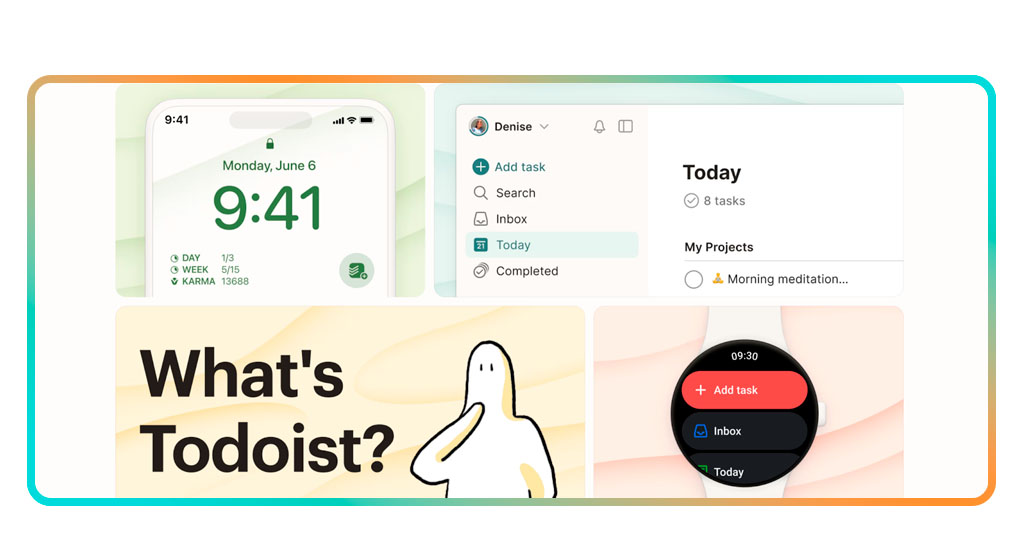
Step-by-Step: Add Tasks and Set Reminders
Todoist is a deadline tracker that works smoothly when each task follows a simple flow that turns planning into something natural.
- First of all, you need to download Todoist app, available on both Google Play Store und die App-Store;
- After installing, open Todoist and create a new task with a clear description that leaves no room for future confusion;
- Add a due date by typing expressions that feel natural, allowing Todoist to translate everyday language into precise scheduling;
- Then, assign a priority level so urgent items stay visible even on busy days, helping you avoid the classic situation of remembering something essential at the very last minute;
- You can also place the task into a project where similar responsibilities gather into a unified view, keeping your main list clean while giving each area of your life its own organized space;
- Remember to activate reminders to receive notifications before deadlines sneak up unexpectedly;
- Create recurring tasks for routines that repeat throughout the week, reducing the effort of re-adding responsibilities that appear regularly in your schedule;
- Review everything in the morning so your plans match your energy, available time, and the overall rhythm of your day, building a habit that anchors your routine with clarity.

4.8/5
Features That Keep You On Schedule
To begin with, in order to be your deadline tracker, Todoist creates a timeline that guides the user from one task to the next without overloading the screen with unnecessary noise.
For example, The Today and Upcoming sections highlight commitments in a sequence that feels intuitive, preserving energy for actual work rather than constant sorting.
Also, labels and filters add flexibility by grouping tasks according to themes. This is what usually helps users navigate priorities when several projects overlap.
Moreover, reminders add a final layer of structure because they show up at just the right moment, providing a nudge before procrastination wins the argument.
In summary, this rhythm strengthens discipline, forming a pattern where deadlines feel predictable and progress becomes easier to track.
How to Connect Todoist to Other Apps
In order to aim for your comfort, integrations expand Todoist’s usefulness because tasks travel across platforms the user already checks throughout the day.
This alignment ensures deadlines remain visible no matter where attention goes, reducing the chance of overlooking something essential.
For example, if you connect Todoist to Google Calendar, it will bring tasks and events together in a timeline that feels cohesive, which avoids the classic mistake of scheduling two things simultaneously.
This harmony between tools creates a smoother workflow because decisions become clearer and planning becomes less stressful.
You can also make some integrations with email services, messaging apps, and cloud platforms to help convert information into tasks without breaking focus.
4.8/5
Never Miss a Task Again with This Deadline Tracker – Conclusion
Daily organization becomes easier when each task holds a place inside a structured system that supports clarity and consistency, and the user is allowed to move through the day with fewer doubts and a stronger sense of direction.
This deadline tracker strengthens that structure through tools that guide planning and reduce mental overload.
Anyone aiming for balance discovers a reliable companion that keeps deadlines visible and helps transform routines into something more sustainable. With Todoist, you can plan smarter and meet every deadline on time.
Verwandt: Free Customer Service Course Online: Get Certified Fast
Enjoyed this article? Save the Insiderwissen blog to your favorites for the latest tools, creative tech tips, and photo editing breakthroughs.