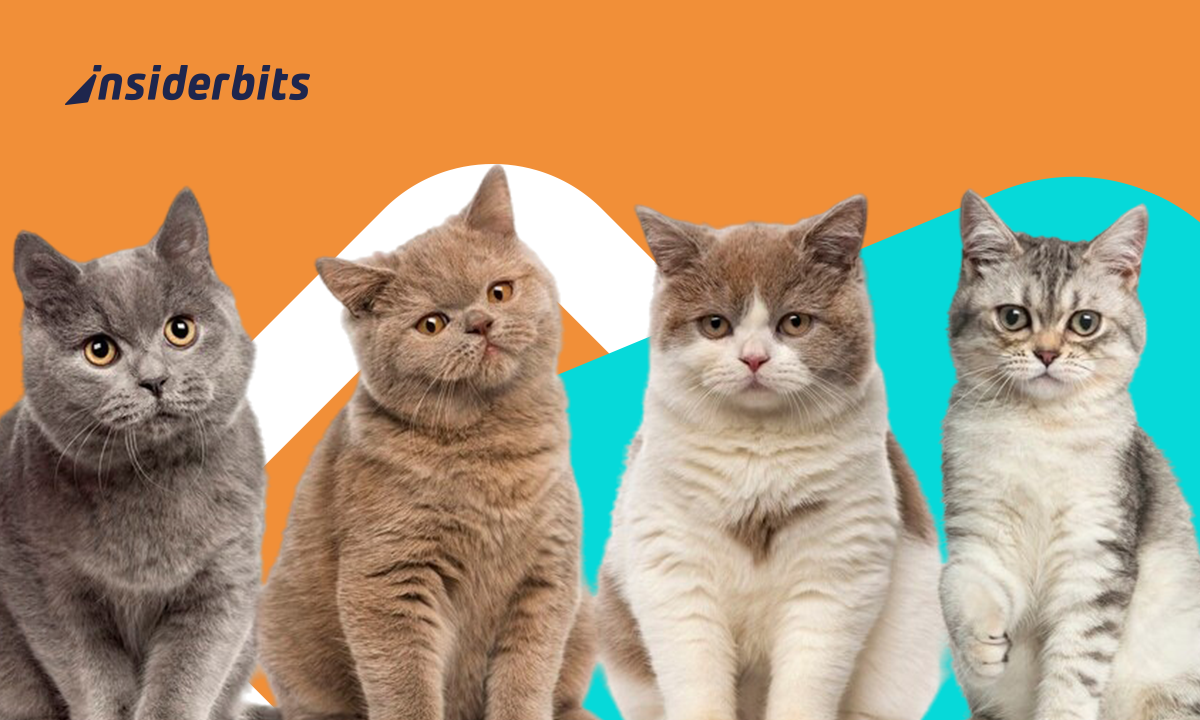
That adorable cat sitting on your couch has a whole story written into its fur, face, and behavior, and a cat breed identification app might be the quickest way to start reading it. The shape of its ears, the way it follows you from room to room, and that oddly specific personality trait all tell you something. Their breed has a bigger role in all of that than you’d understand.
Cat Scanner is an app that uses your phone’s camera to identify breeds in seconds and pulls up detailed facts about what makes each one tick. In this Insiderwissen guide, we’ll look at what the app offers, how to set it up, and what to do for sharper results. If you’ve ever looked at your cat and felt like you were only seeing half the picture, this app is definitely for you.
Verwandt: Traveling soon? Try this free pet sitting app

4.6/5
Cat Scanner: cat breed identification app
Cat Scanner (Android | iOS) answers one of the most common questions cat owners ask: what breed is my cat? A quick scan delivers a real answer in seconds, straight from your phone.
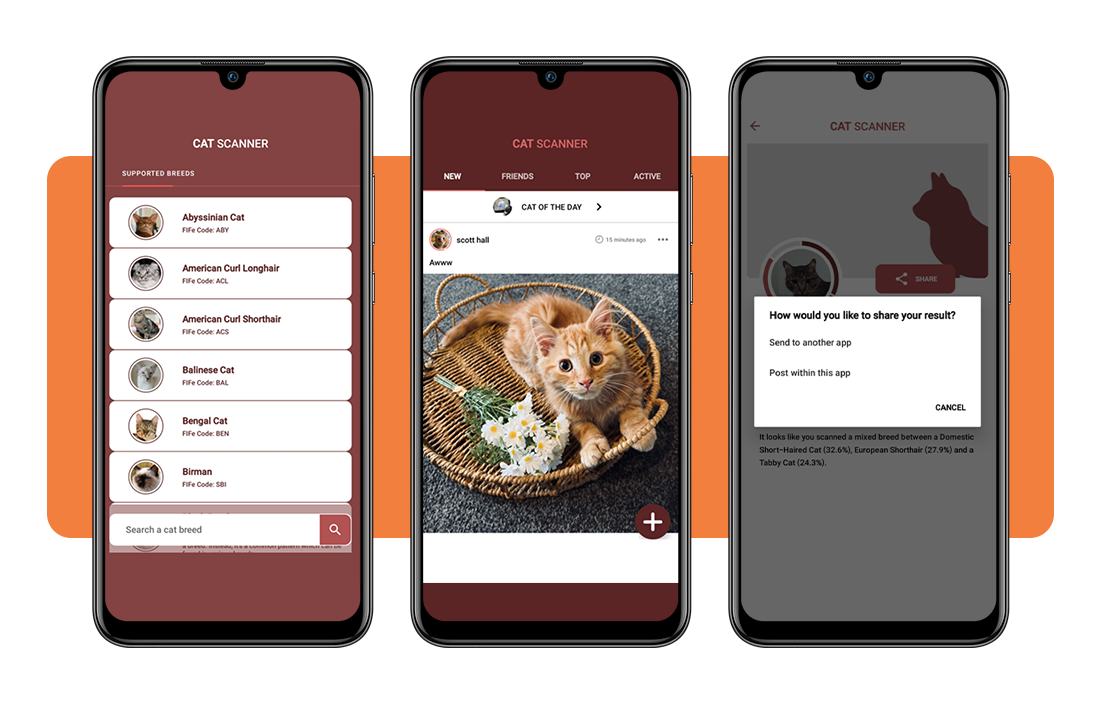
With over 60 breeds covered in its database, this cat breed identification app works with photos, videos, and uploaded images, pulling up detailed facts about each one right after the scan.
It also goes beyond your own pet. You can point it at any cat you come across, or even at a person, and it’ll pull up a breed match so you can dive into your subject’s heritage.
Features available in the Cat Scanner
- Breed identification via photo or video: scan your cat in real time, record a short clip or upload a saved image from your gallery to get an instant breed result
- Mixed breed recognition: the app doesn’t stop at purebreds. It breaks down mixed breeds and gives you detailed information showing up in your cat’s results
- Breed database access: browse a full library of cat breeds, complete with photos and facts, without needing to scan anything at all. It’s all available on demand
- Gamification system: collect cat breeds like a game, complete challenges, earn virtual treats, and climb a ranking list by competing with friends and the wider community
A social feed for cat lovers
This cat breed identification app comes with a built-in community feed where users post pictures, share scan results, and connect with other cat owners from around the world.
You can like and comment on posts, browse other users’ profiles and filter the feed by date or popularity to find the content that actually interests you.
Sharing is built into the experience too. Send pictures directly from the app to friends without jumping between platforms, keeping everything in one place for cat lovers.
Free to use with a premium option
Cat Scanner is free to download and covers the core features without asking for anything upfront, so you can explore this cat breed identification app before deciding to go further.
The premium upgrade starts at $1.49, removes ads, and gives you a choice between speed and accuracy when scanning, letting you prioritize based on what works for your situation.
Offline mode is also part of the premium package, which means you can scan your cat without an active internet connection, a solid perk for travel or low-signal areas.
Step-by-step: how identify your cat’s breed using the app
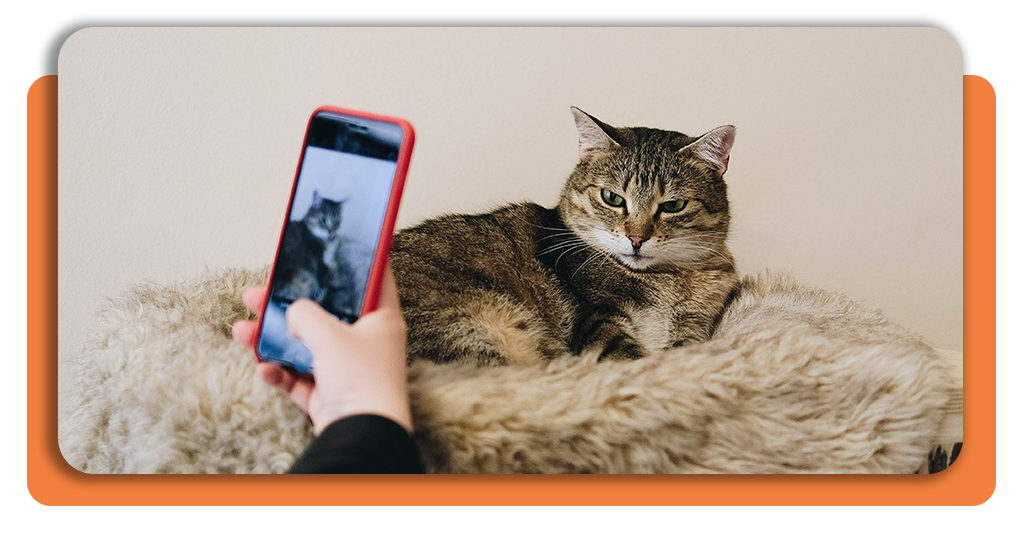
Cat Scanner (Android | iOS) makes the whole process of finding out your cat’s breed about as simple as taking a regular photo, and the results come back before you put your phone down.
Using this cat breed identification app takes no technical setup or special equipment, just your phone, a cooperative cat, and a few seconds to let the app do its work.
The process breaks down into three clear actions: download, scan, and explore. Each one builds on the last, and none of them will take up more of your time than they need to.
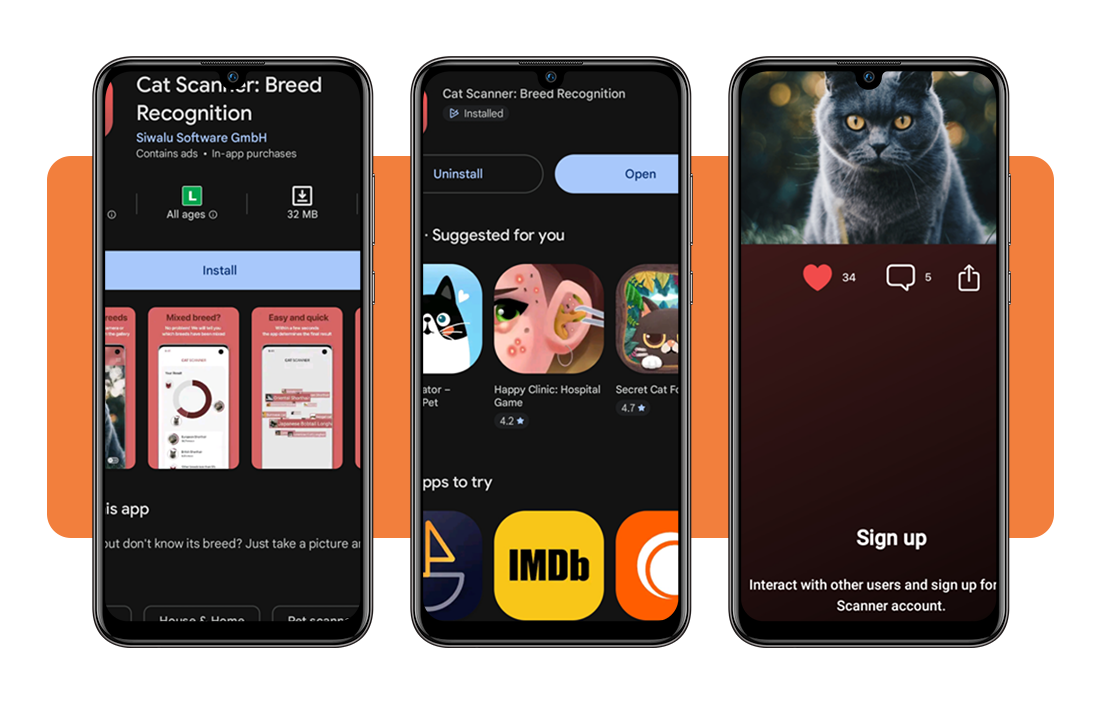
Step 1: download the Cat Scanner app
The Cat Scanner app is available on both Android und iOS, so finding it in your app store takes seconds. Search the name, hit ‘Install’ or ‘Get’ and you’re ready to move forward.
Once installed, you’ll need to create an account using your Google credentials or an email and password. It only takes a moment and puts all your scan history in one place.
If you want to unlock offline scanning or remove ads, the premium upgrade is available inside the app. It’s optional, and the free version covers plenty to get you started.
Step 2: take a photo or upload one
Once you’re done with your account, point your camera at your cat and tap to scan. This cat breed identification app also lets you record a short video or upload a saved image instead.
Try to get a clear shot of your cat’s face and body in decent lighting. The more visible the features, the more the app has to work with when producing your result.
If the first scan doesn’t feel accurate, the app gives you tips to improve your next attempt. You can also flag the result and suggest a correction to help the app learn.
Step 3: explore and share your cat’s breed results
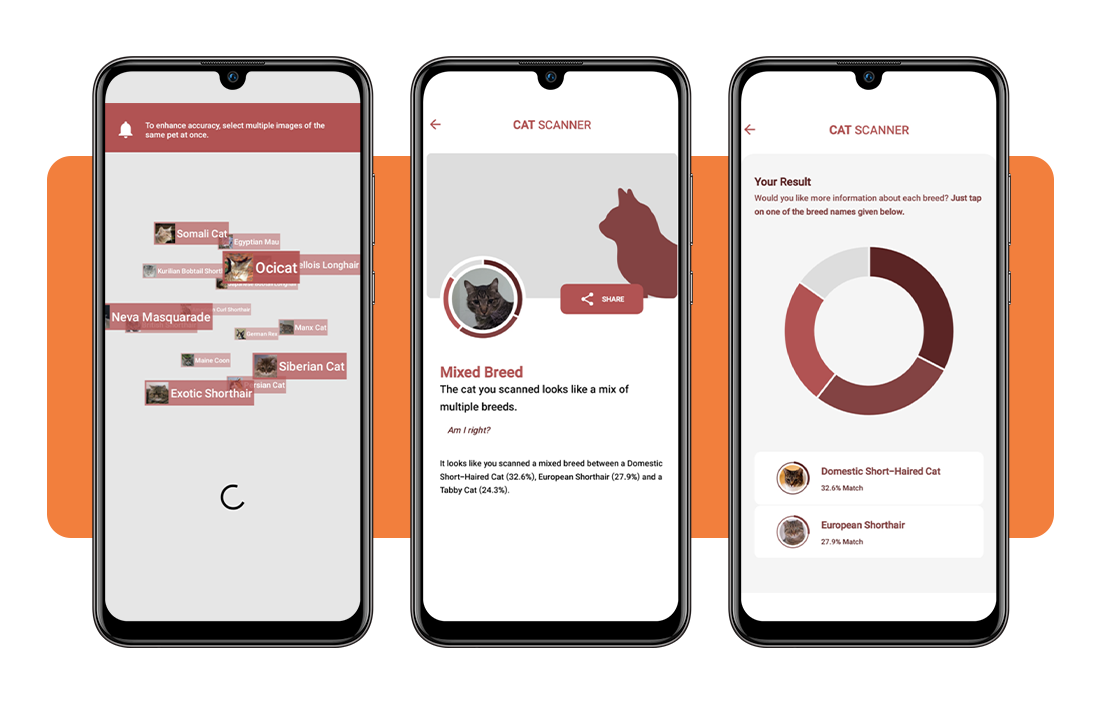
As soon as the scan wraps up, Cat Scanner displays your cat’s breed along with a full breakdown of traits, history, and characteristics for you to read through.
For mixed types, this cat breed identification app lists each class detected and gives you information on all of them separately, so nothing gets lumped together or left out of the results.
From the results screen, you can share directly to the community feed, send the result to a friend or save it to revisit later whenever you feel like looking back at it.
Verwandt: Pet sitting for travelers: find the perfect one with this app
Tips for getting the best photo results
Getting a clean scan out of Cat Scanner has a lot to do with the photo itself. A well-framed shot gives the app much more to work with from the start.
Cats move around, look away, and pick the worst possible moments to be uncooperative. A little patience and the right setup go a long way toward a result you can trust.
Small adjustments to light, distance, and timing make a real difference, and the cat breed identification app even gives feedback when a scan doesn’t land, so you can improve as you go.
Place your cat near natural light
Natural light is your best friend here. Position your cat close to a window during the day and let the light fall across its face and body without any harsh shadows.
Avoid using your phone’s flash directly on the cat. It flattens out the coat texture and washes out the colors that the app relies on to make an accurate breed call.
Overcast days work well for this. The light is soft and even, which means the camera picks up coat details and facial features with a lot more definition and depth.
Keep the camera steady and close
A blurry photo is the fastest way to get a weak result. Hold your phone with both hands, take a breath, and wait for a still moment before tapping the shutter.
Getting closer to your cat helps too. Filling the frame with its face and upper body gives the cat breed identification app the detail it needs to produce a reliable breed match.
If your cat won’t sit still, try scanning during a nap or a calm moment after a meal. Relaxed cats are far easier to photograph and tend to produce cleaner results.
Take multiple shots for better accuracy
One scan is a starting point, not a final answer. Running a few scans from slightly different angles gives you a broader picture of what the app picks up each time.
Changing your position slightly between shots, crouching down, moving to the side or stepping back a little can surface details that a straight-on photo might have missed the first time.
If results vary across scans, you can flag the correct breed directly in the app. That feedback helps the cat breed identification app sharpen its accuracy over time with real user input.
Verwandt: Create a free digital pet ID in minutes and keep your pet protected
The breed reveal you never saw coming
Cat Scanner turns a simple phone camera into a tool that tells you something real about the animal you share your home with, which is a pretty neat trick.
In diesem Insiderwissen guide, we gave you a full walkthrough of the cat breed identification app. Now you can get the most out of every scan and enjoy the experience from start to finish.
Weiter stöbern Insiderwissen for more articles about useful apps that make life with pets a little more fun, informed, and connected for both you and the animals you love.