
Most people had a huge problem with math during school. This subject can be a headache, even more when it starts to mix numbers with letters. In the past, students didn’t have as many digital devices as we have now, and that’s why a math solver app shines. For students, this app helps during homework, while for parents, it comes in handy when it’s difficult trying to explain concepts that are no longer fresh.
Heute, Insiderwissen will explain how Gauth (iOS/Android) starts to change the whole math experience by breaking down the whole process steps, instead of offering just the answers. That’s how the math solver app makes users understand how the solution is reached. Read the article below and transform your smartphone into a learning tool, so during school classes, you can follow it in a way that feels immediate and easier to follow.
- AI Study App: Review of the Uknow.AI Homework & Math Solver App
- Basic math apps for adults to improve numeracy
- Entdecken Sie Boddle, eine interaktive 3D-Mathe-App für Kinder
Looking for a free math solver app?
A good math solver app that actually helps with understanding, and not just quick answers, makes a significant difference in how useful the tool can potentially be.
We say that because many apps can provide results, though the real value appears when the explanation is clear enough to follow and detailed enough to support learning.
That’s the reason why the Gauth app (iOS/Android) stands out. This math solver app combines image recognition with step-by-step explanations.
With that type of explanation, users can scan a problem and receive a solution almost instantly.
In addition, that reduces the barrier for those who struggle to translate written exercises into something they can work through on their own.
Also, the app flexibility within the app supports a wide range of topics, from basic arithmetic to more advanced areas, that makes it useful across different levels of study.
By using it constantly, the math solver app ends by helping every student that uses it to build familiarity with how different types of equations are approached.

Features available in the Gauth app
What makes Gauth (iOS/Android) more useful than a simple answer generator is the way it turns a blocked homework moment into something easier to unpack.
It is common for students to get stuck because the path between the question and the solution is not clear.
Then, once that path disappears, even simple exercises can start to feel much harder than they really are.
One of the app’s strongest features is the camera input, since it removes the difficulty of typing long expressions, fractions, symbols, or multi-line equations into a small screen.
That alone changes the experience quite a bit, and with that, no one loses momentum before the explanation appears.
Another important part of the experience is the step-by-step breakdown. The value here is not limited to getting the final result quickly.
The app also covers a broad range of math topics that makes it practical beyond one school level or one type of assignment.
Furthermore, a student can use it for arithmetic, then return later for algebra, word problems, geometry, or more advanced material without needing to jump across different tools.
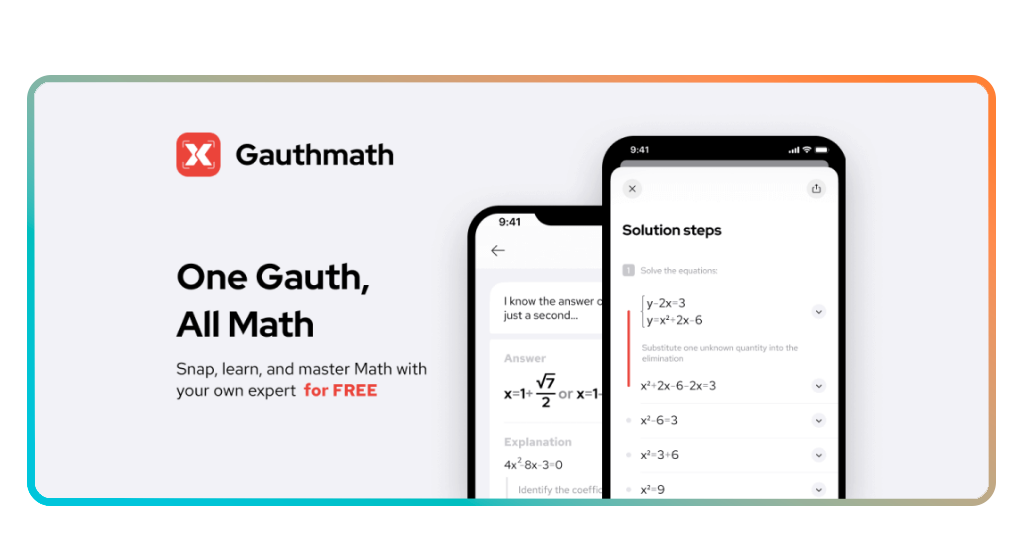
Step-by-step: how to solve math problems using app
A good use of the math solver app starts with a scan, then moves into comparison and repetition. Follow these steps below to make a good use of the app:
Step 1: capture the problem clearly
Firstly, download and open Gauth (iOS/Android), then scan the full equation or exercise with good lighting, making sure the whole screen appears clearly.
Step 2: check the recognized expression before continuing
After that, take a quick look at how the app interpreted the problem, since a small symbol error or missing line can change the entire result and lead you into the wrong explanation.
Step 3: read the solution from top to bottom
Go through the full breakdown slowly, paying attention to how each step transforms the problem and how the logic moves forward.
Step 4: compare the explanation with your own attempt
Look at the point where your reasoning started to drift and identify the source of the issue.
Step 5: try a similar problem without immediate scanning
Use the explanation as a model, then solve a comparable exercise on your own first and return to the app only afterward to confirm if the method stayed consistent.
Tips for getting the best results
To make good use of a math solver app depends on how it is used once the answer appears.
A lot of students make the mistake of treating Gauth (iOS/Android) like a rescue button that ends the problem the second the solution shows up on screen.
That may get the homework done faster, though it doesn’t do much for the next assignment, when the same type of question shows up and the confusion returns all over again.
The app tends to work much better when the student pauses long enough to understand the movement inside the solution.
Usually, the hardest part of math is not the final computation but the transition between steps.
Another useful habit is to use the app after an honest attempt, not before one.
Students usually retain more when they first try to solve the problem with their own reasoning, even if the result is incomplete.
That initial effort gives the explanation something to attach itself to.
With that, the student starts comparing them with their own thought process, and that comparison is often where the actual learning happens.
How to get better at math
Improving in math with a math solver app has much more to do with repetition and pattern recognition than with natural talent.
Generally, students assume they are either “good at math” or not, yet in practice the subject can be more manageable once they begin seeing how similar structures appear.
What changes is not always the underlying logic, but the way the question is presented, and that is exactly why repeated exposure matters so much.
Gauth (iOS/Android) is an app that supports that process well, though only when it is used as part of a broader habit of practice.
Solving one difficult problem with assistance may bring short-term relief, but improvement comes from revisiting similar exercises until the method starts to feel familiar.
It also helps to pay attention to mistakes without treating them like proof of failure because in math, errors are usually very specific.
Therefore, a student may understand the general method and still miss the sign in one step, distribute incorrectly, misread a fraction, or apply the right rule at the wrong moment.
When those weak points are noticed clearly, practice becomes more efficient, and the student starts correcting the exact part that causes the breakdown.
From instant answers to real learning progress
As you can see, a math solver app can be far more valuable when it stops being just a quick fix for difficult questions and starts supporting a more consistent way of studying.
And Gauth (iOS/Android), turns what once felt confusing to feel more manageable, and that knowledge reduces the hesitation that usually slows progress.
With continued use, the result is a clearer understanding of how math works in practice.
That is what turns the app into something more meaningful, helping students move from short-term solutions to steady improvement in how they think through problems.
Verwandt: MathGPT: Free AI Tutor for Students Online
Enjoyed this article? Save Insiderwissen to your favorites and discover the most useful tech tips.