

Email overload doesn’t feel overwhelming at first, as messages arrive gradually and each one appears manageable in isolation. Over time, however, the inbox turns into a dense mix of requests, promotions, reminders, approvals, and loose commitments that quietly demand attention long after they were received. Many of these messages stop being simple communication and start functioning as hidden tasks, forcing the mind to remember what still needs action, what can wait, and what was already handled.
That’s why a smart inbox tool changes this dynamic by redefining how email is processed and understood inside daily workflows. When messages are interpreted as potential actions, clarity replaces mental tracking and priorities surface without constant scanning. This allows the inbox to support execution and not compete with it, creating a system where decisions happen quickly and unfinished work remains visible without effort. As you clean your inbox intelligently, focus returns to meaningful tasks and productivity regains a sustainable rhythm.
- Basic writing for adults — from quick notes to full emails
- Gemini for Gmail: A Smart Email Writing Assistant in Your Pocket
- How to Create an Email: A Simple and Practical Step-by-Step Guide
Smart Inbox Tool: This App Turn Emails Into Action Items Automatically for You!
A smart inbox tool works through intent recognition that distinguishes actionable communication from passive information.
Superhuman applies this logic to email processing, separating messages that demand response or execution from those that can wait or be cleared without hesitation, all while maintaining a fast and fluid experience.
Emails that include requests or approvals rise to the top with clear visual signals that guide attention immediately.
This prioritization removes ambiguity and eliminates the repetitive habit of reopening the same threads in search of meaning or forgotten obligations.
In addition, as automation takes over classification and follow-up visibility, cognitive load decreases noticeably.
The inbox communicates importance directly, which ends constant scanning and reduces the background anxiety associated with unread messages.
With this structure in place, Superhuman turns email into a functional command center where communication supports execution.
And lastly, the inbox stops acting as a distraction layer and becomes an environment designed for clarity, speed, and decisive action.
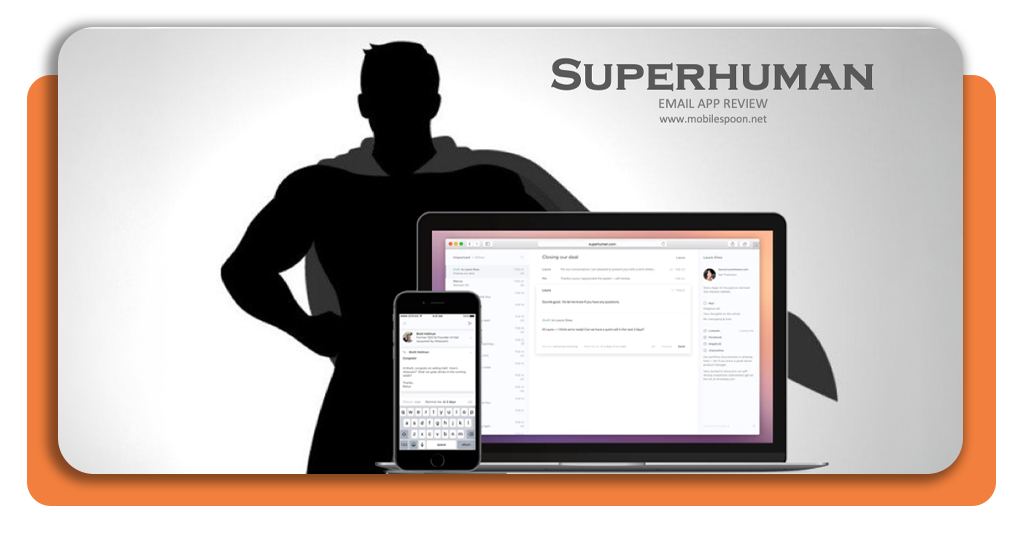
Why Traditional Email Makes You Miss Important Tasks
This happens because traditional email systems treat every message in the same way, regardless of urgency or intent.
Therefore, it doesn’t matter if requests, deadlines, and decisions arrive mixed with newsletters and casual updates, leading to creating an environment where responsibility hides inside conversation.
As inboxes grow, important messages sink quickly, requiring repeated scanning to recall what still needs attention, consuming time and attention while offering little reassurance, since uncertainty remains even after messages are reviewed.
The absence of built-in structure turns email into a passive archive instead of an active work system. Tasks exist implicitly rather than visibly, which increases the risk of missed follow-ups and delayed responses.
With time, this dynamic creates anxiety and fragmentation. However, a smart inbox tool resolves this issue by making actions explicit, reducing dependence on memory, and keeping responsibilities visible until they are resolved.
How Automatic Tagging and Sorting Save Hours Every Week
Automatic tagging and sorting save hours every week by removing the constant need to decide what to do with each incoming message.
When emails organize themselves as they arrive, attention shifts from inbox management to actual work, which immediately reduces friction in daily routines.
Also, smart categorization highlights priority messages and keeps follow-ups visible without requiring manual tracking.
Important tasks remain in view until they are completed, while low-impact messages clear out naturally, preventing accumulation and unnecessary revisits.
This system shortens email sessions by concentrating effort into focused moments instead of scattered checks throughout the day.
With structure handled automatically, the inbox becomes predictable and calm, transforming email management from a time drain into a streamlined support system that works quietly in the background.
Start Using a Smart Inbox Today and Never Miss a Task Again
If you start to use a smart inbox tool, you will immediately feel changes in how daily communication feels once tasks stop hiding inside long threads and unread messages.
When responsibilities surface clearly, attention stabilizes and the inbox stops generating background anxiety throughout the day.
In this article, we highlight Superhuman, the app that supports this through speed, intelligent prioritization, and automated follow-up visibility that keeps important actions in view until they are resolved.
This way, messages no longer depend on memory or repeated checking, which restores confidence that nothing critical will slip away unnoticed.
As this structure settles into routine, email sessions get shorter and more intentional, leading decisions to happen quickly and focus returns to meaningful work instead of inbox maintenance.
With Superhuman guiding email toward execution, missed tasks fade from daily workflow, and you can clean your inbox intelligently.
Turn Emails Into Tasks Automatically With This Smart Inbox Tool – Conclusion
Email can be overwhelming when messages turn into unfinished work that depends on memory. As responsibilities hide inside long threads and unread messages, focus erodes and anxiety grows across constant inbox checking.
Now you know Superhuman, a smart inbox tool that resolves this friction by interpreting intent, prioritizing action, and keeping follow-ups visible without manual effort.
Next time, when messages get accumulated, you will use Superman to turn into tasks automatically, and your inbox will regain purpose and work momentum.
Verwandt: Gemini for Gmail: A Smart Email Writing Assistant in Your Pocket
Enjoyed this article? Save the Insiderwissen blog to your favorites for the latest tools, creative tech tips, and photo editing breakthroughs.




