
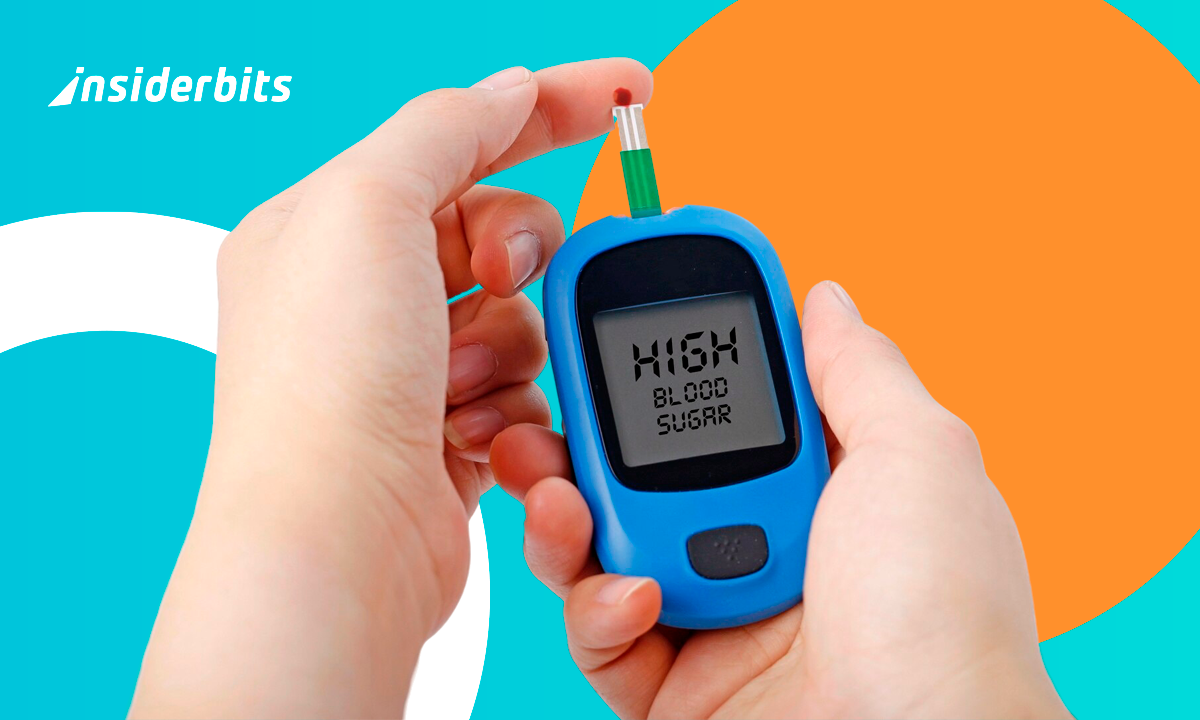
Managing diabetes is a full-time job nobody applied for. Tracking what you eat, when you take insulin, and how your body responds takes serious discipline, and one missed entry can leave you with an incomplete picture. Having a reliable way to monitor glucose levels from your phone changes that routine entirely. mySugr was built to carry that load, putting every number, meal, and dose in one place.
Diese Insiderwissen guide walks you through mySugr from top to bottom, covering its features, how to set it up, and tips that make a difference for anyone managing diabetes. The kind of information that takes hours to dig up on your own is waiting here, organized and easy to follow. Once you see what this app is capable of, you will wonder how you went this long without it.
Verwandt: Wasseraufnahme-Rechner und Trinkalarm - Ihr persönlicher Trinkassistent
How to monitor glucose levels using your cell phone?
Managing diabetes takes more than willpower, and keeping track of every meal, dose, and reading manually is the kind of task that wears you down over time.
mySugr (Android | iOS) is a free app that brings all your therapy data into one place so you stop losing information across notebooks, receipts, and memory alone.
For anyone tired of scattered records and missed entries, there is a better way. Using mySugr to monitor glucose levels puts everything you need in your pocket.

4.7/5
Features available in the mySugr App
- Personalized dashboard: see your diet, carb intake, medications and blood glucose levels all in one clean and easy-to-read view;
- Diabetes Management Indicator: get an at-a-glance snapshot of how your therapy is going without waiting for your next doctor appointment;
- Automated data logging: the app collects your daily therapy information, including meals, insulin levels and blood glucose readings with minimal manual input;
- Secure data backup: all your information is stored safely with full regulatory compliance, so your records are protected and always accessible when you need them.
Monitor your glucose levels from anywhere
To monitor glucose levels no matter where you are is something that used to require carrying extra equipment, but mySugr changed that for a lot of people.
The app stays updated with your latest entries, so a long work day or a trip out of town does not leave gaps in your health records.
Your blood sugar graphs, meal logs, and insulin records travel with you, giving you a full picture of your health without being tied to one location.
Share your data directly with your doctor
Bringing handwritten notes to a doctor’s appointment leaves a lot of room for error, and your doctor ends up working with an incomplete version of your health story.
mySugr lets you compile your glucose levels, which you can monitor over days, weeks, or months, into detailed reports you send directly from the app.
That kind of access gives your doctor something solid to work with, and it opens up conversations about your treatment that are harder to have without the data.
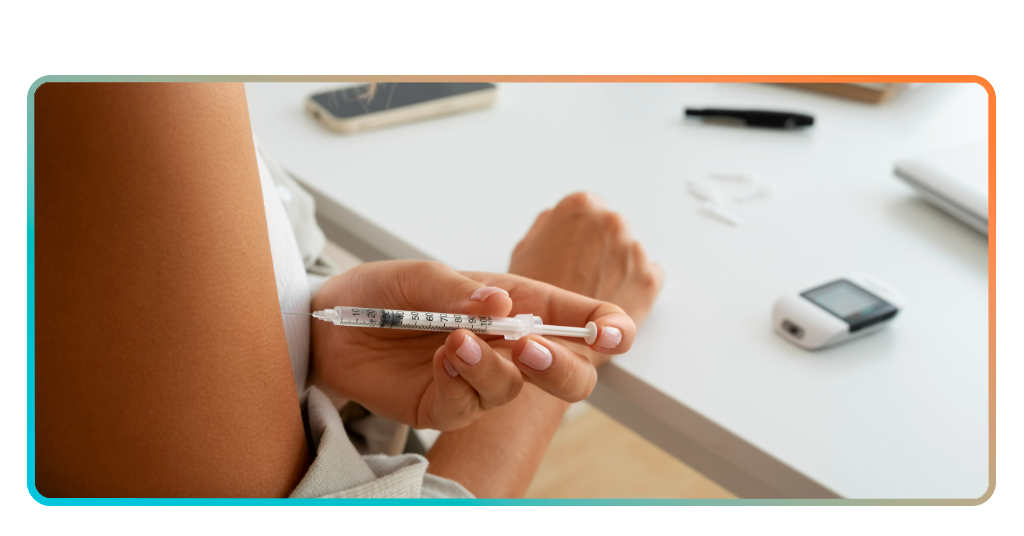
Step-by-step: how to track your intake using the app
If you want to monitor glucose levels without the hassle of paper logs, mySugr (Android | iOS) gives you a structured way to do that from your phone.
The app walks you through logging meals, insulin doses, and blood glucose readings for free, though unlocking reports and premium features runs $4.99 a month through a subscription.
Once you get the hang of it, tracking your intake becomes second nature, and your data starts painting a clearer picture of your health over time.
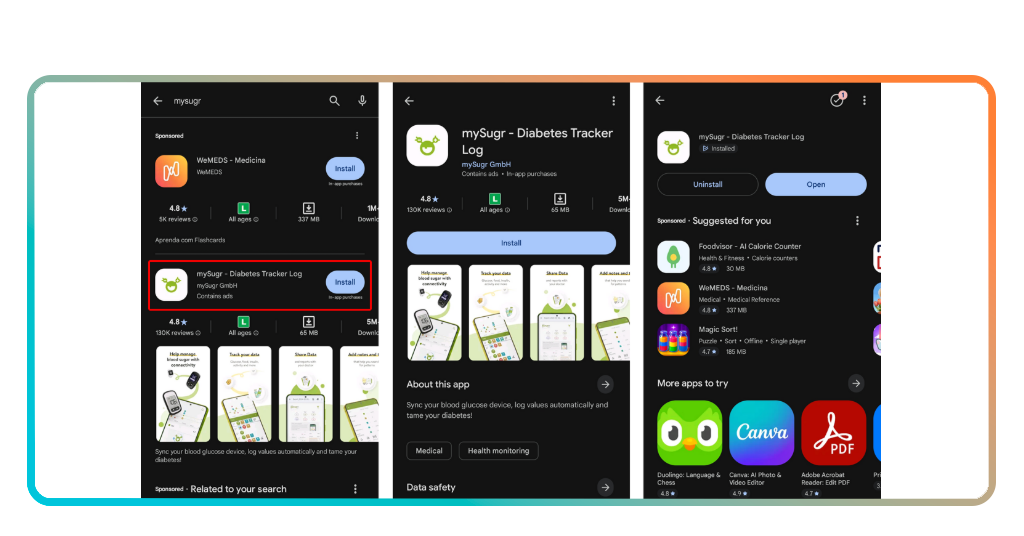
Step 1: download mySugr on your phone
mySugr is available on both iOS und Android, so finding it on your app store takes about ten seconds and the download is completely free.
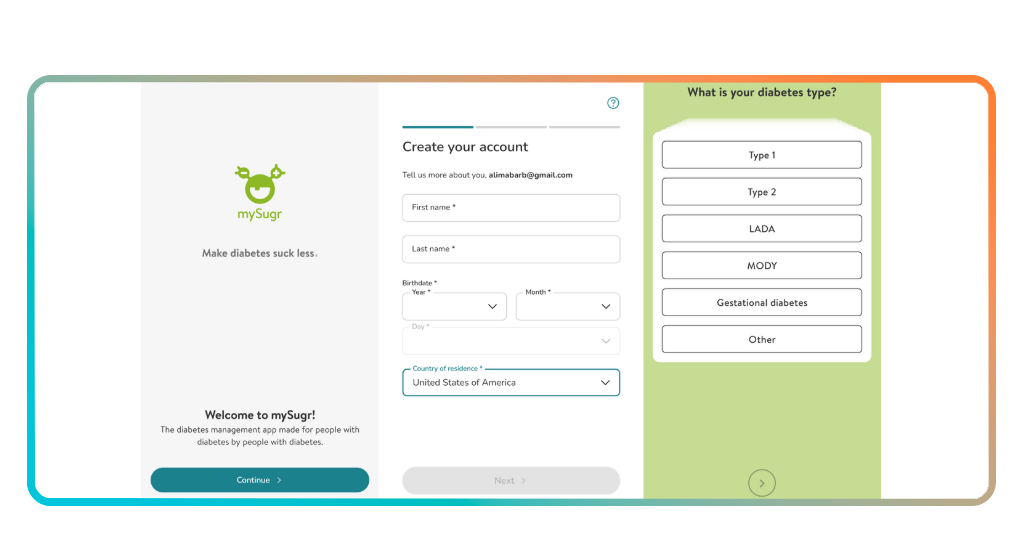
Once it is installed, you will create an account using your email address, which is how your data gets backed up and kept secure from the start.
The setup process asks a few basic questions about your diabetes type and therapy, so the app can tailor the experience to your specific situation from day one.
Step 2: set up your personalized dashboard
To monitor glucose levels in a way that makes sense for you, the dashboard needs to reflect your actual therapy, not a generic template built for everyone.
mySugr lets you choose which metrics appear on your home screen, from carb intake and insulin doses to blood glucose readings and medication reminders.
Taking a few minutes to configure this upfront saves you from digging through menus later, and it keeps the information you check most front and center.
Step 3: log your meals insulin and glucose levels
With your dashboard set up, logging a meal is as simple as entering what you ate and how many carbs it contained, which takes under a minute.
Your insulin doses and the readings you use to monitor glucose levels throughout the day can all be added right after each meal without switching between apps.
The more consistently you log, the more useful your reports become, and that consistency is what gives you and your doctor something solid to work with.
Verwandt: Plan the best healthy meals you’ve ever tried with this AI tool
Tips for safe tracking
Getting the app set up is one thing, but building habits around it is what turns mySugr into a tool that actually works for you long term.
The way you monitor glucose levels matters as much as how often you do it, and a few simple habits can make your data far more reliable.
Small adjustments to how you log and review your information add up over time, and your doctor will notice the difference when you walk in prepared.
Keep your data backed up at all times
Losing weeks of glucose readings, meal logs and insulin records because of a phone issue is the kind of setback that puts your treatment plan in a difficult spot.
mySugr (Android | iOS) backs up your data automatically through your account, so switching phones or reinstalling the app does not mean starting from scratch with your health records.
Making sure your account is active and your login details are saved somewhere safe is a small step that protects everything you have logged so far.
Set reminders to log your readings
To monitor glucose levels consistently, you need a system that keeps you on track even on the days when your routine gets thrown off completely.
mySugr lets you set blood glucose reminders so the app nudges you at the times you are most likely to forget, like after meals or before bed.
A missed log here and there might not feel significant, but gaps in your data are exactly what make it harder to spot patterns over time.
Review your reports before doctor visits
Walking into a doctor’s appointment without looking at your own data first means you are relying on someone else to interpret your health story for you.
mySugr compiles your information into reports you can monitor glucose levels across and review on your own before sitting down with your doctor or care team.
Spending even ten minutes going through your weekly or monthly report helps you ask better questions and leaves less room for surprises during the appointment.

Other tips for diabetes patients
Keeping an eye on your diabetes goes beyond logging numbers into an app. The habits you build around your data are what keep your treatment plan on solid ground.
Knowing how to monitor glucose levels is only part of the equation, and pairing that knowledge with consistent routines is what makes the difference over time.
The tips we set out are not complicated, but they are the kind of thing that separates people who get value from their information from those who just collect it.
Stay consistent with your carb counting
Carb counting is one of those habits that feels boring at first but becomes automatic once you see how directly it affects your glucose readings.
Even rough estimates throw off your insulin calculations, so taking the time to log your carb intake as accurately as you can keeps your data honest.
mySugr (Android | iOS) makes it easier by letting you build a searchable database of meals you eat regularly, so you are not starting from scratch every single time.
4.7/5
Track patterns across days, weeks, and months
A single glucose reading tells you very little on its own, but a week’s worth of data starts showing you exactly where your routine is working against you.
Using mySugr to monitor glucose levels across longer periods gives you a view of your health that no single appointment or snapshot ever could on its own.
Monthly patterns are especially useful for spotting triggers you might not have connected to your glucose readings, like changes in sleep, travel, or shifts in your diet.
Connect compatible devices for automatic logging
Manually entering every reading is fine when you are starting out, but connecting a compatible device to mySugr takes a lot of that work off your plate entirely.
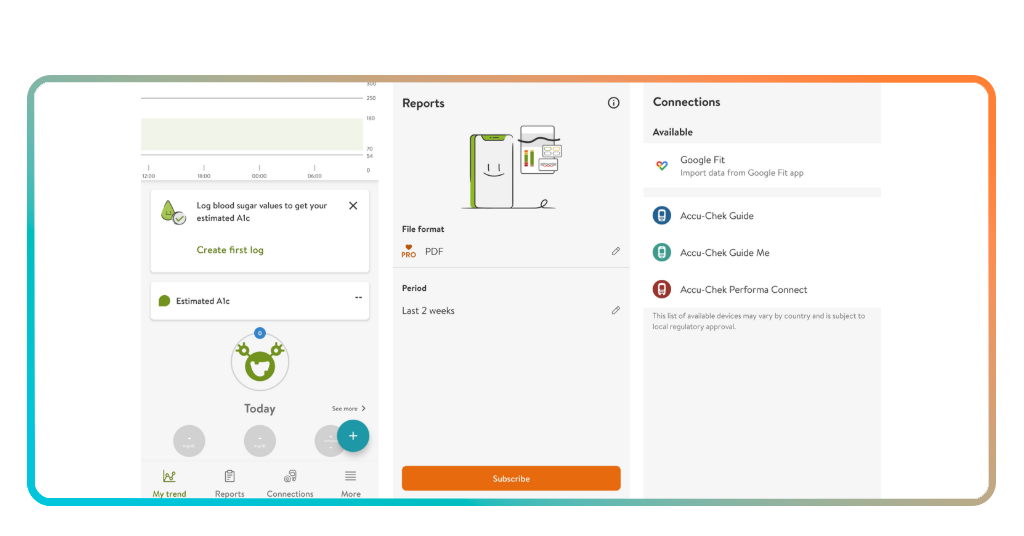
Devices like Accu-Chek glucometers sync directly into the app, so you can monitor glucose levels without having to type a single number in yourself after each reading.
If you use Google Fit, that data can also feed into mySugr, giving you a more complete picture of how activity and other factors influence your readings.
Verwandt: Find free healthcare clinics near you
Diabetes tracking reimagined
mySugr will not manage your diabetes for you, but it gives you the kind of visibility over your health that makes every decision a little more informed.
Diese Insiderwissen guide was put together to show you how to monitor glucose levels in a way that fits your life without overcomplicating your routine.
Browse more on Insiderwissen, and you will find a whole library of articles covering health apps that make managing your wellbeing a little less complicated every single day.




