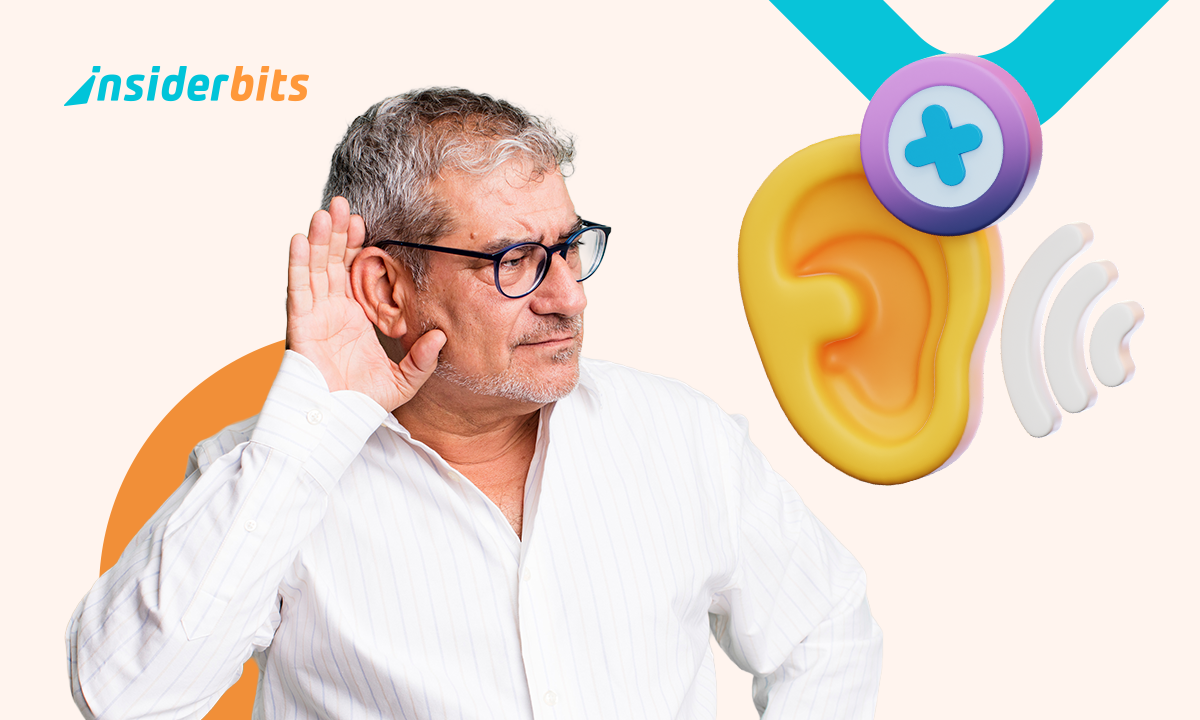
Conversations in crowded rooms became hard to follow? A hearing aid app is a way to explore hearing support through a phone, without immediately turning to traditional devices.
As accessibility technology evolves, more people are using these apps to amplify sound and make daily listening a little easier. Discover it on Insiderwissen.

4.1/5
Listening Device: best hearing aid app
The idea behind a hearing aid app is simple: use the technology already built into a smartphone to make surrounding sounds easier to hear.
Apps like Listening Device (iOS | Android) use the phone’s microphone to capture audio, process it, and deliver amplified sound through headphones or compatible devices.
For many seniors, this type of tool can be an accessible way to explore hearing assistance.
Traditional hearing aids remain the most advanced option for many forms of hearing loss because they can be professionally adjusted to an individual’s specific needs.
However, they can also involve significant costs and require appointments with hearing specialists—a hearing aid app sits somewhere between doing nothing and investing in a hearing device.
It may help some users hear conversations more clearly in certain situations, but it should not be considered a replacement for medical evaluation or prescription hearing technology.
Most people already carry a smartphone, making a hearing aid app easy to test without purchasing additional equipment immediately.
Technology has also changed the conversation around hearing support. In the past, many people avoided hearing aids because of cost, appearance concerns, or discomfort.
Smartphone tools have helped make hearing assistance feel more familiar.
In der App verfügbare Funktionen
Listening Device (iOS | Android) includes features for people who want basic sound amplification through their phones.
The app allows users to adjust audio levels and customize their listening experience depending on their environment.
It can be useful for situations such as conversations at home, watching television, or trying to hear nearby sounds more clearly.
Free features
- Live listen with phone microphone and connected audio device;
- Automatic sound adjustment for clearer, more comfortable listening;
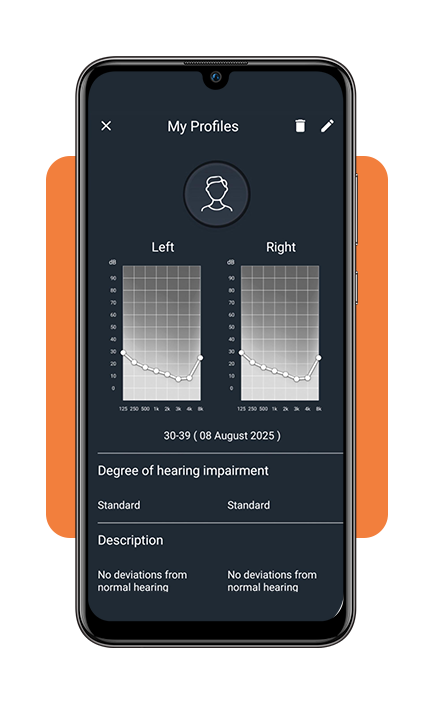
- Hearing test with audiogram-style personalization;
- Sound amplifier with boost up to 30 db for wired audio;
- Audio amplifier for quiet sounds with dynamic compression;
- Volume booster and sound booster for louder, balanced volume;
- Noise reducer and noise reduction to improve speech clarity;
- 3 sound amplifier modes for different listening situations;
- Compatible with airpods, wired headphones, bluetooth headphones and headset.
Erstklassige Eigenschaften
- Extra sound boost for voices and quiet sounds in real time;
- Remote microphone + noise reducer for bluetooth headphones: useful for tv, meetings, lectures, and conversations;
- Multiple profiles for different environments;
- Adjustable volume amplifier and audio boost settings;
- Voice recorder / dictaphone with personalized sound.
Users can experiment with hearing support technology using a device they already understand.
However, results can vary. Background noise, phone quality, headphones, and the type of hearing difficulty all influence how effective the experience will be.
Step-by-step: how to improve sound clarity
Using a hearing aid app does not usually require technical knowledge, but a few setup steps can improve the experience.
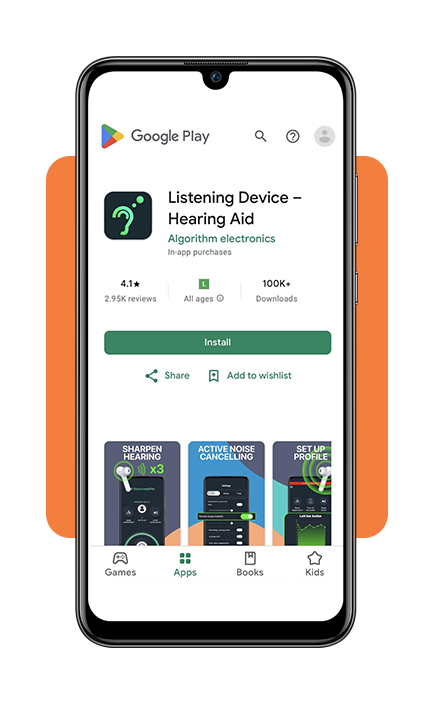
Step 1: download and install the application
Start by downloading Listening Device to your iOS oder Android.
Step 2: connect a compatible device and adjust settings
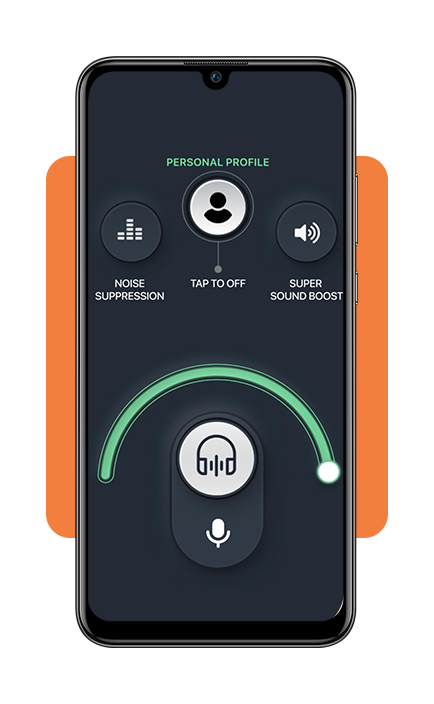
While smartphone speakers may work, headphones or Bluetooth audio devices often provide clearer results. Choose a comfortable option that works well for extended listening.
Begin with moderate sound levels and gradually increase them if necessary. Extremely high volume settings may create distortion and make conversations harder to understand.
Step 3: test the app in different environments
A hearing aid app may perform differently depending on where it is used. Try it in quiet rooms, during conversations, and in environments with background noise to understand its limitations.
Tips for better hearing and app safety
A hearing aid app can be a useful support tool, but hearing health requires a broader approach. One important recommendation from hearing professionals is not to ignore noticeable hearing changes.
Difficulty understanding conversations, frequent requests for repetition, or sudden hearing loss may indicate the need for professional evaluation.
Regular hearing checks can help identify problems earlier and determine whether someone would benefit from specialized treatment or hearing devices.
Users should also be careful when choosing health-related apps. A trustworthy hearing aid app should clearly explain what it does and avoid claiming to permanently restore hearing or replace medical care.
Privacy is another consideration. Since these apps may access microphones and audio settings, users should download applications from official stores and review privacy permissions before use.
For seniors, the most effective technology is often the one that feels simple enough to become part of everyday life. A hearing aid app should support independence, not create another complicated task.
If you’re exploring apps that make life easier for older adults, don’t stop at hearing support. This guide covers scam blocker apps that help seniors navigate the digital world with more confidence.
4.1/5
Tech can make daily life a little easier
Smartphones are becoming increasingly connected to personal health and accessibility. Tools will not replace professional hearing care, but they can provide another option for people exploring ways to improve daily living.
A hearing aid app may be especially useful for users who want to test sound amplification, support occasional listening challenges, or understand whether additional hearing assistance could make a difference.