

Modern life has a way of turning simple routines into logistical minefields. Between grocery runs, work deadlines, school pickups and the eternal mystery of who forgot to buy milk again, one thing becomes painfully clear: households operate on a system closer to controlled chaos than coordination. And while everyone swears they’re “helping”, the mental load usually lands on one person—often silently, consistently and unfairly.
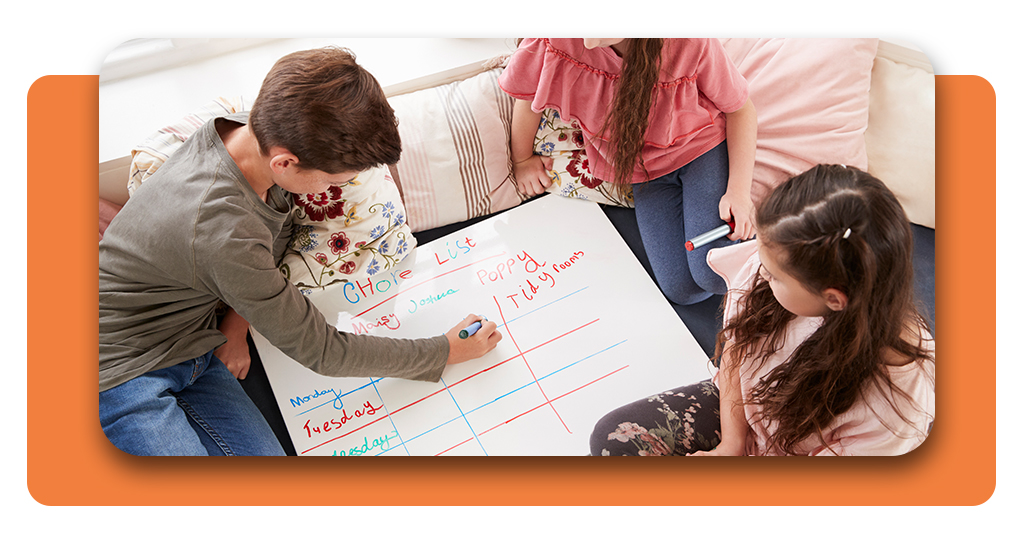
That’s where a proper family task board stops being a cute Pinterest idea and becomes a survival strategy. You don’t need a whiteboard, sticky notes or a telepathic ability to make people remember chores. You need an organizer that keeps everyone on the same page without repeated nagging or arguments.

4.8/5
Why home chaos melts away with shared routines
A disorganized household doesn’t collapse because people don’t care; it collapses because nobody sees the full picture.
Eingabe Cozi, a family management platform, 3-time Mom’s Choice Award Winner and The TODAY Show “must-have app” for a better life.
With features backed by factual documentation from its official site, including shared calendars, automatic reminders, centralized lists and meal planning, Cozi transforms the perpetual routine juggle into something far more manageable.
The app’s calendar—one of its most praised features according to its official overview—lets each family member have a color-coded schedule, so overlaps, forgotten appointments and double-booked days stop happening.
And because everything updates in real time, the responsibility shifts from one person holding the family’s memory to a collective awareness.
Reminders can be sent to specific individuals, recurring tasks repeat automatically, and last-minute changes don’t require an emergency group chat. It’s a subtle shift, but a powerful one: routines stop depending on one person’s bandwidth.
How a family task board app organizes everyone automatically
Because of Cozi’s structure, regular families become productive teams. Everyone can update groceries, chores, and errands without having to guess thanks to the app’s shared lists, which are frequently highlighted in its feature overview.
Someone used the last coffee filter? They add it. Someone volunteered you to bake something for a school event? It goes on the board. No one whispers “I thought you’d handle it” anymore.
Meal planning is another surprisingly transformative feature.
Cozi’s Recipes & Meals section lets you save recipes, add ingredients directly to lists and plan your week without juggling tabs.
Their site even notes that you can drag meals onto the calendar for a visual overview, meaning dinner stops being a nightly interrogation about what everyone wants.
And since each feature syncs seamlessly, your family task board becomes a living system rather than a static checklist.
Best app for chores, meal planning, calendars and shared lists
Cozi works because it stays practical. Instead of reinventing the wheel with complicated interfaces, it focuses on tools families actually use: calendars, reminders, notes and lists.
The company’s FAQ states clearly that Cozi is designed for households of all sizes, making it accessible to parents, couples, roommates or anyone who wants a communal digital command center.
When everything is stored in one place, decisions stop being made in crisis mode. The app, available for Android und iOS, eliminates the classic bottlenecks of household management:
- You no longer rely on one person to remember every deadline;
- Everyone can check what needs to be done without being “assigned”;
- Lists and schedules stop living inside someone’s phone or brain;
- Weekly planning becomes predictable instead of improvised.
That frees up time, reduces tension and prevents the infamous “you never told me” debate that echoes across homes everywhere.
- Board Games Statistics: Track Your In-Game Achievements
- AI Keyboard: Chatbot Keyboard for Quick Responses
- Beyond the Board: The Game of Life 1 and 2
Tips to reduce stress and delegate tasks without arguments
Even the best tools need strategy. Cozi addresses that by turning fragmented information into a single shared system.
A family task board only works when everyone engages with it, so Cozi becomes even more effective when paired with simple habits:
- Add tasks immediately instead of relying on memory;
- Assign responsibilities clearly and use recurring reminders for routine chores;
- Keep lists short and realistic to avoid overwhelm;
- Plan meals weekly to prevent last-minute food decisions;
- Encourage each family member to check the calendar daily.
Consistency, not perfection, is the aim. Responsibility arises organically when knowledge becomes collective.
That’s the difference between a household that runs like a team effort rather than a solo performance and one overburdened individual.
4.8/5
Abschließende Gedanken
A family task board is a source of relief as well as convenience. Families now have a useful way to stay organized without constant reminders or conflict thanks to Cozi’s documented features and tested dependability.
And if you’re planning bigger adventures, Cozi pairs beautifully with travel planning tools like this guide to a Disney trip, available at Insiderbits.
When routines stop relying on one overloaded person, life gets lighter. Chaos becomes manageable, collaboration becomes natural and the home finally runs like a team effort instead of a guessing game.
Bring order to your home today.




