Remember the days when networking meant carrying a stack of business cards and praying you didn’t spill coffee on them before the event started? Thankfully, that era has gone the way of fax machines and floppy disks. Now, your business card can live on your phone, neat, eco-friendly, and impossible to forget at home. A digital business card is more than a fancy substitute for paper. It’s a greener and infinitely more convenient way to share who you are and what you do.
Through digital business cards, you can customize it to match your brand, add social links, even attach videos or logos, all without touching a printer. And the best part? With HiHello, you can create one in minutes. It doesn’t matter if you’re attending events or pitching clients, your professional info stays ready to share with no stress and without running out of cards. So, read the article below and make your first impression memorable — create your digital business card today.
- Credit card rewards: get cashback, travel deals & more
- Get a US Library Card Online for Free Books, Courses & More
- Visitenkarten-Macher: Gestalten Sie Ihre Visitenkarte
Digital Business Card: How to Create Yours
Creating your first digital card feels like giving your old business cards a well-deserved retirement party.
With HiHello, you can start from scratch or choose from sleek templates that already look better than 90% of printed designs.
The app lets you add everything, your name, photo, title, company, phone number, social media handles, and even a personal note or link to your portfolio.
You can also include a short video greeting if you want to make a truly memorable first impression.
Each design feels personal because it’s yours. You choose the color scheme, background, and button layout, making the card as minimalist or as vibrant as you want.
Once it’s done, your new QR Code becomes your digital handshake, a quick scan, and your contact instantly appears on someone’s phone.
It’s networking that actually feels modern. And, let’s be honest, it’s a lot cooler than digging through your wallet for a bent piece of paper.
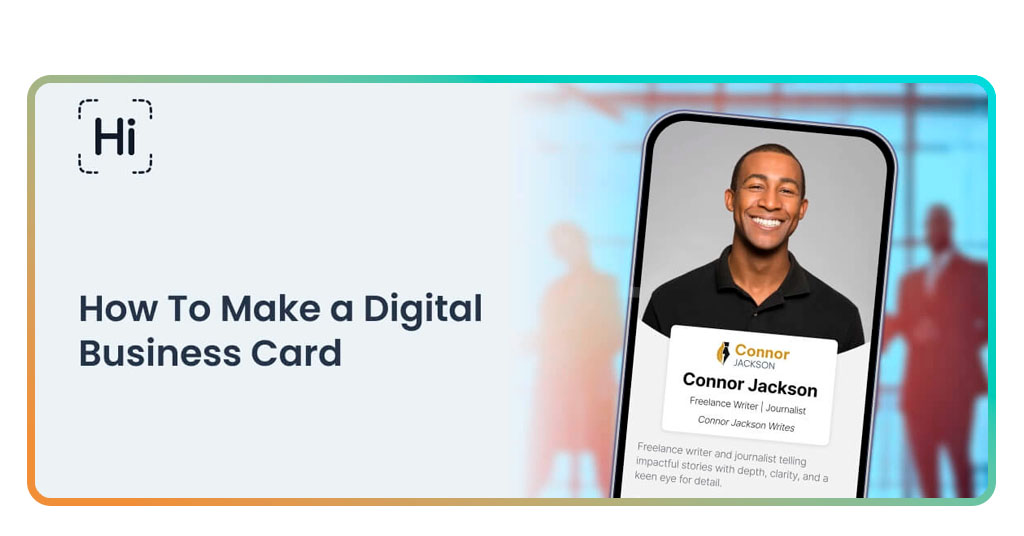
Step-by-Step: Customize and Share Instantly
Creating your HiHello digital business card is almost too easy, which explains why so many professionals have ditched paper entirely.
- Firstly, download HiHello from the App-Store oder Google Play. It’s lightweight and doesn’t require technical know-how;
- Then, create your account and tap “New Card”. The app walks you through the process intuitively, like a digital assistant who’s actually helpful;
- Now it’s time to add your information. Fill it with your name, company, title, links, and even your preferred pronouns if you want;
- Customize the design to match your brand or mood. You can choose bright tones for creativity or classic themes for a professional feel;
- Don’t forget to generate your QR Code or copy your personal link to share instantly;
- Now you need to share anywhere. Let people scan your QR Code in person, or drop your link in emails, chat apps, or even LinkedIn messages.

4.7/5
Features That Make Networking Easier
One of the highlights of HiHello is that this app doesn’t just create cards, it makes networking less awkward.
The app automatically syncs across all your devices, so your info stays consistent everywhere. Update your number once, and everyone you’ve shared your card with instantly gets the new details. That’s something paper cards could never dream of doing.
It also supports multiple profiles, which means you can make different cards for different versions of yourself.
For example, it could be one for your main job, another for your side hustle. Each comes with its own QR Code and design, so you always look like you belong in whatever room you walk into.
And if you’re the curious type, HiHello’s built-in analytics show you how many times your card was viewed or saved.
HiHello makes it easy to create digital business cards. So, from now on, share contacts easily with a tap — no paper needed and no awkward card exchanges at the end of meetings.
Where to Download HiHello
It’s completely easy to get HiHello and start to use it. You can download HiHello directly from the App-Store, Google Play, or access it on the web at hihello.me.
The app’s interface feels intuitive, almost conversational, guiding you through the process with friendly prompts.
That makes it perfect for anyone, from professionals building a brand to students preparing for job fairs.
Alongside, the desktop version is especially handy if you manage multiple cards or need to export your contact data for CRM tools.
HiHello even lets you store other people’s cards digitally, turning your phone into a personal networking hub. There’s just a clean organization that feels as satisfying as decluttering your desk.
4.7/5
How to Create Your Own Digital Business Card for Free – Conclusion
Switching to a digital business card is a small but smart rebellion against outdated habits. It saves paper, saves time, and makes every introduction feel smoother.
HiHello captures that spirit perfectly. It lets you build professional cards that are stylish without requiring design skills. Give it a try, we assure you the experience will be surprisingly fun.
If you are thinking about creating your digital business card, skip the rummaging. Just flash your phone, let them scan, and enjoy that little spark of admiration when they realize your card lives in pixels, not paper.
Verwandt: Sign Documents from Your Phone in Seconds with This App
Enjoyed this article? Save the Insiderwissen blog to your favorites for the latest tools, creative tech tips, and photo editing breakthroughs.