The days of running out of envelopes are long gone. Christmas greetings have gone digital, and to be honest, it’s probably for the best. With Canva, now you can send animated Christmas cards that twinkle, sing, and move right from your phone. If you still don’t know, Canva makes this new version of holiday cheer both fun and effortless because it’s packed with templates full of festive sparkle and ready-made animations. Within minutes, you can transform a blank screen into a joyful message that feels personal and creative.
In diesem Insiderwissen guide, you’ll learn how to design your own digital Christmas card on Canva, that will glow brighter than the neighbor’s decorations. This is your chance to give your season’s greetings a playful and modern twist that feels as warm as the holidays themselves and also to surprise your friends and family with personalized animated cards.
- App zum Erstellen digitaler Einladungen: Invitation Maker Card Design
- Visitenkarten-Macher: Gestalten Sie Ihre Visitenkarte
- DIY-Muttertagskarten, um kreativ "Ich liebe dich" zu sagen
Animated Christmas Cards: How to Make Them
Animated Christmas cards are proof that technology can have a soft side. They capture emotion and warmth all in one moving image, reaching friends and family across cities, countries, and time zones in seconds.
Canva brings this idea to life with intuitive tools that make design feel like play. Its drag-and-drop editor lets you mix photos, festive backgrounds, and animated stickers without breaking a sweat.
In this app, you will find many templates, and these templates are cheerful and endlessly customizable. For example: think of snow gently falling behind your selfie or reindeer doing a happy dance beside your message.
Do you think you need to be a super designer to do it? No! You don’t need anything else besides creativity to make a cool Christmas card.
Don’t worry! Canva handles the hard part while you choose the mood: elegant, funny, or straight-up chaotic Christmas energy. Whatever your style, the result always feels heartfelt, and just a little magical.
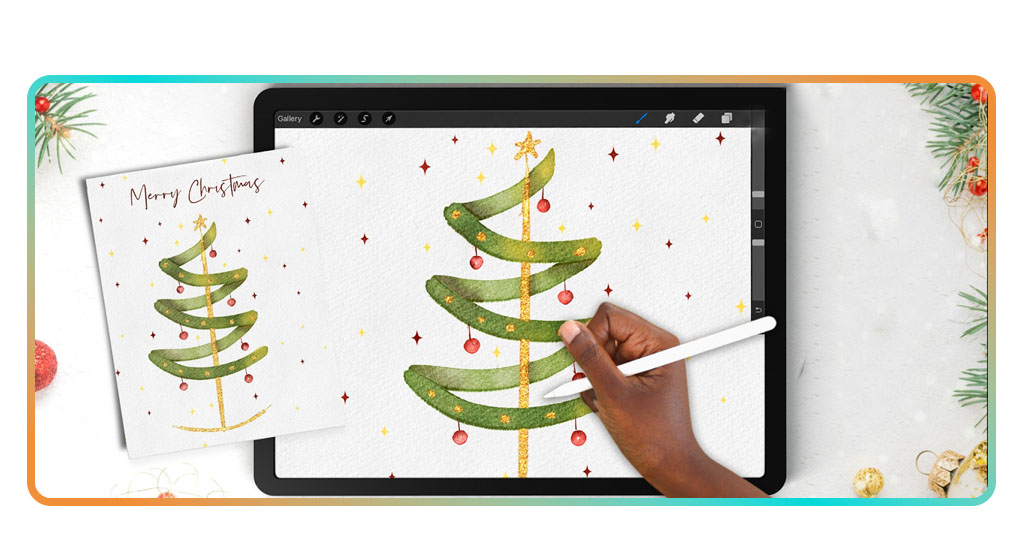
Step-by-Step: Create Your First Free Card
These are the few and easy steps you need to follow to create your free Christmas cards today with Canva:
- To begin with, download Canva from the App-Store oder Google Play, then open it on your phone. The setup takes less time than finding wrapping paper that isn’t last year’s leftover;
- Then, tap “Create a Design” and pick a Christmas card from the template gallery. You’ll see options ranging from classic red-and-gold to snowflake chic;
- Choose an animated template or bring one to life yourself using the Animate button. Watch your text shimmer and your graphics dance instantly;
- Now add your photo or sprinkle snow wherever you think it’s cool. Canva’s editing tools are easy enough for even the least tech smart Santa;
- Try adding background music or small motion effects for a touch of cinematic flair;
- Once you’re happy with your masterpiece, tap “Share” and send it via email or social media before the cookies burn;
- That’s it! In just a few minutes, your digital card is ready to make someone’s day brighter.

4.9/5
Features That Add Fun and Animation
Well, if you already used Canva, you know how it’s magic lies in how it balances simplicity with imagination.
The app’s animation tools turn a flat design into a mini movie. Snow drifts gently across your screen, stars twinkle in rhythm, and letters slide in with that confident sparkle of a Christmas miracle.
You can experiment endlessly, for instance, by layering animated elements, adding glowing effects, or syncing text with music.
There’s even an option to export your creation as a short video or GIF, perfect for that family chat group where everyone competes to send the most extra holiday message.
The best part is how forgiving Canva feels. You can test ideas freely, delete what doesn’t work, and still end up with something that looks polished.
For small businesses, a branding tool, and for creative souls, Canva is a playground of tinsel and pixels.
Why Animated Cards Are the New Holiday Tradition
Every year, we promise to send cards early, but always, every year, reality laughs at that plan.
Nevertheless, animated cards solve this beautifully. Christmas cards sometimes can feel like a task, because it takes time to do and to send them.
However, the animated Christmas cards arrive instantly, look amazing, and don’t require a trip to buy stamps or a meltdown over the printer jamming again.
Beyond convenience, digital cards carry personality. A short animation can express affection or nostalgia better than any plain photo ever could.
And think about who wouldn’t smile when a penguin in a Santa hat waves from their screen? Animated cards have turned into little moments of joy that fit perfectly into modern life, where time is short but feelings still run deep.
Where to Download Canva
Canva is super easy to find. You can download Canva on iOS, Android, or directly in your browser through the offizielle Website.
The mobile version mirrors the desktop one, which means you can design cards during a coffee break or while waiting in line for your latte with extra cinnamon.
If you are interested about the mobile version, download it from the App-Store oder Google Play and sign in to start instantly. All templates, animations, and design features are ready to use without complicated steps or hidden costs.
In addition, the app syncs across devices, so you can start designing on your phone and finish on your laptop — perfect for perfectionists or multitaskers fueled by holiday caffeine.
4.9/5
Best App to Create Animated Christmas Cards on Your Phone – Conclusion
Animated Christmas cards are the new holiday ritual for a world that values connection over postage. With Canva, anyone can craft a card that feels full of life without spending a cent or stressing over craft supplies.
From heartfelt family messages to playful office greetings, these digital cards deliver warmth with just the right amount of sparkle.
Now you know how to do it, you just need to grab your phone and let your imagination deck the digital halls. Because this Christmas, the best card isn’t in an envelope, it’s glowing on a screen, spreading cheer with every tap.
Verwandt: How to Create a Yearbook Easily Online
Enjoyed this article? Save the Insiderwissen blog to your favorites for the latest tools, creative tech tips, and photo editing breakthroughs.