
Groundskeeping is one of those professions people notice only when it’s missing. You walk through a park with weeds climbing over the benches, and suddenly you think that place could use some help. That’s where groundskeepers show up. They are the people who quietly make sure outdoor spaces look welcoming instead of neglected.
The good news is that breaking into this field doesn’t require years of formal education. In fact, the curve is refreshingly quick. Many of the tasks, like mowing, pruning, or planting, are skills you might already have practiced at home. Moreover, the demand is constant. Many condominiums need their shared gardens taken care of, schools want their fields maintained, and golf courses can’t afford scruffy greens. So, why wait? Start free landscaping training today and get hired faster.
- Play Rent Please! Landlord Sim and build your property empire
- Erkundung der sich entwickelnden KI-Landschaft im Jahr 2025
- How Foldable Tech Is Changing the Device Landscape
Landscaping and Groundskeeping Training Free: Where to Begin
If you’ve never worked in the groundskeeping area, the idea of “training” might sound intimidating, but in reality, it’s very approachable.
A great example is the Diploma in Garden Design and Maintenance on Alison. It’s an online course that explains design principles, plant care, soil basics, and maintenance routines, all in digestible lessons you can fit into your schedule.
As many other courses on Alison’s platform, the format is geared toward beginners. You don’t need prior experience, and you certainly don’t need to know the Latin names of every plant in your yard.
What you learn instead are practical habits: how to prepare soil for planting, when to prune to encourage growth, and what tools to use for different jobs. It’s training that feels useful the very first time you step into a garden.
Finishing the course also gives you a certificate, which is a small but powerful way to show employers you’re serious.
Even if you’re just applying for an entry-level job, that certificate says you’re motivated enough to prepare, and in property maintenance, reliability often matters more than anything else.
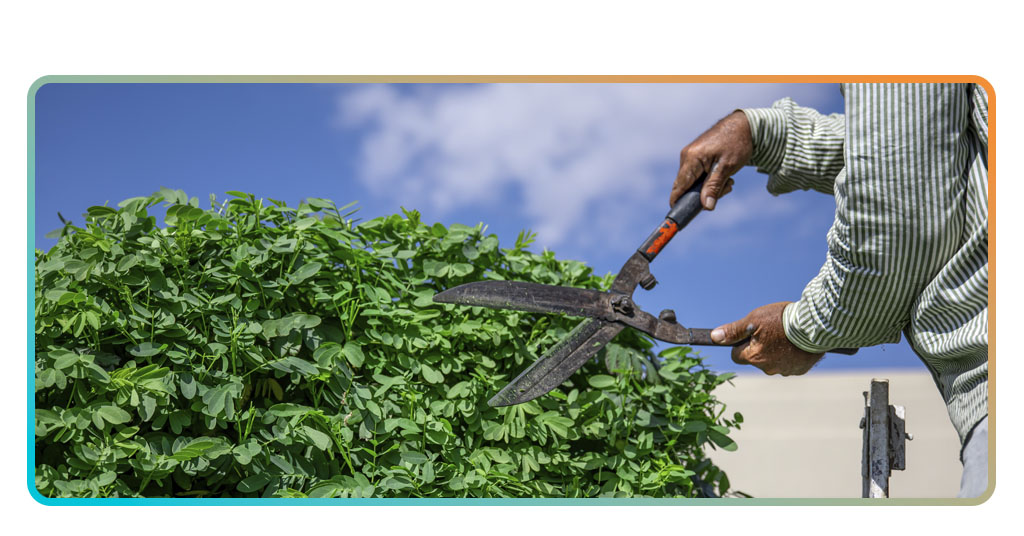
Step-by-Step: Learn Routine Property Care Skills
- First of all, you need to enroll in a course online. It only takes a few clicks, and sites like Alison don’t charge anything;
- Then, you start by studying the basics. Expect lessons on safety, tool handling, irrigation, and seasonal care;
- After studying the theory, it’s time to practice outdoors. Even simple tasks in your own yard or a community garden give you hands-on confidence;
- To finish the course, complete the assessments. Passing them unlocks your certificate, which is something concrete you can add to your résumé;
- After all these steps, it’s time to apply for entry-level jobs. Positions like groundskeeping assistant, gardener, or lawn maintenance worker are often open to beginners.
As you can see, the process is simple, but it’s effective. In just a few weeks, you go from someone who occasionally watered plants to someone who can speak about turf care and pruning schedules with confidence.
Free and Low-Cost Resources for Quick Training
While online diplomas are an excellent start, they’re not the only way in. Many local governments and community colleges offer short workshops on landscaping and grounds care.
These programs are often designed to help people find jobs in the groundskeeping field quickly, so the teaching style is hands-on and focused.
In addition to diplomas and other programs, YouTube can also be surprisingly useful. Gardeners around the world upload tutorials that show real-time techniques, from how to edge a lawn cleanly to how to revive plants that look half-dead.
The only downside is that you don’t walk away with an official certificate, but as a complement to formal training, it’s a goldmine of practical tips.
Volunteering is another underrated path. Community gardens and neighborhood associations always need extra hands.
Consequently, offering your time not only teaches you real skills but also gives you references you can later use when applying for paid work.
And if you’ve ever wrestled with a weed that refuses to come out, you already know that practice is the best teacher.
Landscaping & Groundskeeping: Free Training for Property Jobs – Conclusion
As we saw throughout the article, groundskeeping offers a career path where the learning is fast, and the work is steady.
Few jobs let you walk away at the end of the day and actually see the difference you made, from a neat row of hedges to a freshly cut field.
With free online certified courses, and plenty of local resources, it’s easier than ever to get started.
Learn groundskeeping skills online — free and easy, add those skills to your résumé, and watch doors open. Outdoor spaces don’t take care of themselves, and that’s exactly why groundskeeping is always in demand.
Verwandt: Handyman jobs: free training, licensing, and insurance guide
Hat dir dieser Artikel gefallen? Speichere den Insiderwissen Fügen Sie diesen Blog Ihren Favoriten hinzu, um über die neuesten Tools, kreative Technik-Tipps und bahnbrechende Entwicklungen in der Bildbearbeitung auf dem Laufenden zu bleiben.