
You sit down to start your day, look at your to-do list, and somehow don’t do any of it. Not because you don’t care, but because everything seems equally important and hard to start. ADHD routines often fall apart at that mental gridlock, long before anything gets done. For a lot of people, just figuring out what to do, when to do it, and how long it should take can make them tired before they even start.
When those choices are already made, an ADHD routine works much better. Time is also an issue. It stretches, shrinks, and disappears. Traditional planners may think you are always aware of the time, but an ADHD routine app helps you make your day into a series of steps that you can follow. Wondering how? Check out Insiderwissen for this and more.

4.7/5
Routinery: best ADHD routine app
The main idea behind Routinery is to make your day easier by cutting down on the number of decisions you have to make. It doesn’t try to fix productivity in a big way. It is all about organizing an ADHD routine into clear, timed steps.
You make routines that are made up of small tasks that last for a set amount of time. For a lot of people, the hardest part is getting started.
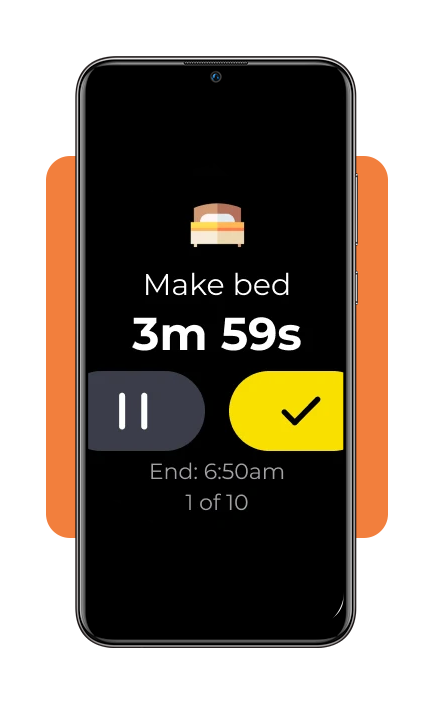
The app then takes you through them in order, using visual timers and prompts to keep things moving. You don’t have to ask “what now?” because the next step is already there.
Available for both iOS und Android, Routinery is helping over 5 million users worldwide stop procrastinating and start doing.
Features available in the app
The app is designed to feel simple, but each feature targets a specific challenge.
Sequential timers: each task in your ADHD routine has its own timer. When one ends, the next begins automatically, keeping you in a state of “flow”;
Voice and vibration guidance: receive gentle audio prompts or haptic alerts so you don’t have to keep staring at your screen;
800+ habit templates: choose from a massive library of pre-made habits—from drinking water to Pomodoro work sessions—and customize them to your needs;
Visual progress analysis: view daily, weekly, and monthly stats to see where you’re succeeding and where your ADHD routine might need a 5-minute adjustment;
Smart device integration: sync your routines with your Apple Watch or tablet, allowing you to stay focused even when your phone is in another room;
Flexibility on the fly: easily skip or add time to a task without breaking the entire schedule—a must-have for the unpredictable nature of an ADHD brain.
Step-by-step: how to track your day using Routinery
Setting up your first ADHD routine takes only a few minutes. Here is how to build a day that works for you:
Step 1: select or create a routine
Open the app on your iOS oder Android, and choose a template (like “Morning Routine”) or hit the “+” to start from scratch.
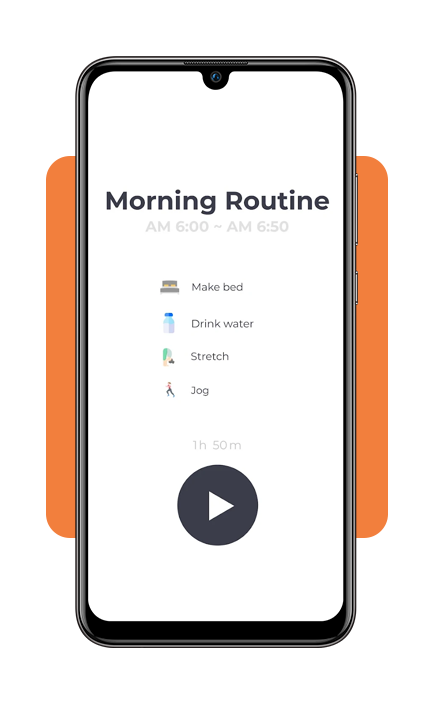
Step 2: add your habits
List the small steps. Instead of “Get Ready”, use “Brush Teeth (2m)”, “Shower (10m)”, and “Get Dressed (5m)”.
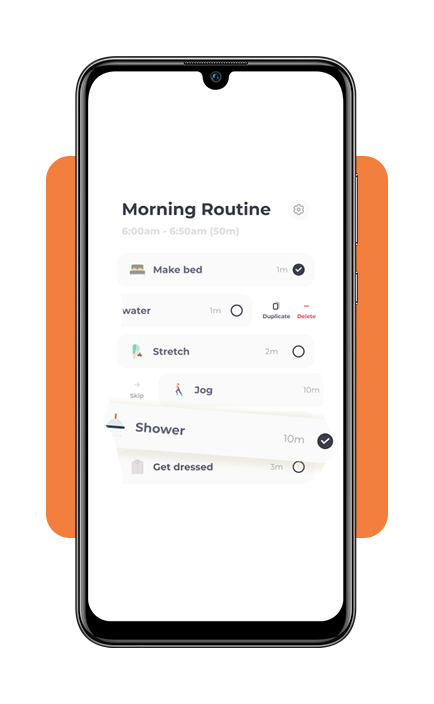
Step 3: set the sequence
Arrange the habits in the order you naturally move through your house.
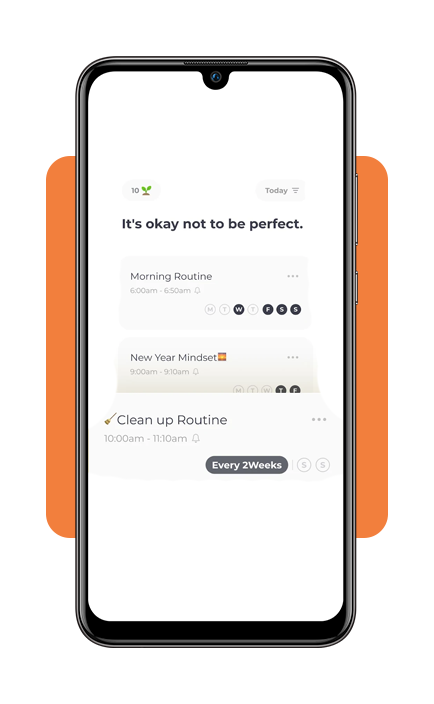
Step 4: choose your triggers
Set a specific time for the app to send a notification to start your ADHD routine. When the notification hits, tap “Start”. The app will now guide you through each step, one by one.
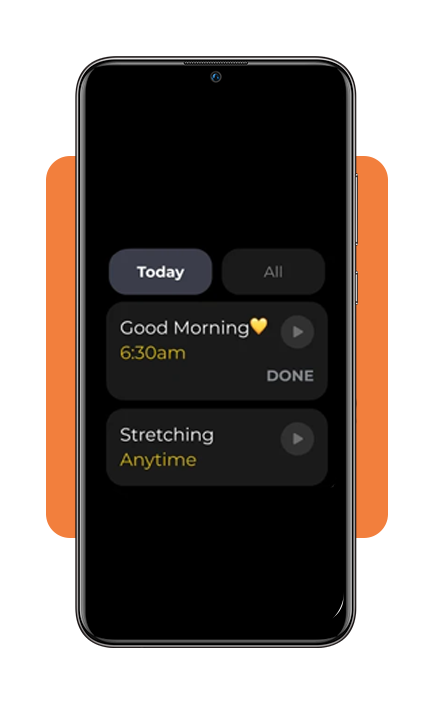
Step 5: refine your times
After a few days, the app will show you if you consistently take longer on certain tasks. Adjust your timers accordingly to reduce morning stress.
Advantages of using a routine app
For those with ADHD, the benefits of a structured ADHD routine include:
Reduced decision fatigue: by deciding your schedule once, you save your brain from making hundreds of tiny choices throughout the day;
Combating time blindness: seeing a countdown timer helps you “feel” time passing, which prevents 5 minutes of scrolling from turning into 45 minutes of lost time;
Momentum building: completing small tasks early in the morning provides a dopamine hit that makes larger, more daunting tasks feel achievable;
Enhanced focus: when you are in a “Routinery session”, your only job is the task on the screen, which helps quiet the mental noise of other pending responsibilities. You can even pair this with a music therapy app to find the perfect focus frequency.
Routinery pricing: free vs. premium
You can start organizing your life for free, but power users might find the Premium tier better for a long-term habit formation.
Safety tips and device compatibility
Using an ADHD routine app is generally low-risk, but there are a few practical considerations.
Compatibility: requires iOS 15.5 or higher and Android 10 or later. It is fully optimized for iPad, Apple Vision, and Apple Watch (watchOS 9.6+);
Privacy: you can request data deletion at any time through the settings menu. While the app collects diagnostic data to improve performance, your specific routines remain private;
Stability: version 3.29+ includes “Minimize Mode”, allowing you to edit your routine while the timer is still running without crashing the app;
Device tip: to avoid distractions, use the app on a smartwatch. This keeps the ADHD routine prompts on your wrist and your “distraction machine” (your phone) in your pocket.
4.7/5
Structure without rigidity
We recognize that an ADHD brain isn’t “broken”—it just works differently. Apps like Routinery do not solve everything, but they shift part of the cognitive load away from you.
Instead of constantly organizing your day, you follow a structure that is already in place. Stop fighting your brain and start working with it. There is something quietly effective about that. Not dramatic, not instant, but steady.
And sometimes, that is exactly what makes the difference.