
By the time the meteorologist points to a blurry map, the hail is already denting your car and the wind is playing frisbee with your patio furniture. Nowadays, we can track a $12 burrito across town with sub-meter accuracy, yet most people still treat an approaching supercell like a total mystery. It’s time to stop guessing—a dedicated storm tracker app helps you start monitoring.
Truth be told, the climate isn’t getting any calmer, and the “standard” weather app that came pre-installed on your phone is about as useful as a screen door on a submarine when actual severe weather hits. It turns your smartphone into a portable weather station. Nature is loud, messy, and unpredictable, but with a storm tracker app in your hand, you’re no longer just a spectator.
- Hurricane Alert Apps: Stay Safe During Storm Season
- Learn who are the storm streamers predicting deadly tornadoes live
- RadarScope: Eine neue Dimension der Wettervorhersage und Sturmverfolgung
Most reliable storm tracker app
The app store is littered with “weather” apps that are mostly just vehicles for aggressive ads and useless fluff about UV indexes for a vacation you aren’t taking.
When the sky turns that weird, bruised shade of purple, you don’t want to be swiping away pop-ups for a puzzle game. You want the most reliable storm tracker app available—one that prioritizes high-resolution imaging. Enter Clime.
Formerly known as NOAA Weather Radar Live, Clime has become the go-to storm tracker app for people who care about the difference between a light drizzle and a thunderstorm.
It gets direct feeds from the National Oceanic and Atmospheric Administration, so you get the same information that professional storm chasers and emergency responders use to make quick decisions.
As noted in recent reports on global weather volatility, these events are becoming harder to predict with old-school tools. Using a modern storm tracker app like Clime is how you bridge that gap.
Features available in the Clime app
Clime gives you the full diagnostic of the storm—see how to get the most of the tracker app:
- Interactive radar overlay: view real-time precipitation, snow, and mixed ice with a smoothness that makes other apps look like they’re running on dial-up.
- Lightning and hail tracking: this is the “money” feature. See exactly where the bolts are hitting and where the hail core is located so you can move your vehicle before it gets pulverized.
- Customizable alerts: set the storm tracker app to scream at you only when it matters. You can toggle alerts for everything from high-wind warnings to full-blown tornado watches.
- 24-hour forecast maps: plan your movements based on where the storm is projected to be, not just where it is now.
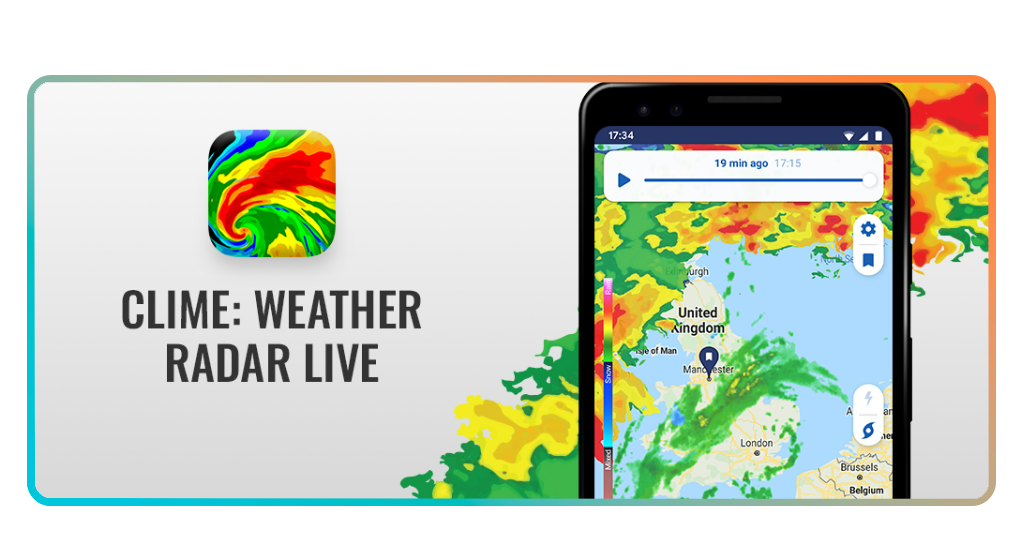
Step-by-step: how to track severe weather in real-time using Clime
So, you’ve decided to stop being a victim of the forecast. Great. Now you actually have to use the thing. Setting up your storm tracker app while the sky is still blue is the smartest move you’ll make all week.
Step 1: installation
Download the app for iOS oderAndroid.
Step 2: permission hunt
When the app asks for location access and “Critical Alerts”, hit “Yes”. A storm tracker app that can’t tell you where you are or wake you up at 3:00 AM is just a digital paperweight.
Step 3: the radar toggle
Open the map and look for the layers icon. Enable the “Radar” and “Lightning” layers. This turns the screen into a live heatmap of atmospheric chaos.
Step 4: save your spots
Don’t just track your current location. Add your home, your parents’ house, and your office. This way, the storm tracker app keeps an eye on your entire ecosystem.
Step 5: master the loop
Hit the “Play” button on the radar. Watch the movement. If the red and purple blobs are moving toward your saved pins, it’s time to start the “Safety Tips” section below.
Step 6: diversify your intel
While Clime is excellent, comparing it with the MyRadar app interface can give you a better sense of the storm’s intensity through a different lens.

4.5/5
Paywall or peace of mind? choosing between free and premium
The free version of the Clime hands you high-resolution radar overlays, 24-hour precipitation forecasts, and cloud cover satellite maps without asking for a dime.
You still get the essential 7-day forecast, including “feels like” temperatures and humidity, which is usually plenty for deciding if you need a light jacket or a full-blown parka.
However, if you live in “Tornado Alley” or a hurricane-prone coastline, the free plan might feel a little like bringing a knife to a gunfight.
The Premium tier—which currently sits at $9.99 per week or a more reasonable $69.99 per year—is where the real heavy lifting happens.
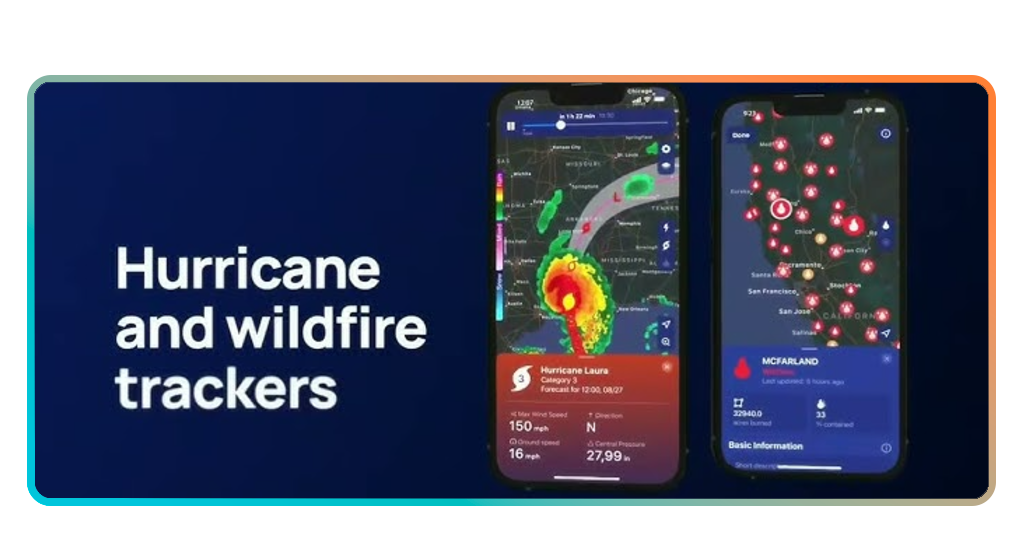
When upgrading, you unlock the lightning tracker and the specialized hurricane tracker, which are non-negotiable for serious safety monitoring.
You also get “RainScope” for minute-by-minute precipitation outlooks and a 14-day hourly forecast.
Comparison: free vs. premium at a glance
| Merkmal | Free Plan | Premium ($69.99/year) |
| Radar & Satellite | Standard Resolution | High Definition |
| Severe Alerts | Basic (Current Location) | All Saved Locations |
| Ad Experience | Ad-supported | 100% Ad-Free |
| Niche Trackers | Not Included | Hurricane, Wildfire, & Lightning |
| Forecast Depth | 7 Days | 14 Days (Hourly) |
| Specialty Tools | Standard Rain Map | RainScope & Snow Depth |
Not sure if the upgrade is worth it for your area? Most users start with the free version to test the radar accuracy in their neighborhood before committing to the annual plan during the peak of storm season.
Safety tips during storms
A storm tracker app can give you the warning, but it can’t go into the basement for you. When the radar shows that deep purple “hook” or a line of heavy red cells, you need to pivot from “observer” to “survivor”.
- The indoor rule: if you can hear thunder, you are close enough to be hit by lightning. Get inside. Don’t be the person standing on the porch trying to film a viral video for social media;
- Avoid the flood: if your storm tracker app flashes a flash flood warning, stay home. Most flood-related deaths occur in vehicles. Your 4×4 isn’t a submarine; don’t test the depth of standing water;
- Power management: keep your devices charged. If the radar shows a major front approaching, plug in your phone and your power banks immediately. You’ll want that storm tracker app running even if the grid goes down;
- Window awareness: in high-wind events, windows are your enemy. Move to an interior room with as many walls as possible between you and the outside world;
- Post-storm caution: just because the radar looks clear doesn’t mean the danger is over. Downed power lines and weakened trees are the “silent” hazards that happen after the main event. Use your storm tracker app to confirm the “back side” of the storm has fully cleared before heading out to check the damage.
4.5/5
Data vs. disaster
The days of being ignorant about the weather are over—it costs nothing to download a tracker app, but it could save you thousands in property damage or, in extreme cases, save your life.
Stop treating severe weather like an uninvited guest you have no control over.
With the right tools and a little bit of proactive planning, you can navigate even the nastiest seasons with confidence.; you’re the most informed person in the room.
Unter Insiderwissen, we have zero patience for being caught unprepared. Whether it’s a sudden market crash or a literal tornado, information is the only real armor you have.
Want to see what’s heading your way right now? Open Clime, run the 2-hour loop, and see if you need to move your plans—or your car—before the first lightning strike hits.