The design market sometimes feels intimidating for beginners, and this situation gets even worse when their first contact with professional software reveals dense interfaces or technical terminology that seems disconnected from creative intuition. With that, aspiring designers and content creators recognize the demand and earning potential behind animation skills, but the hesitation emerges when the learning path appears complicated or overly technical for those seeking practical results, and this is where the desire to learn After Effects usually starts to stall.
This learning journey can have a significant change when After Effects is approached through focused entry points that emphasize short lessons, guided projects, and real-world templates, and not exhaustive feature exploration. That said, understanding how good beginner courses translate tools into usable animations creates momentum, inviting students to continue. The article below shows how it is possible to start your first animation today while building a skill that connects creativity with real professional opportunities.
- 3 Free AI Courses for Beginners With Certificates
- AI literacy courses that boost your employability
- Accredited Online University Anatomy And Physiology Courses
Why Motion Graphics Skills Are in High Demand
Motion graphics skills are in high demand because the increase in digital communication relies on visual storytelling that can explain ideas quickly across general marketing campaigns.
Therefore, brands and creators compete for attention in crowded feeds, which elevates animation as a way to communicate value within seconds rather than paragraphs.
This demand grows from the versatility of motion design. With that, animated graphics adapt to videos, ads, presentations, and user interfaces without requiring full-scale film production.
Meanwhile, companies value professionals who can translate static concepts into dynamic visuals that improve engagement and retention across multiple platforms.
Market relevance also connects to accessibility. Designers who master these skills contribute directly to communication efficiency, and that’s the answer to why animation expertise continues to attract consistent opportunities across creative industries.
Best Course to Learn After Effects
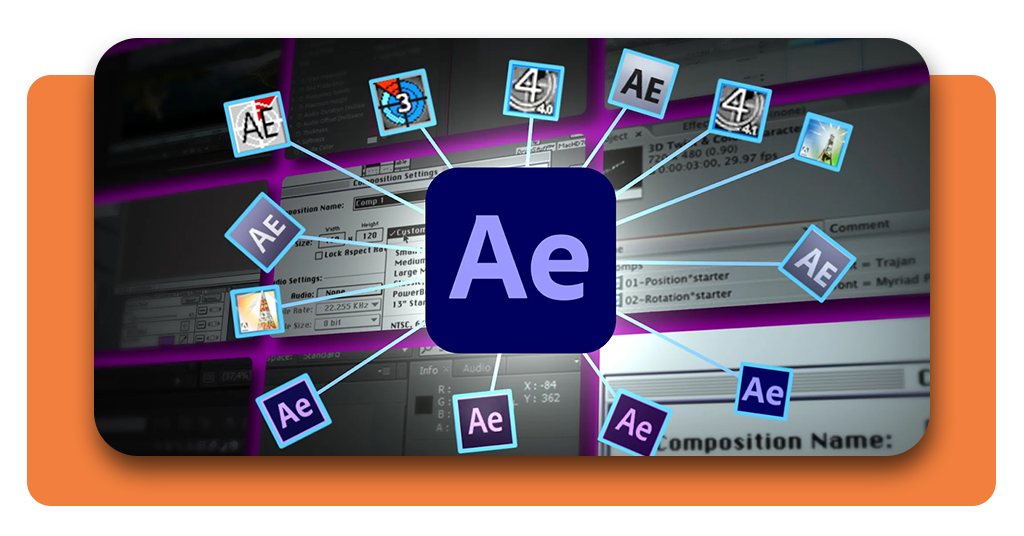
If you want to choose the best course to learn After Effects, you need to know that this choice will depend on finding a program that translates tools into practical outcomes.
This is necessary because beginners progress faster when lessons lead directly to usable animations rather than isolated features.
With a guided structure, the course reduces any difficulties that can be found right at the start and helps learners understand how timelines, layers, and effects work together inside real projects.
In this article, we are highlighting the course Adobe After Effects for Beginners: Motion Design Essentials, available on Coursera.
This course offers a practical entry point through short modules that introduce core concepts within applied exercises.
Once enrolled, you will find lessons that connect essential mechanisms to visual results early on, and this is what helps learners see progress faster and maintain motivation without technical overload.
Also, project-based learning strengthens retention, as each exercise builds toward animations similar to those used in social media, video content, and digital presentations.
For anyone aiming to enter motion design with confidence, this course establishes a realistic learning path that balances guidance and autonomy.
To start your first animation today and use structured instruction, you can access Coursera on the official website or download the app from the App Store or Play Store.

4.8/5
Essential Tools: Keyframes, Masks, Tracking & Animation
When users finally learn After Effects and understand the essential tools of the app, it transforms early confusion into control.
With practical context, learners start connecting interface actions with visible results that feel intentional and repeatable.
The first is keyframes, which establish the foundation of movement, allowing properties to evolve over time through defined start and end states that shape rhythm and pacing.
As animations respond to these temporal markers, designers gain control over speed, direction, and emphasis without relying on preset motion.
Meanwhile, masks and tracking extend this control into spatial precision, enabling elements to interact with footage and layered compositions in a way that feels integrated.
When animation principles connect these elements into a coherent workflow, projects move from experimentation to execution.
Therefore, learning how keyframes, masks, and tracking interact within real compositions prepares beginners to apply motion design techniques with confidence and start to animate through hands-on creation.
How to Practice With Templates and Real Project Files
Practicing with real project files accelerates learning because it places beginners inside complete compositions.
This way, you’re not only facing an empty timeline, you’re interacting with organized layers that reveal how professional projects are assembled.
Templates function as guided environments where keyframes, effects, and transitions can be modified safely, helping users understand cause and effect without risking project failure.
And real project files add another layer of depth, exposing workflows used in client work, social media animations, and branded content.
After exploring these files, learners will build familiarity with naming conventions, asset organization, and animation logic that courses alone cannot fully replicate.
Through consistent practice with templates and authentic projects, motion design skills shift from theoretical understanding to practical execution.
Learn After Effects Fast: Take This Beginner Motion Design Course – Conclusion
With Coursera, anyone who wants to learn After Effects knows it doesn’t require full immersion in software manuals.
The right approach guides this experience from an intimidating tool into a skill that connects creativity with real market demand.
This course is designed for beginners, and combined with focused practice, anyone aiming to enter the creative field will get confidence and visible results.
Guided lessons and hands-on projects open space for sustainable growth and creative independence, that leads to opportunity, and long-term relevance in the digital creative market.
Related: Google Gemini Nano: The Best AI App for Image Editing on Phones
Enjoyed this article? Save the Insiderbits blog to your favorites for the latest tools, creative tech tips, and photo editing breakthroughs.