A game organizer app may sound unnecessary until you spend 20 minutes wondering whether you already own a game currently sitting in your online shopping cart.
Because gamers split their collections across Steam, PlayStation, Xbox, Nintendo Switch, and physical shelves, keeping track of everything can be tough. Read on Insiderbits.

4.4/5
Which is the best game organizer app?
There is no shortage of tools designed to catalog media collections, but a game organizer app like CLZ Games (iOS | Android) is built for tracking video games, whether they’re digital purchases, retro cartridges, or physical releases.
Industry estimates that the average active gamer owns dozens, and sometimes hundreds, of titles spread across multiple platforms.
During major sales events, many players accidentally purchase games they already own or forget titles hidden deep in their backlogs—a game organizer app can help solve that problem by creating a centralized inventory.
Features Available in the CLZ Games App
The CLZ Games (iOS | Android) game organizer app includes tools for all sorts of collectors:
- Barcode scanning for physical games;
- Manual and automatic game database searches;
- Cloud synchronization across devices;
- Collection value tracking;
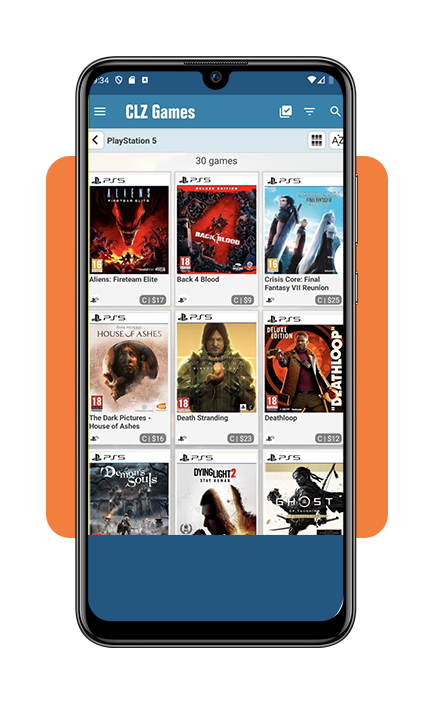
- Platform-based organization;
- Wishlist management;
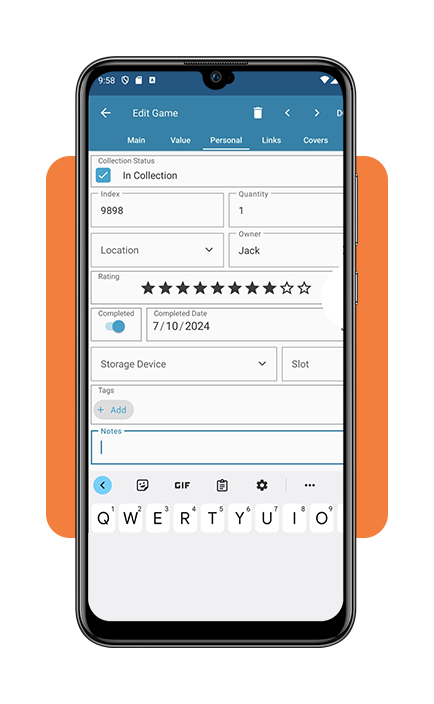
- Personal notes and ratings;
- Cover art and detailed game information.
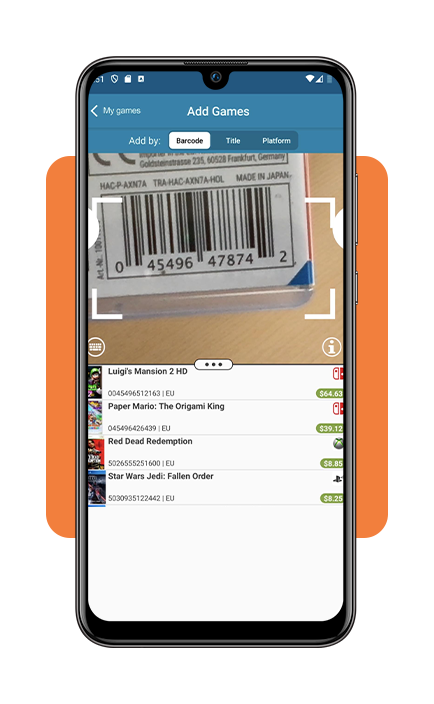
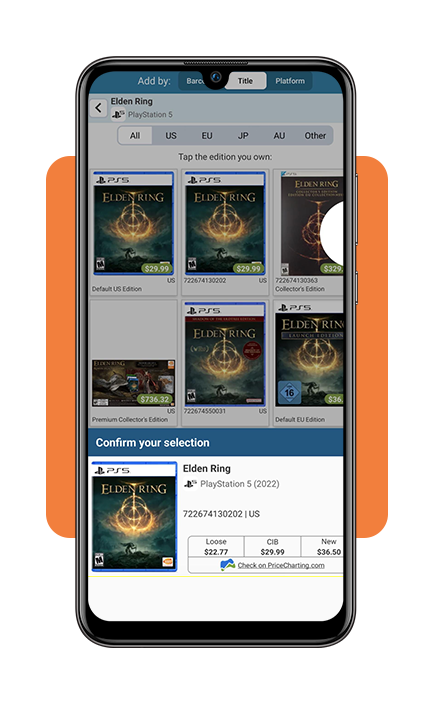
With its barcode scanning feature, instead of manually entering every title, users can scan physical copies and add them to their collection in seconds.
For collectors with hundreds of games, that alone can save hours of work.
Another interesting feature is market value tracking. While prices are estimates rather than guarantees, the game organizer app provides a rough picture of what a collection may be worth based on current market data.
Step-by-step: how to organize your game library easily
See how to get started with your game organizer app:
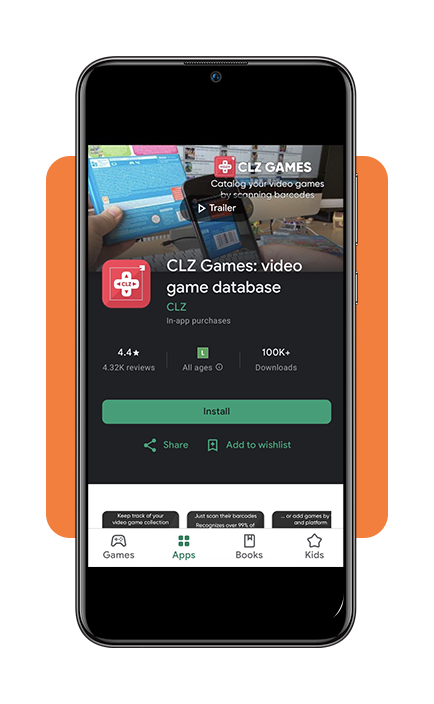
Step 1: download CLZ Games and create an account
Install the app from the App Store or Google Play. Setting up an account allows cloud synchronization and backup of your collection data.
Step 2: start adding games
You can:
- Scan barcodes;
- Search by title;
- Import existing collections manually.
Many users begin with recent purchases before gradually adding older games.
Step 3: organize by platform
The game organizer app allows filtering by:
- PlayStation;
- Xbox;
- Nintendo;
- PC;
- Retro systems.
Particularly useful for gamers who own multiple consoles.
Step 4: create custom categories
Some collectors prefer organizing by the following:
- Genre;
- Release year;
- Completion status;
- Franchise;
- Personal rating.
Step 5: track your backlog
Perhaps the most valuable feature of any game organizer app is helping users confront an uncomfortable reality: they own far more games than they have time to play.
Many players discover that their backlog contains dozens or even hundreds of unfinished titles.
Why more gamers are using a game organizer app
The gaming industry has changed dramatically over the past decade.
Physical collections once sat neatly on a shelf. Today, ownership is scattered across multiple digital storefronts and subscription services. A typical player might have games on:
- Steam;
- Epic Games Store;
- PlayStation Network;
- Xbox Store;
- Nintendo eShop;
- Physical discs and cartridges.
The result is digital clutter. A game organizer app acts as a central index, helping players answer basic questions:
- What do I own?
- What have I completed?
- What am I currently playing?
- Which games are on my wishlist?
These questions sound simple until a holiday sale arrives and your collection spans six platforms.
Expired or invalid code: what to do
Gamers occasionally encounter expired download codes, invalid redemption keys, or activation issues. When that happens, the best course of action is usually the following:
- Check the retailer: if the game was recently purchased, contact the seller first;
- Verify the region: many activation codes are region-specific. A code purchased in one country may not work in another;
- Contact the publisher: publishers can sometimes verify purchase information and provide assistance.
- Review platform policies: Steam, PlayStation, Xbox, and Nintendo all have support pages dedicated to redemption problems.
While a game organizer app cannot solve activation issues directly, keeping detailed purchase records inside the app can make troubleshooting easier later.
Of gaming backlogs
Interestingly, researchers studying digital media consumption have found that ownership and usage are often very different things.
Many gamers enjoy collecting titles almost as much as playing them.
This explains why major sales events continue to attract buyers even when their libraries are already overflowing.
The phenomenon has become so common that players jokingly refer to their unfinished collections as ‘the backlog mountain’.
A game organizer app doesn’t reduce that mountain, but it can at least help map the terrain.
And sometimes seeing a list of 200 unplayed games is exactly the motivation needed to stop buying new ones for a while.
At least in theory.
Related: think you could make your love for games into some sort of career? Check out our guide on getting paid for testing mobile games.
4.4/5
Is CLZ Games worth it?
For casual players with only a handful of games, a spreadsheet may be enough.
For collectors managing hundreds of titles across multiple platforms, a game organizer app is more convenient—and CLZ Games combines cataloging tools, cloud syncing, barcode scanning, and collection tracking into a single platform.
Its biggest strengths are organization and ease of use.
Its biggest limitation is that maintaining an accurate collection still requires regular updates from the user.
No software can fully automate a collection that spans physical media, digital purchases, subscriptions, and multiple gaming ecosystems.
Still, for serious collectors, the time savings can be substantial.