
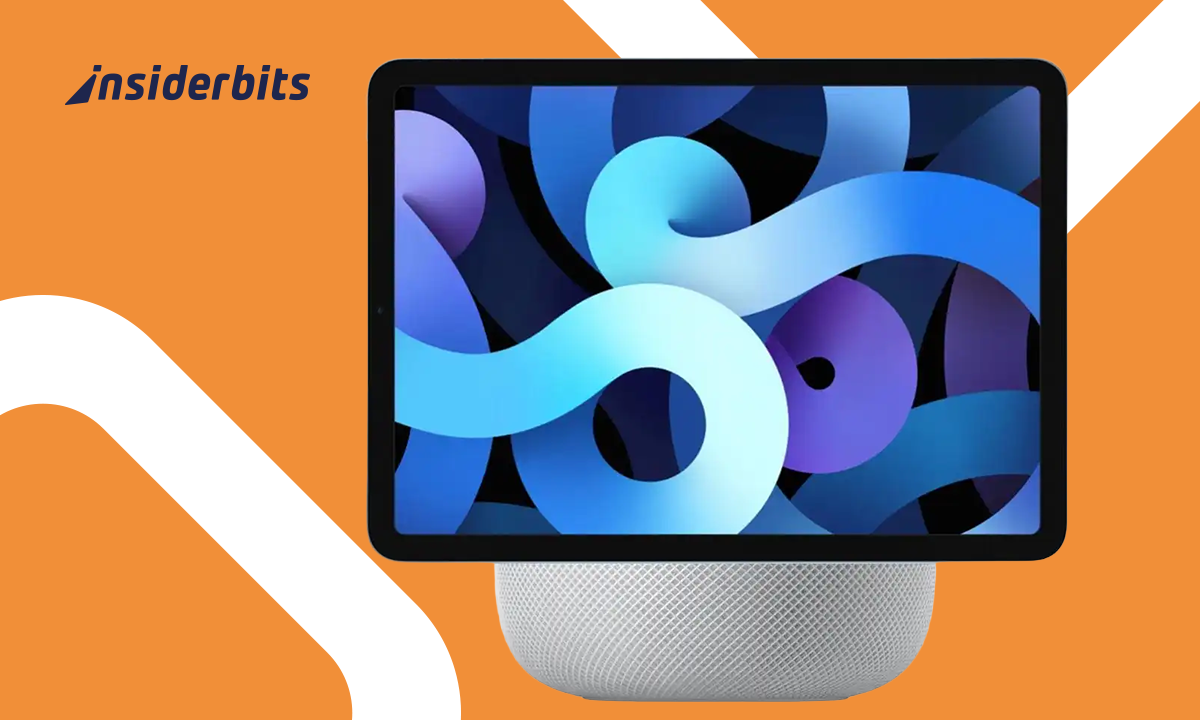
Apple is rumored to launch a new version of the HomePod in 2025—this time with a built-in display. If true, it could combine the sound quality of the HomePod with display, the convenience of a smart screen, opening the door to richer interactions, video features, and deeper smart home control.
This move would put Apple in direct competition with smart displays like the Google Nest Hub and Amazon Echo Show. While details are still speculative, fans expect tight integration with Siri, HomeKit, and other Apple services. Here’s what we might see—and how it could change the way we use smart home assistants.

What We Know So Far About Apple’s New Smart Speaker
Apple is reportedly developing a HomePod with a built-in display, combining premium audio with visual interactivity. Expected features include:
- 7- to 10-inch touchscreen (similar to Nest Hub);
- Continuity with iPhone/iPad (handoff features);
- Apple TV integration (mini control hub);
- FaceTime video calls via Center Stage camera;
- Enhanced Siri interactions with visual responses.
The device is rumored for a late 2025 release, positioning Apple as a stronger competitor to Google Nest Hub and Amazon Echo Show.
About Apple Home
The Apple Home app is Apple’s official hub for managing smart home devices using the HomeKit framework.
Available exclusively for iOS, the app lets users control lights, locks, thermostats, and more—either manually or via automation.
It integrates seamlessly with Siri and is expected to become even more central with the rumored release of a HomePod with display, allowing for enhanced visual control of connected devices directly from a smart screen.
- Apple AirPods 4: A Game-Changer in Earbud Comfort and Performance
- Apple Health vs Samsung Health: choose the best for you
- Apple Sports – New App For Sports Fans
How the HomePod with Display Will Fit Into Your Home
Unlike the audio-only HomePod, this model could serve as:
- A kitchen companion (recipes, timers, video calls);
- A smart home dashboard (HomeKit controls);
- A bedside display (alarms, weather, calendar);
- A media controller (Apple Music, TV+, podcasts).
Its integration with HomeKit means seamless control of lights, locks, and security cameras—all from one screen.
Key Differences Between HomePod and Nest Hub
The upcoming HomePod with Display and the current Google Nest Hub (3rd Gen) cater to different user needs, with distinct strengths in hardware, software, and ecosystem integration.
Here’s a detailed breakdown of how they compare:
Display Quality & Usability
HomePod (2025):
- Expected to feature a high-resolution Retina LCD (similar to iPad Mini);
- Likely optimized for True Tone and adaptive brightness;
- Potential ProMotion support for smoother interactions.
Nest Hub (3rd Gen):
- 7-inch HD touchscreen (1280 x 800 resolution);
- Ambient EQ adjusts brightness based on lighting;
- Simpler interface optimized for quick glances.
Verdict: Apple’s display will likely offer superior sharpness and color accuracy, while Google’s focuses on efficiency.
Audio Performance
HomePod (2025):
- Inherits Apple’s high-fidelity speaker technology (like the original HomePod);
- Possible spatial audio and Dolby Atmos support;
- Tight integration with Apple Music Lossless.
Nest Hub (3rd Gen):
- Decent speaker for voice responses and casual music;
- Lacks deep bass or premium audio tuning;
- Best paired with a Nest Audio for better sound.
Verdict: the HomePod will dominate in audio quality, while the Nest Hub serves basic needs.
Ecosystem & Compatibility
HomePod (2025):
- iOS/macOS exclusive—seamless with iPhones, iPads, and Macs;
- Deep Siri integration (reminders, Apple apps, HomeKit);
- Potential Continuity features (handoff calls/music from iPhone).
Nest Hub (3rd Gen):
- Works with Android and iOS;
- Google Assistant supports broader third-party apps;
- Better for YouTube, Google Maps, and Gmail users.
Verdict: Apple’s device is ideal for Apple loyalists; Google’s is more flexible for mixed ecosystems.
Smart Home Control
HomePod (2025):
- HomeKit-focused (works best with Apple-certified devices);
- May support Matter but with Apple-first prioritization;
- Could serve as a Home Security Dashboard (for cameras and locks).
Nest Hub (3rd Gen):
- Google Home & Matter compatible (wider device support);
- Better for Nest Cam, Ring, and Philips Hue users;
- Voice match for personalized responses.
Verdict: Nest Hub supports more third-party devices, while HomePod excels in Apple’s walled garden.
Price & Value
HomePod (2025):
- Expected $299-$399 (premium pricing);
- Justified by better speakers, display, and Apple integration.
Nest Hub (3rd Gen):
- $129 (often on sale for less);
- Best for budget-conscious buyers.
Verdict: the Nest Hub is far more affordable, but the HomePod may justify its cost for Apple enthusiasts.
Who Should Choose Which?
Get the HomePod (2025) if:
- You own multiple Apple devices;
- You prioritize sound and display quality;
- You use HomeKit for smart home control.
Get the Nest Hub (3rd Gen) if:
- You want cross-platform flexibility;
- You rely on Google services (YouTube, Gmail, Google Photos);
- You need a budget-friendly smart display.
Why It Matters:
- Apple users gain deeper iOS integration;
- Google/Nest remains more affordable and cross-platform.
For more smart home comparisons, check our best smart home devices guide.
Final Takeaway
The HomePod with Display will likely be the premium choice for Apple users, while the Nest Hub remains the versatile, affordable option. Your decision depends on ecosystem loyalty, audio needs, and budget.
Keep an eye on Apple’s official announcements for confirmed specs and release dates.
Apple’s Plan to Integrate Audio, Visual, and Automation
The HomePod with Display is expected to:
- Replace some iPad uses (e.g., as a smart home controller);
- Enhance Apple Fitness+ (workout tracking on screen);
- Support Matter accessories (broader smart home compatibility);
- Act as an Apple TV remote with voice and touch controls.
This positions it as a central hub for Apple’s growing smart home ambitions.
Should You Wait for the HomePod or Buy a Competitor?
Wait for HomePod If:
- You’re deep in the Apple ecosystem (iPhone, Mac, Apple TV);
- You prioritize sound quality over affordability;
- You want FaceTime on a smart display.
Buy a Nest Hub/Echo Show If:
- You need a budget-friendly option;
- You use Google Assistant or Alexa;
- You prefer cross-platform compatibility.
For more smart home insights, check our best smart home devices guide.
Final Thoughts
The HomePod with Display could be Apple’s most versatile smart home device yet—bridging the gap between audio, video, and home automation.
While details remain unconfirmed, its late 2025 launch may redefine expectations for premium smart displays.
For official updates, monitor Apple’s HomeKit accessories page. The battle for your living room is heating up!




