
Fishing can be a lot more interesting when you know exactly where the action is happening instead of guessing and hoping a big catch magically appears under your boat the moment you drop the line. With a fishing GPS app like Fishbrain, you can solve this guessing game by showing real hotspots, recent catches, species activity, and conditions that matter when you are trying to plan a successful day on the water.
The app brings maps, weather data, and fishing logs into one place, creating a helpful space where you can understand why some spots flourish while others stay oddly quiet. This information makes each trip easier to plan, especially when you want to feel prepared rather than wandering around until something bites, and this sense of control connects perfectly with your plans to find the best fishing spots near you with Fishbrain.
- GPS Speedometer App: Stay Informed and Safe on the Road
- Best GPS Apps for Truck Drivers in 2025
- Best Free Offline GPS Apps!
Fishing GPS App: How to Find Top Fishing Spots
A fishing GPS app helps you find top fishing spots through its map’s layers that reveal patterns that you usually only discover after many trips.
Fishbrain also highlights areas where other anglers recently logged catches, and these logs give you clues about species distribution, water behavior, and the rhythm of the location.
The app displays structured details about depth, vegetation, and underwater features, which turns basic maps into something far more practical for planning your route.
Each hotspot includes notes shared by the community, and these small insights feel useful because they come from real experiences instead of generic descriptions.
You can browse the map at home or while preparing gear, and this flexibility makes planning feel natural even if your schedule is tight.
Overall, all these layers of information guide your intuition and help you avoid long hours drifting in the wrong place with a puzzled expression and no results.
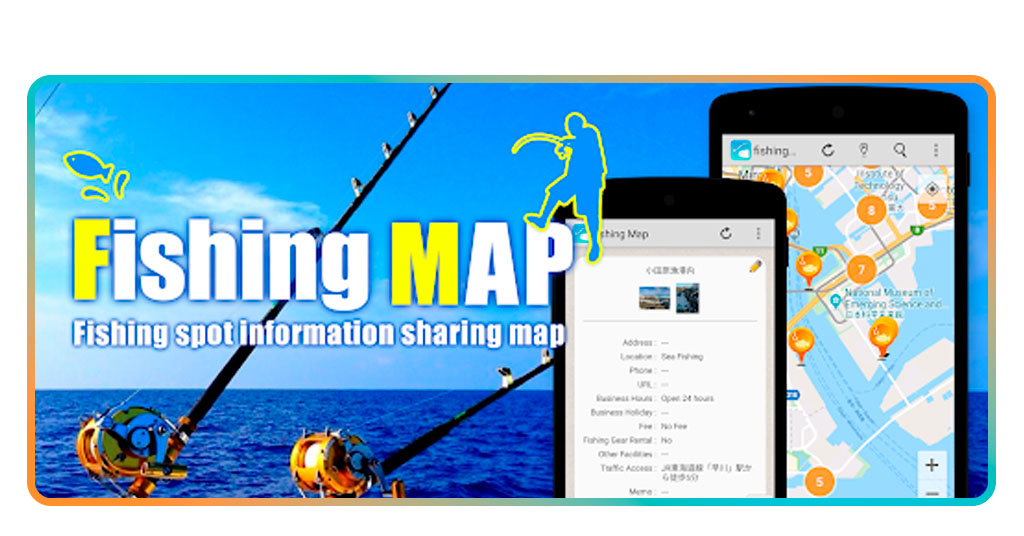
Step-by-Step: Log Catches and Track Conditions
Fishbrain helps to keep track of your progress as an angler, the app logging tool works like a personal journal that quietly organizes your fishing history.
Through the app, you can record catches, add photos, and save observations about depth and weather, and these notes help you understand what works in each location.
Follow this simple guide to start logging:
- Firstly, download Fishbrain app on the App Store or Google Play Store;
- After that, open the fishing GPS and navigate to the catch log section that appears on the home menu;
- Tap the “Add Catch” button and upload a photo or take one on the spot, letting the app identify potential species when possible;
- Then, enter details you want to remember such as water clarity, gear, time of day, or bait used, especially when you want to compare the trip later;
- Now, you can save the catch and let it sync with your profile where it becomes part of a growing history of your fishing journey.

4.1/5
Extra Tools for Weather and Depth Analysis
To explore the extra tools that make Fishbrain more useful than a standard map, we can start by saying the app includes weather and depth information that helps you understand what is happening beneath the surface.
The weather module provides real-time updates that show temperature shifts, pressure changes, and expected conditions that may influence fish behavior during the day.
You can also check water-related factors such as clarity or flow when available, and these insights help you avoid disappointing trips when conditions are not ideal.
Some spots include depth suggestions and structure notes from other anglers, and these cues make it easier to adjust your strategy before you even cast the first line.
The combination of these tools builds a routine where you plan with more intention and react with more awareness, which helps you enjoy each outing without feeling rushed or uncertain.
Over time, the app becomes something between a map, a notebook, and a friendly companion that keeps you informed even when your memory forgets the details of previous trips.
Where to Download Fishbrain
The fishing GPS app is available to download for Android through Google Play and appears with a clean preview page that shows screenshots of maps, logs, and community catches.
On iOS, the App Store listing presents a similar layout, and installation takes just a moment even on slower connections due to the optimized file size.
Once installed, you can sign in using email or social accounts, which makes creating your profile quick even if you are eager to head outdoors.
You can set preferences based on your region or preferred species, and the map adapts as soon as you confirm your location.
This layering of simple decisions transforms your device into a tool that supports every trip with a mix of community knowledge and real-time data.
At this point, you can download now and catch smarter with GPS insights, letting the app guide your next outing with more confidence.
4.1/5
Find the Best Fishing Spots Near You With This Fishing GPS App – Conclusion
Using a fishing GPS app changes the way anglers prepare because the mix of local activity and real-time information replaces guesswork with actionable details.
As you can see, Fishbrain combines way more than just maps, also covering features like conditions and community logs in a structure that helps you understand each location with clarity before you even load your gear.
More experienced fishermen and even beginners who want more productive outings can rely on this app as a supportive addition to their fishing routine, especially when time outdoors feels too precious to waste.
Related: Fishing apps to find the best spots and improve your skills
Enjoyed this article? Save the Insiderbits blog to your favorites for the latest tools, creative tech tips, and photo editing breakthroughs.